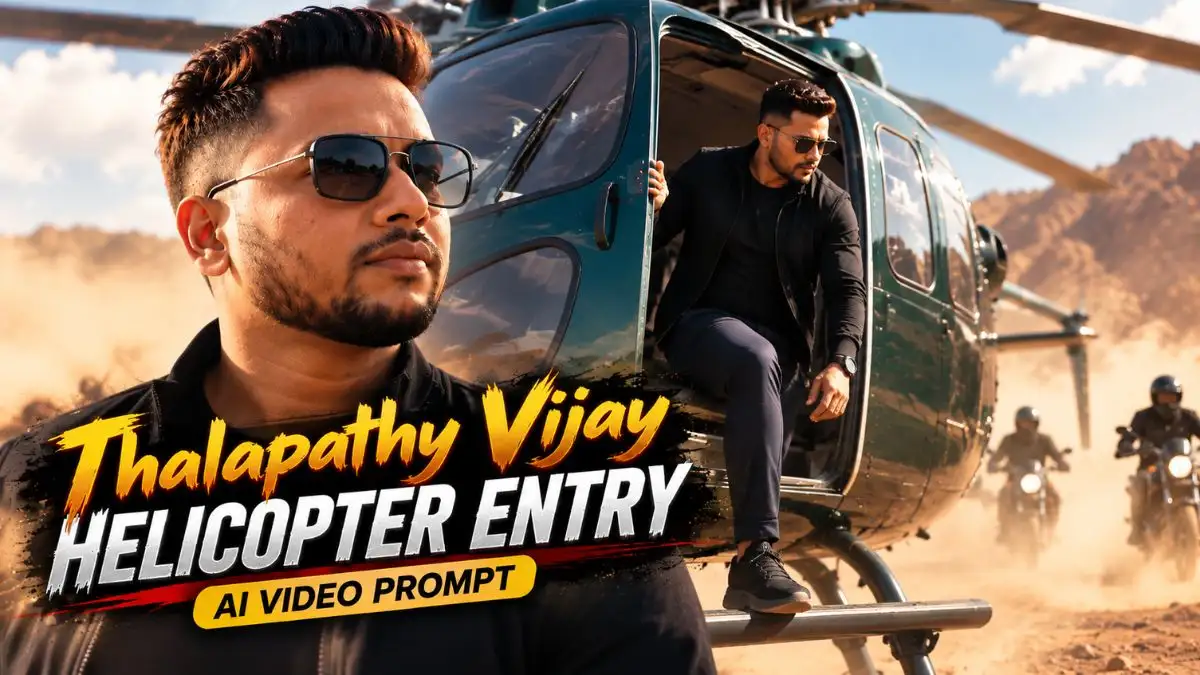
इन दिनों Vijay Thalapathi Viral Helicopter Entry Video Editing Prompt वाला Cinematic Entry Look Social Media पर काफी देखने को मिल रहा है। इसमें लोग अपनी Normal Photo को ऐसी Mass Movie Entry में बदल रहे हैं, जहाँ Helicopter से उतरने के बाद Person Slow-Motion में आगे आता है और पूरा Scene किसी South Indian Action Movie की Hero Entry जैसा दिखाई देता है।
इस Trend में सिर्फ पीछे Helicopter लगा देना ही खास बात नहीं है। घूमते Rotor Blades, हवा में हल्के उड़ते कपड़े, Low-Angle Camera, Dust और Confident Walk जैसी छोटी Details मिलकर Video को असली Cinematic Feel देती हैं। सही Photo और Prompt हो तो एक Normal Image से भी काफी दमदार Entry Scene बनाया जा सकता है।
अगर आप भी अपनी Photo से ऐसा Video बनाना चाहते हैं, तो इस Guide में आपको Thalapathy Vijay Helicopter Entry AI Video Prompt, इसे इस्तेमाल करने का आसान तरीका और बेहतर Result पाने के कुछ काम के Tips मिलेंगे।
Photo से Mass Helicopter Entry कैसे तैयार होती है?
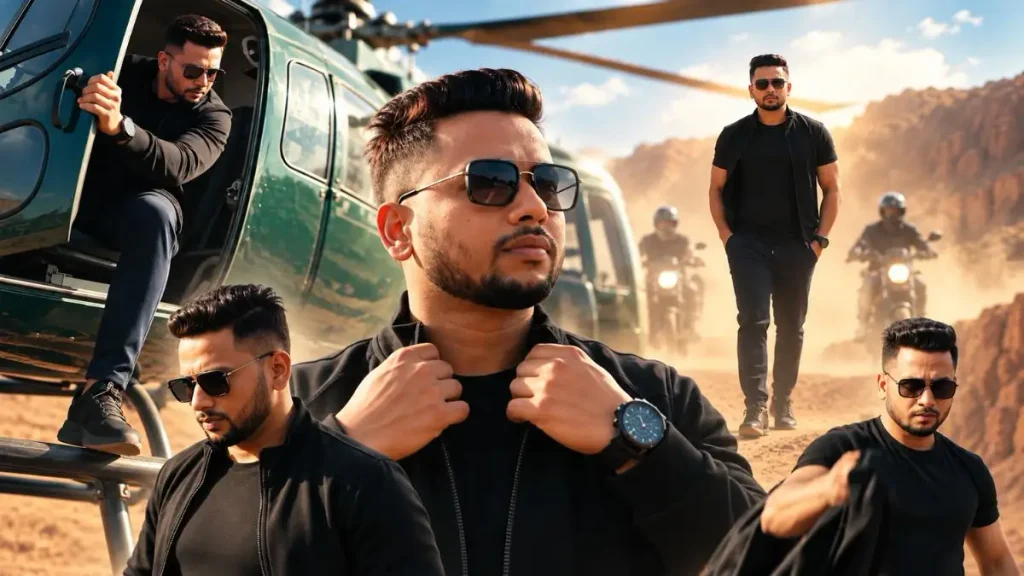
असली सवाल है—एक Normal Photo अचानक Helicopter से उतरती हुई Mass-Movie Entry में बदलती कैसे है? दोस्तों, यही इस Trend का सबसे मजेदार हिस्सा है। Helicopter Entry AI Video Prompt आपकी Photo को सिर्फ हिलाता नहीं, बल्कि उसी Person को Helicopter के अंदर से बाहर निकलते, जमीन पर उतरते और फिर Confident Slow-Motion Walk करते हुए दिखाता है। पीछे Rotor Blades घूमते हैं, उनकी हवा से Hair और Clothes में हल्की Movement आती है और Camera कभी Close-up तो कभी Low-Angle से Entry को Capture करता है।
यानी एक सही Prompt में Photo, Action और Camera Movement तीनों साथ काम करते हैं। मेरे हिसाब से यही छोटी Details इस Effect को खास बनाती हैं—अगर Walking और Rotor Wind Natural बन जाए तो कुछ Seconds का Video भी किसी बड़े Movie Entry Shot जैसी Feel देने लगता है।
अपनी Photo से Thalapathy Vijay Helicopter Entry AI Video कैसे बनाएं?
अब सबसे मजेदार हिस्सा—अपनी एक Normal Photo को उसी Helicopter Entry Video में कैसे बदलें? इसके लिए आपको कोई मुश्किल Video Editing नहीं करनी है। Google Flow में अपनी Photo को Reference/Start Frame बनाकर सही Thalapathy Vijay Helicopter Entry AI Video Prompt देना है और AI उसी Photo से आगे का Cinematic Action तैयार कर सकता है।
- सबसे पहले सही Photo चुनें
ऐसी Clear Photo लें जिसमें आपका Face अच्छी तरह दिखाई दे। Full-Body या Three-Quarter Photo इस तरह के Walking और Helicopter Entry Scene के लिए ज्यादा काम की रहेगी। - Google Flow में नया Project खोलें
Flow के Prompt Box में Video → Frames Select करें और अपनी Photo को Start Frame के रूप में Add करें। - Helicopter Entry Prompt Paste करें
अब नीचे दिया गया Thalapathy Vijay Helicopter Prompt Paste करें। Prompt में Helicopter से उतरने, Natural Walking, Rotor Movement और Cinematic Camera Action की Instructions पहले से रहेंगी। - Video Settings Select करें
Instagram Reels या YouTube Shorts के लिए 9:16 Vertical Aspect Ratio चुनें। इसके बाद उपलब्ध Video Model और Clip Length Select करके Video Generate करें। - Final Video को ध्यान से Check करें
Video तैयार होने के बाद सिर्फ Face देखकर Final न करें। Helicopter से उतरते समय Face Consistency, Hands, Foot Movement, Walking और Rotor Blades भी देखें—यही छोटी Details तय करती हैं कि Entry Cinematic लगेगी या AI Generated।
एक छोटी लेकिन जरूरी बात: ऐसी Reference Photo Avoid करें जिसमें Body का बड़ा हिस्सा किसी Object के पीछे छिपा हो या Photo बहुत Blur हो। इस तरह के Helicopter Entry AI Video Prompt में साफ Subject Reference मिलने पर AI के लिए आगे की Body Movement और Action को Consistent रखना आसान होता है।
Thalapathy Vijay Helicopter Entry AI Video Prompt – Copy Paste Ready
अब असली Mass Hero Entry बनाने की बारी है। नीचे दिया गया Thalapathy Vijay Helicopter Entry AI Video Prompt आपकी Photo को Helicopter से उतरते हुए Slow-Motion Walk, Rotor Wind और Cinematic Camera Angles वाली दमदार Movie-Style Entry में बदलने के लिए तैयार किया गया है।
इस Vijay Thalapathi Viral Helicopter Entry Video Editing Prompt में सिर्फ Face Lock नहीं, बल्कि Outfit, Location और Body Movement की Consistency भी है। तभी अलग-अलग Shots एक ही Video Sequence का हिस्सा लगते हैं।
अच्छे Result के लिए ये छोटी बातें जरूर ध्यान रखें
दोस्तों, Thalapathy Vijay Helicopter Entry AI Video Prompt में Effects से ज्यादा Natural Movement मायने रखती है। Generate करते समय इन चीजों पर खास ध्यान दें:
- Clear Photo लें: Face के साथ Body भी साफ दिखाई देनी चाहिए।
- Walking Natural रखें: बहुत Fast Walk या अचानक Body Movement Cinematic Feel खराब कर सकता है।
- Rotor Wind हल्की हो: Hair और Clothes में हल्का Movement अच्छा लगता है, बहुत तेज हवा Artificial दिख सकती है।
- Low-Angle Camera Try करें: Helicopter Entry को Powerful दिखाने में यह Angle काफी अच्छा काम करता है।
- Helicopter भी Check करें: सिर्फ अपना Face देखकर Video Final न करें; Rotor Blades, Door और Helicopter की Shape भी Natural रहनी चाहिए।
- Smoke ज्यादा न रखें: हल्की Dust Scene में Depth देती है, लेकिन ज्यादा Smoke Main Subject को ही छिपा सकता है।
Face सही है, लेकिन Movement खराब आ रही है तो क्या करें?
अगर Face सही है लेकिन Walking या Helicopter Movement गड़बड़ बन रही है, तो Prompt बदलने के बजाय Reference Photo बदलकर दोबारा Generate करें। ऐसी Full या Three-Quarter Photo लें जिसमें दोनों पैर, Hands और Body Pose साफ दिखाई दे और Person पहले से Natural Standing Position में हो।
फिर भी लंबे Action में Problem आए तो पूरी Entry एक साथ बनाने के बजाय छोटे Clips बनाएं—पहले Helicopter से उतरने वाला Shot और फिर Slow-Motion Walk वाला Shot। बाद में दोनों Clips को जोड़ सकते हैं। इससे AI को एक बार में कम Movement बनानी पड़ती है और Body Distortion या Sliding Feet जैसी Problems कम हो सकती हैं।
Reel में Helicopter Entry को ज्यादा दमदार कैसे दिखाएं?
Helicopter Entry शानदार बनी है, फिर भी Reel देखते ही लोग आगे निकल सकते हैं—आखिर क्यों? क्योंकि असली Impact पूरी Video नहीं, उसके शुरुआती 2–3 Seconds बनाते हैं। इसलिए Thalapathy Vijay Helicopter Entry AI Video Prompt से Video बनाते समय 9:16 Vertical Format रखें और शुरुआत Helicopter Landing, Door Opening या Hero के First Step जैसे Strong Visual से करें।
इसके बाद Slow-Motion Walk और एक Powerful Close-up रखें। इससे छोटी Reel में भी पूरी Mass-Entry Story जल्दी Build होती है और Video बेवजह लंबा नहीं लगता।
FAQs
Thalapathy Vijay Helicopter Entry AI Video Prompt क्या है?
यह ऐसा AI Video Prompt है जिससे अपनी Reference Photo को Helicopter Entry और Cinematic Mass-Movie Style Scene में Animate किया जा सकता है।
क्या अपनी Photo से Helicopter Entry Video बना सकते हैं?
हाँ, अपनी Clear Reference Photo Upload करके Compatible Image-to-Video AI Tool में Helicopter Entry AI Video Prompt इस्तेमाल कर सकते हैं।
इसके लिए कैसी Photo Upload करनी चाहिए?
Full-Body या Three-Quarter Photo बेहतर रहेगी, जिसमें Face, Hands और Body साफ दिखाई दें और बहुत ज्यादा Blur या Filter न हो।
Instagram Reel के लिए कौन-सा Ratio रखें?
9:16 Vertical Ratio रखें। इससे Video Mobile Screen पर Full-Screen दिखाई देगा और Reels/Shorts के लिए आसानी से इस्तेमाल किया जा सकेगा।
AI Video में Face Same कैसे रखें?
Clear Reference Photo इस्तेमाल करें और Prompt में मौजूद Identity Lock Instructions को न हटाएं। Generate होने के बाद हर Shot में Face और Body Consistency जरूर Check करें।
आखिर में
दोस्तों, Thalapathy Vijay Helicopter Entry AI Video Prompt का असली मजा सिर्फ Helicopter दिखाने में नहीं, बल्कि अपनी Normal Photo को उस पूरी Mass-Movie Entry वाली Feel देने में है। Slow Walk, सही Camera Angle और Natural Rotor Wind जैसी छोटी चीजें सही बन जाएं तो Final Video काफी Cinematic दिखाई देता है।
आप इस Trending AI Prompts, Viral Instagram Prompts को Try करें तो Result कैसा आया, Comment में जरूर बताइए। अगर अगली बार किसी और Movie-Style Entry या Viral AI Video का Prompt चाहिए तो उसका Idea भी Comment कर सकते हैं।
नीचे लिखे अन्य लेख भी देखे आपको जरूर पसंद आएंगे:-