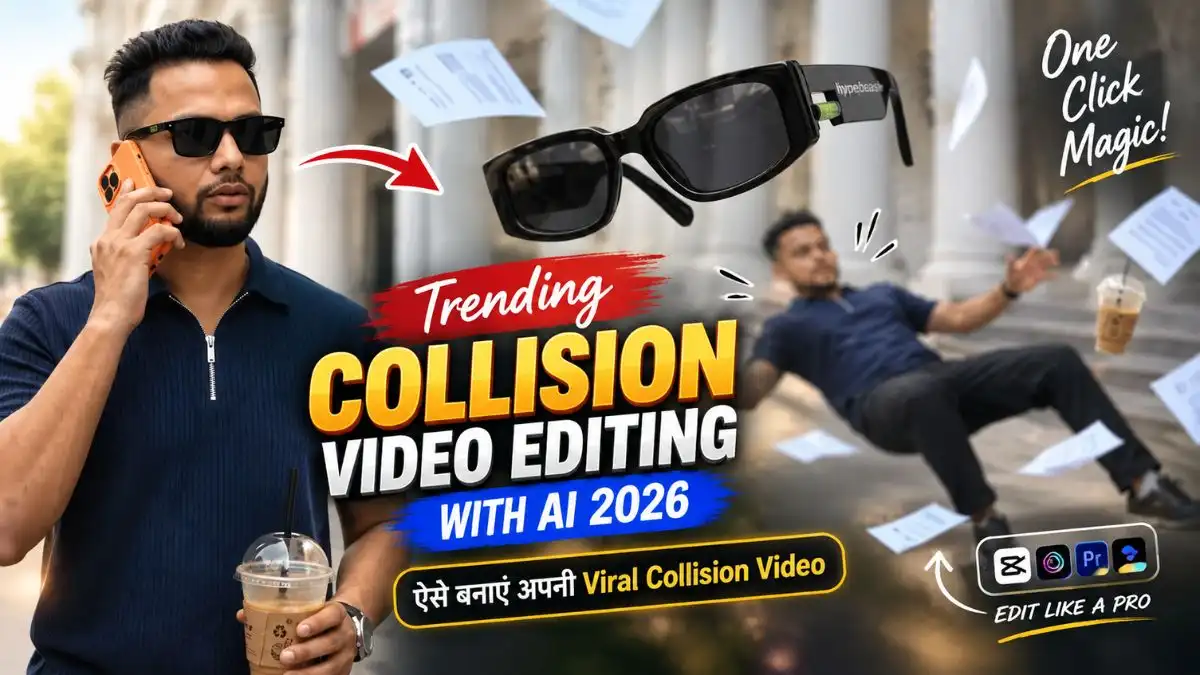
नमस्कार दोस्तों, मैं Lavit। इन दिनों Trending Collision Video Editing With AI वाला cinematic effect काफी attention खींच रहा है—एक normal walking shot अचानक collision में बदलता है, phone, sunglasses, coffee और papers हवा में छूट जाते हैं और फिर पूरा scene bullet-time slow motion में freeze जैसा दिखाई देता है। देखने में ये किसी expensive VFX shoot जैसा लगता है, लेकिन सही references और prompt के साथ इसे AI video tools में बनाया जा सकता है।
इस effect में सिर्फ prompt paste करना काफी नहीं है। पहले एक consistent character reference, फिर अलग object PNGs और आखिर में detailed Viral AI Collision Video Prompt इस्तेमाल करना पड़ता है। नीचे मैंने वही practical workflow आसान भाषा में रखा है, ताकि Trending Collision Video Editing With AI बनाते समय character, objects और collision scene बार-बार बदलें नहीं।
सबसे पहले Final Effect समझ लें
इस AI Collision Video Trend 2026 में शुरुआत normal walking shot से होती है। Character phone पर बात करते हुए आगे बढ़ता है, सामने से दूसरा person टकराता है और उसी collision में sunglasses, phone, coffee और papers अलग-अलग direction में हवा में चले जाते हैं।
इसके बाद video dramatic bullet-time slow motion में जाता है और camera suspended objects के पास से cinematic movement करता है। आखिर में time normal speed पर लौटता है और सभी objects realistic gravity के साथ नीचे गिरते हैं। यही sequence इस trend की असली पहचान है।
यह भी देखे:- Instagram Viral Baby AI Video Prompt
Step 1: ChatGPT से Character Reference Image बनाएं
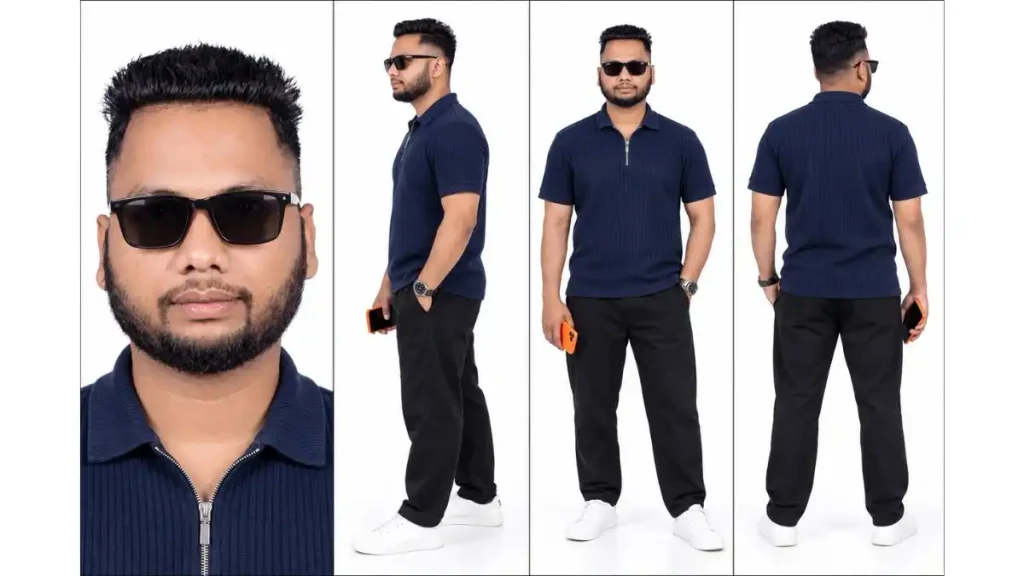
सबसे पहले अपने character की एक clear reference sheet बनानी है। इसका फायदा ये है कि video generator के पास Face, Hairstyle, Outfit और Body Proportion की साफ reference रहती है।
Character Reference Image Prompt
इसे इस्तेमाल करने का तरीका:
- ChatGPT खोलें और नया Chat शुरू करें।
- अपनी clear face photo Upload करें जिसमें Face अच्छी तरह दिखाई दे।
- ऊपर वाला Image Prompt Paste करें।
- Generate करें और Face, Hairstyle, Outfit और चारों Views Check करें।
- Result सही हो तो Character Image Save कर लें।
Reference article में भी heavily filtered, blurry या बहुत dark photo से बचने की सलाह दी गई है, क्योंकि character consistency अगले video step में इसी image पर निर्भर करती है।
Collision Video में Face बदल रहा है? Character Reference यहीं काम आती है
दोस्तों, Trending AI Collision Video Editing में Character Reference सिर्फ शुरुआत की Photo नहीं है—पूरे Video में आपका Face, Outfit और Overall Look Same रखने का Base यही बनती है। खासकर Bullet-Time Camera घूमते समय कमजोर Reference होने पर Face या Body Look बदल सकता है।
इसीलिए Character Image Final करने से पहले Face, Hairstyle, Sunglasses, Outfit, Shoes, Orange Phone और Body Proportions एक बार Original Photo से Match कर लें। मेरे Experience में शुरुआत में Reference जितनी साफ और Consistent होगी, आगे Viral AI Collision Video Prompt में AI को Character Guess करने की उतनी ही कम जरूरत पड़ेगी और Video ज्यादा Continuous लगेगा।
Step 2: Download All Required PNG References
अब Trending Collision Video Editing With AI बनाने के लिए आपको कुछ PNG Reference Images की जरूरत पड़ेगी। Character Image आपने पहले Step में बना ली है, बाकी जरूरी PNGs मैंने नीचे दिए हैं ताकि आपको इन्हें अलग-अलग Search करने की जरूरत न पड़े।
- Character PNG: ChatGPT से Step 1 में बनाई गई आपकी Character Image
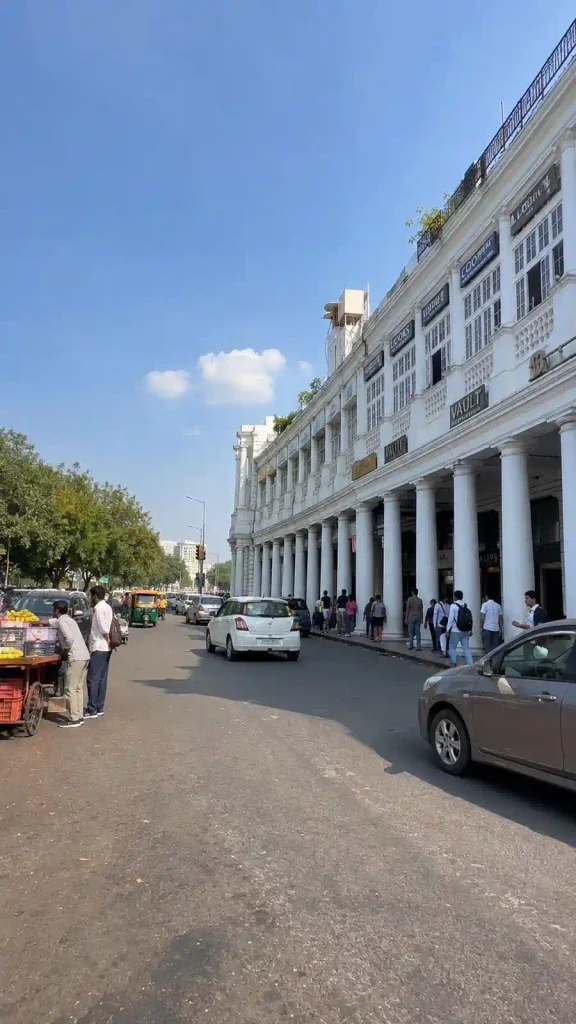
- Location PNG: Collision Video में इस्तेमाल होने वाली Location
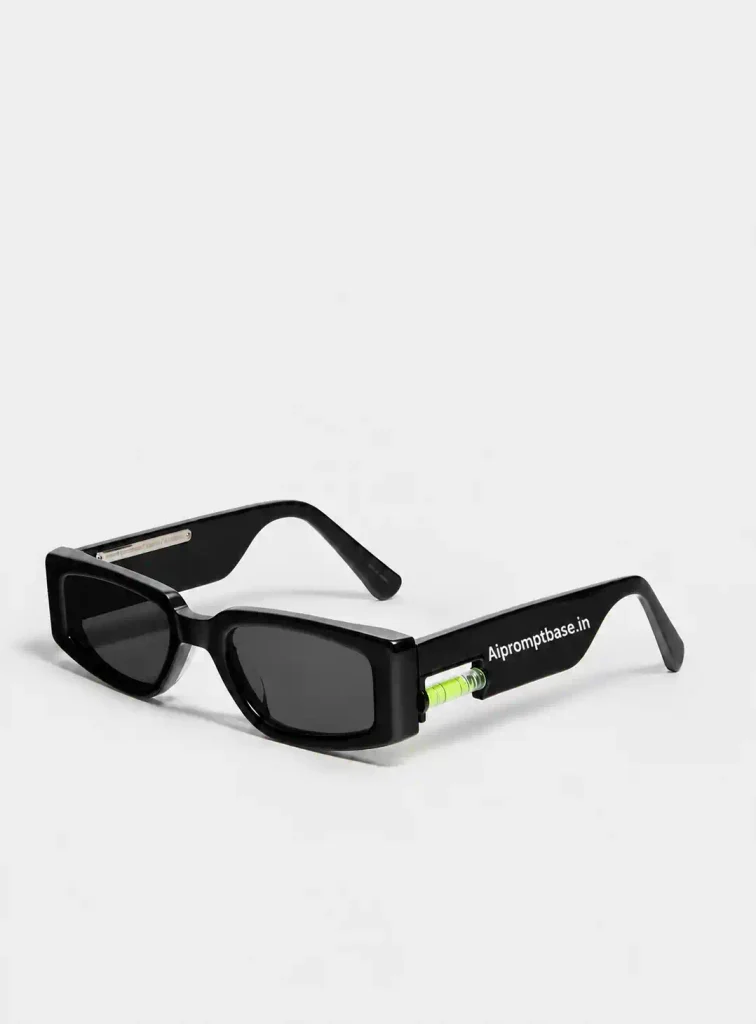
- Sunglasses PNG: हवा में दिखाई देने वाला Sunglasses Reference
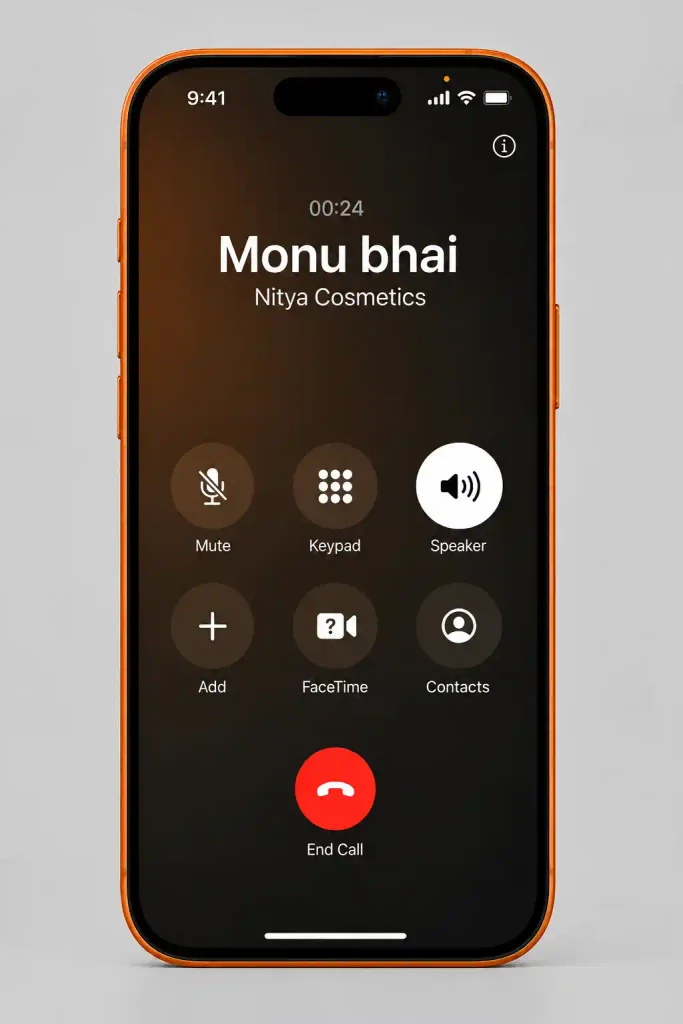
- Mobile PNG: Video में इस्तेमाल होने वाला Phone Reference
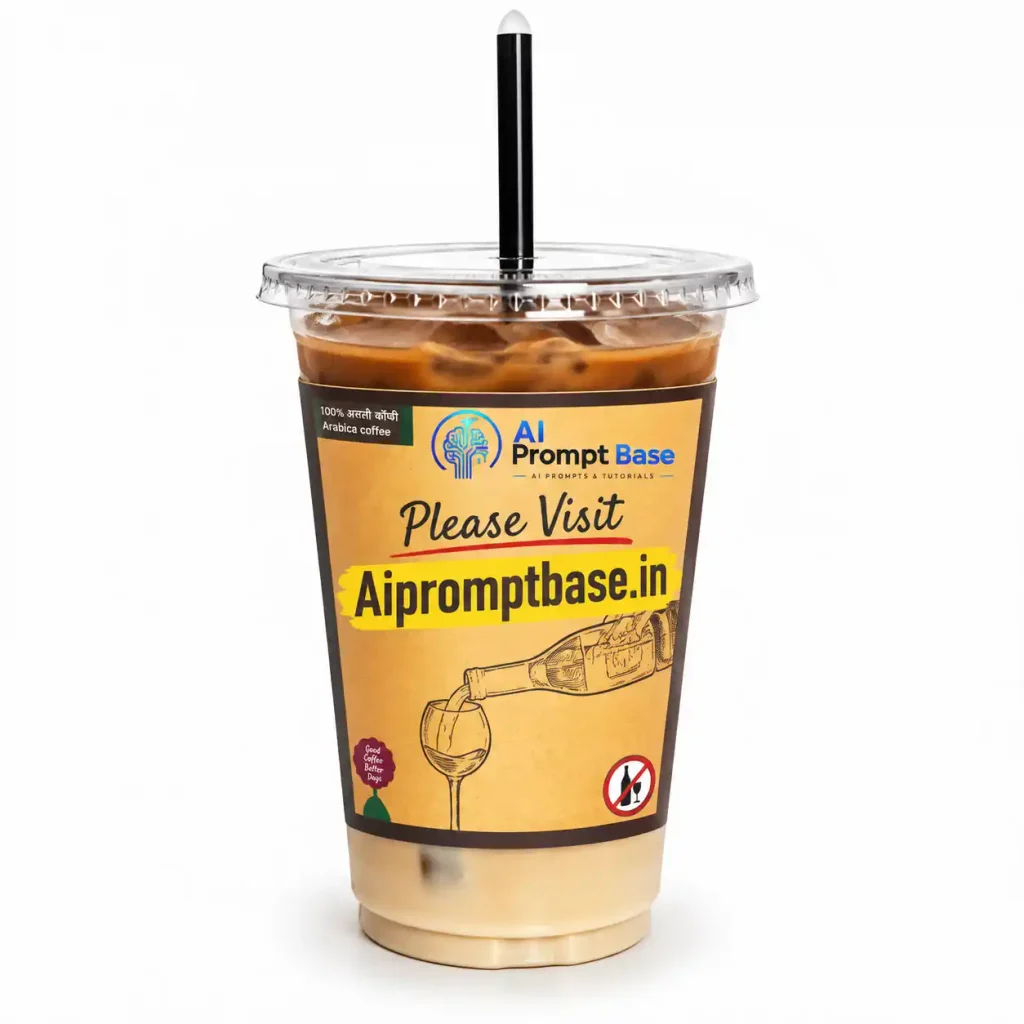
- Coffee PNG: Collision के दौरान गिरने वाली Cold Coffee Reference
Download All Required PNG Images
दोस्तों, नीचे दी गई सभी PNG Reference Images को Download करके एक ही Folder में Save कर लें। आगे Flow AI में Character, Location, Sunglasses, Mobile और Coffee इन्हीं Images को सही @image Reference के साथ Upload करना है।
Step 3: Cinematic AI Collision Video Prompt Copy करें
अब actual Cinematic AI Collision Video Prompt की जरूरत होगी। यही prompt walking, collision, slow motion, bullet-time camera movement और final fall का पूरा sequence define करता है।
Viral AI Collision Video Prompt
मैं यहां original source का पूरा prompt verbatim repeat नहीं कर रहा हूं; article में आप वही prompt paste कर सकते हैं जिसे आपने reference article से लिया है। उसका core sequence walking → collision → bullet-time → object close-ups → normal speed resume है।
Step 4: Flow AI या Seedance में Project शुरू करें
अब Trending Collision Video Editing With AI का Main Video वाला Part शुरू होगा। Character और बाकी Object References तैयार होने के बाद इन्हें Flow AI में सही Order में लगाना जरूरी है, ताकि Prompt में बताया गया हर Object सही Image से Match हो। Reference workflow में Flow या Seedance जैसे AI video tools इस्तेमाल किए गए हैं।
- Flow AI खोलकर नया Project Create करें।
- Video Generation में Ingredients to Video option चुनें।
- सबसे पहले अपनी Character Reference Image Upload करें।
- इसके बाद Location, Sunglasses, Mobile और Cold Coffee की तैयार PNG Images Add करें।
- सभी Images को Prompt के हिसाब से सही Reference दें—जैसे
@image1,@image2,@image3। - अब नीचे दिया Viral AI Collision Video Prompt Prompt Box में Paste करें।
- Generate करने से पहले एक बार Check करें कि Prompt में जिस Object का Reference दिया है, वही Image उससे Match हो रही है।
छोटी लेकिन काम की Tip: References का order बदलने से AI गलत Object को गलत जगह इस्तेमाल कर सकता है। इसलिए Generate दबाने से पहले Character → Location → Sunglasses → Mobile → Coffee की Mapping एक बार जरूर Match कर लें।
यह भी देखे:- Viral Funny Baby AI Video Prompt
Image Order गलत हुआ तो पूरा Scene बदल सकता है
दोस्तों, Trending Collision Video Editing With AI में Character और Objects की Images Upload कर देना ही काफी नहीं है। Prompt में जिस Reference को Sunglasses, Phone या Coffee बताया गया है, वही Image उसके सही @image Reference से जुड़ी होनी चाहिए। Mapping गलत हुई तो Collision के दौरान Phone की जगह कोई दूसरा Object आ सकता है या पूरा Effect गड़बड़ा सकता है। इसलिए Generate करने से पहले सिर्फ 10 Seconds निकालकर ये Order Match कर लें:
Character → Location → Sunglasses → Mobile → Cold Coffee
मेरे हिसाब से Viral AI Collision Video Prompt में ये छोटी-सी Check बाद में खराब Generation पर दोबारा समय लगाने से कहीं आसान है।
Step 5: Video Prompt Paste करें और Settings चुनें
अब copied Viral AI Collision Video Prompt prompt box में Paste करें।
इसके बाद:
- Aspect Ratio में 9:16 Vertical चुनें।
- Available हो तो Highest Practical Quality चुनें।
- सभी references सही जगह attached हैं, ये Check करें।
- Generate पर Tap करें।
- पूरा output बनने दें।
9:16 format Reels और Shorts जैसे mobile-first content के लिए suitable है, और source guide भी यही ratio recommend करती है।
Step 6: Collision Scene को Realistic बनाने के लिए ये 4 चीजें ध्यान रखें
Trending Collision Video Editing With AI में सबसे ज्यादा मजा तब आता है जब objects हवा में बस randomly नहीं उड़ते, बल्कि collision से naturally अलग होते दिखें।
- Character वही रहे: पूरे shot में Face, Outfit और Hairstyle बदलने नहीं चाहिए।
- Objects duplicate न हों: एक Phone, एक Sunglasses और एक Coffee ही दिखें।
- Physics believable हो: Coffee, papers और objects collision की direction के हिसाब से move करें।
- Bullet-time stable हो: Camera move करे, लेकिन frozen objects अपनी जगह anchored दिखें।
Source prompt भी object duplication, teleportation और spontaneous regeneration से बचने पर खास जोर देता है।
Collision Video पहली बार में Perfect नहीं बनी? पहले ये 3 चीजें सुधारें
दोस्तों, AI Collision Video Trend 2026 में एक ही Clip के अंदर Face Consistency, Collision, Flying Objects और Bullet-Time Effect संभालना पड़ता है, इसलिए पहली Generation में छोटी गड़बड़ी आना संभव है। ऐसे में पूरा Viral AI Collision Video Prompt बदलना जरूरी नहीं है।
पहले Problem के हिसाब से Fix करें—Face बदल रहा है तो Character Reference ज्यादा Clear रखें, Phone/Coffee गलत बन रहे हैं तो PNG और @image Mapping Check करें, और Collision अजीब है तो उसी Setup से एक और Generation Try करें। मेरे Experience में एक साथ पूरा Prompt बदलने के बजाय जिस हिस्से में Problem है सिर्फ उसे सुधारना ज्यादा Practical रहता है।
Trending Collision Video Editing With AI का सबसे आसान Workflow
दोस्तों, पूरा Process पहली बार थोड़ा Technical लग सकता है, लेकिन इसे सही Order में करें तो Trending Collision Video Editing With AI बनाना काफी आसान हो जाता है:
Clear Photo → Character Reference → Location & Object PNGs → References Upload → Collision Video Prompt → Flow AI → Generate
सबसे पहले अपनी Clear Photo से Character तैयार करें, फिर Location, Sunglasses, Mobile और Cold Coffee की References बनाएं। इन्हें Flow AI में सही @image Mapping के साथ Upload करके Viral AI Collision Video Prompt Paste करें और Video Generate करें।
एक बार ये References सही तैयार हो गईं तो उन्हें संभालकर रखें। अगली Generation में आपको Character और Objects दोबारा तैयार नहीं करने पड़ेंगे—उसी Setup से अलग Cinematic AI Collision Video Prompt या Camera Movement भी Try कर सकते हैं।
FAQs अक्सर पूछे जाने वाले सवाल
Trending Collision Video Editing With AI क्या है?
यह cinematic AI video effect है जिसमें normal walking scene collision के बाद bullet-time slow motion sequence में बदल जाता है।
इस Video के लिए कौन-कौन सी Images चाहिए?
Character reference, Location, Sunglasses, Mobile और Coffee की references तैयार रखना सबसे useful workflow है।
Flow AI में कौन-सा Aspect Ratio रखें?
Instagram Reels और Shorts के लिए 9:16 Vertical रखें।
Character का Face Same कैसे रखें?
Clear face photo से पहले Character Reference Sheet बनाएं और वही character reference पूरे workflow में इस्तेमाल करें।
Objects बदल या duplicate हो रहे हों तो क्या करें?
PNG references साफ रखें, upload order सही रखें और prompt में object duplication/teleportation को explicitly avoid करें।
निष्कर्ष
दोस्तों, Trending Collision Video Editing With AI में सबसे बड़ी Trick flashy slow motion नहीं, बल्कि consistent character + सही object mapping + believable physics है। यही तीन चीजें सही हों तो simple collision shot भी premium fashion-film जैसा Feel दे सकता है।
अगर आप यह Trending AI Collision Video Editing Try करते हैं, तो पहले Character Sheet और PNG References पर थोड़ा time दें। Final video में Face, phone, sunglasses और coffee सही बने हों, तो बाकी bullet-time effect काफी ज्यादा impressive लगेगा। और हां, अगर आपने यह trend Try किया है तो Comment में जरूर बताइए—सबसे ज्यादा problem Face consistency, collision physics या floating objects में किस जगह आई?
नीचे लिखे अन्य लेख भी देखे आपको जरूर पसंद आएंगे:-