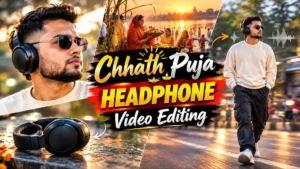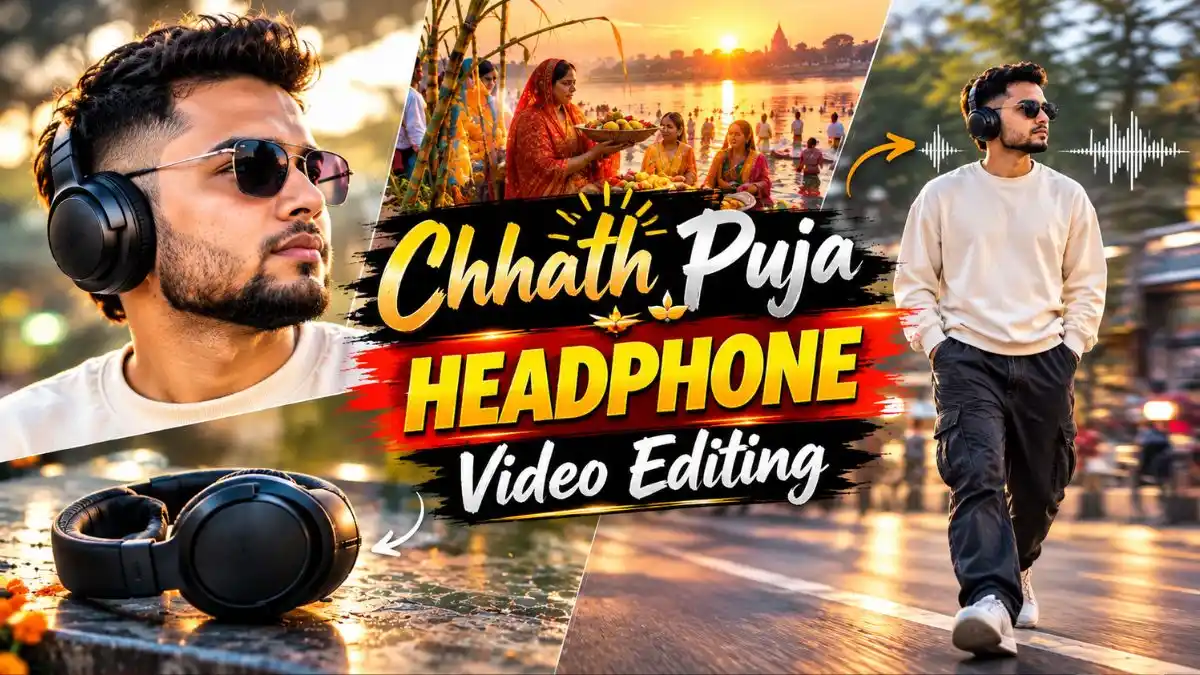
इन दिनों Social Media पर Chhath Puja की एक Headphone वाली Video काफी देखने को मिल रही है। इस Reel में एक लड़का या लड़की normally चलते हुए आता है, रास्ते में उसे Headphone दिखाई देता है और जैसे ही वह Headphone पहनता है, पीछे “Chhathi Maiya” song बजने लगता है। इसके बाद slow walk और तेजी से गुजरती गाड़ियों के साथ पूरा scene cinematic हो जाता है।
दोस्तों, यह वही Chhathi Maiya song है जो हाल ही में आई Sidharth Malhotra और Tamannaah Bhatia की फिल्म The Vvaan में है और इस समय काफी चर्चा में है। इसी song पर Headphone वाला edit भी Social Media पर लोगों का ध्यान खींच रहा है।
अगर आप भी अपनी Photo से ऐसा video बनाना चाहते हैं, तो नीचे मैंने पूरा Trending Chhath Puja Headphone Video Editing Prompt दिया है। इस Trending Chhath Puja AI Video Prompt में Headphone दिखने से लेकर उसे पहनने, road पर चलने और moving traffic वाले final shot तक पूरा 10-second scene तैयार किया गया है। आगे इसे अपनी Photo से बनाने का तरीका भी आसान steps में बताया है।
AI Video को Trending Reel जैसा कैसे बनाएं?
AI से Video generate होने के बाद उसे CapCut या Canva में import करें और Chhathi Maiya song को Headphone पहनने वाले exact moment से sync करें। इससे वही music transition मिलेगा जो इस Reel का main effect है।
इसके बाद शुरुआत और ending को जरूरत के हिसाब से trim करें, audio volume सही रखें और Video को high quality में export करके Instagram Reels, Facebook या YouTube Shorts पर share कर सकते हैं।
Trending Chhath Puja Headphone Video Editing Prompt
नीचे दिया Chhath Puja Video Editing Prompt 10-second vertical video के लिए तैयार किया गया है। इसमें face consistency से लेकर Headphone उठाने, पहनने, walking और final road-crossing scene तक actions का क्रम पहले से दिया गया है।
Prompt में timing भी अलग-अलग seconds के हिसाब से लिखी गई है, इसलिए इसे copy करते समय बीच की lines remove न करें।
Video Prompt:
Flow AI से Chhath Puja Headphone Video कैसे बनाएं?
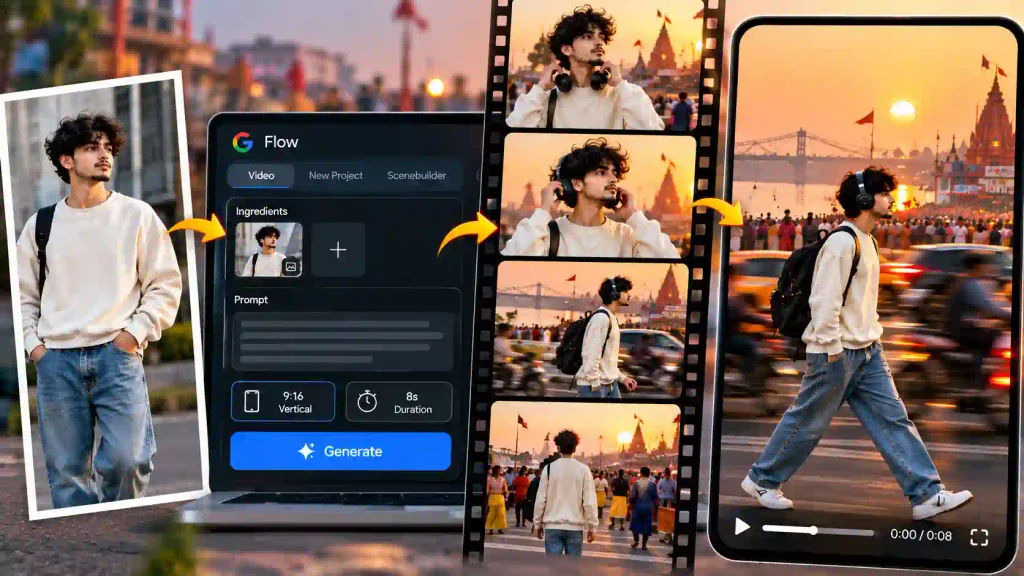
Trending Chhath Puja Headphone Video Editing Prompt को Flow AI में use करने के लिए ये steps follow करें:
- सबसे पहले Google Flow AI खोलें और New Project पर click करें।
- नीचे generation settings में जाकर Video select करें।
- Ingredients option खोलें और अपनी clear Photo upload करें।
- अब ऊपर दिया पूरा Trending Chhath Puja AI Video Prompt prompt box में paste करें।
- Video orientation में Portrait/Vertical select करें और available video model चुनें।
- अब Generate पर click करें और Flow AI को video तैयार करने दें।
- Generation complete होने के बाद तैयार video को preview करें और पसंद वाला clip save/download कर लें।
Tip: अपनी Photo को Ingredient के रूप में add करने के बाद prompt से identity-preservation वाली instructions न हटाएं, क्योंकि इसी Photo को पूरे video में main character की reference के रूप में use करना है।
एक ही Photo से Video सही नहीं बने तो क्या करें?
कभी-कभी Flow AI में पहली generation में face सही रहता है लेकिन Headphone उठाने वाला action या road-crossing scene natural नहीं बनता। ऐसे में तुरंत prompt बदलने की जरूरत नहीं है।
- पहले उसी Photo और Prompt से एक बार फिर generate करके देखें।
- अगर hands खराब बन रहे हैं, तो ऐसी reference Photo लें जिसमें दोनों हाथ साफ दिखाई दे रहे हों।
- Walking body unnatural लग रही है तो close-up selfie की जगह half या full-body Photo use करें।
- Face बदल रहा है तो front-facing, clear और बिना heavy filter वाली Photo बेहतर रहेगी।
- एक साथ कई reference Photos देने की बजाय पहले एक अच्छी Photo से result निकालें।
इस तरह आप Trending Chhath Puja AI Video Prompt को बदले बिना सिर्फ सही reference Photo चुनकर कई common problems को कम कर सकते हैं।
इस Video के लिए कैसी Photo Upload करें?
इस Trending Chhath Puja Headphone Video Editing Prompt में walking और Headphone पहनने जैसे body movements हैं, इसलिए सिर्फ face वाली close-up selfie की बजाय ऐसी Photo चुनें जिससे AI को face के साथ body का भी अच्छा reference मिले।
- Half या full-body Photo सबसे बेहतर रहेगी।
- दोनों shoulders और body posture साफ दिखाई दें।
- हाथ frame में दिखाई दे रहे हों तो और अच्छा है।
- बहुत side-angle वाली Photo की बजाय front या हल्के side-angle वाली Photo लें।
- Sunglasses या कोई ऐसी चीज न हो जिससे face का बड़ा हिस्सा छिप जाए।
- Photo में एक ही person हो और background बहुत crowded न हो।
एक अच्छी reference Photo देने का फायदा यह है कि Flow AI को face के साथ walking body और Headphone interaction बनाने के लिए भी साफ visual reference मिलता है।
अपनी पसंद का Outfit कैसे रखें?
अगर आप इस Chhath Puja Video Editing Prompt में अपना पसंदीदा outfit रखना चाहते हैं, तो पूरे prompt को बदलने की जरूरत नहीं है। Prompt में SUBJECT OUTFIT वाला हिस्सा ढूंढें और केवल वहीं अपने कपड़ों की details लिखें।
जैसे cream sweatshirt और blue baggy jeans की जगह आप white kurta-pajama with sneakers या black oversized T-shirt with loose-fit jeans लिख सकते हैं।
काम की Tip: Outfit बदलते समय उसका color और clothing type दोनों साफ लिखें। बाकी face-lock, Headphone action और scene की instructions को वैसे ही रहने दें, ताकि कपड़े बदलने के चक्कर में original video sequence न बदले।
Chhath Puja Headphone Video के लिए Pro Tips
- Prompt को बीच से छोटा न करें; actions seconds के हिसाब से जुड़े हुए हैं।
- Headphone उठाने और पहनने वाला action natural रखने के लिए realistic hand movement वाली instruction रहने दें।
- Main subject को sharp और moving traffic को motion-blurred ही रखें।
- Reel के लिए vertical framing use करें ताकि character mobile screen के बीच में रहे।
- Chhath Puja song बाद में edit में add कर रहे हैं तो video पर unnecessary lyrics या text generate न करवाएं।
- बहुत ज्यादा traffic या extra characters जोड़ने से बचें; main focus character और Headphone पर रखें।
FAQs
Trending Chhath Puja Headphone Video Editing Prompt क्या है?
यह reference Photo से cinematic Headphone Reel बनाने के लिए तैयार किया गया video prompt है, जिसमें Headphone उठाने से लेकर road-crossing तक पूरा 10-second sequence दिया गया है।
Trending Chhath Puja AI Video Prompt कितने seconds का है?
ऊपर दिया prompt लगभग 10-second vertical video sequence के हिसाब से लिखा गया है।
क्या अपनी Photo से Chhath Puja Headphone Reel बना सकते हैं?
हां, reference-image support वाले AI Video tool में अपनी clear Photo के साथ Chhath Puja AI Video Editing Prompt use किया जा सकता है।
क्या outfit बदल सकते हैं?
हां। Outfit वाली line में अपने कपड़े लिख सकते हैं। बाकी actions और camera instructions को वैसे ही रखा जा सकता है।
Chhath Puja song prompt में डालना जरूरी है?
Prompt video का festive mood define करता है, लेकिन actual song/audio को final Reel edit में अलग से add करना ज्यादा practical रहता है।
आखिर में
दोस्तों, इस Chhath Puja Headphone Reel Trend में मुझे सबसे काम की चीज इसकी छोटी सी story लगती है। Headphone दिखने से video शुरू होता है, फिर वही Headphone character के पूरे walking scene को आगे बढ़ाता है और traffic वाला आखिरी shot Reel को cinematic finish देता है।
ऊपर दिया Trending Chhath Puja Headphone Video Editing Prompt अपनी clear Photo के साथ use करके देखिए। अगर किसी step पर video सही नहीं बन रहा या किसी दूसरे Chhath Puja AI Video Prompt की जरूरत है, तो नीचे Comment में बताना कि किस तरह का video बनाना है—उसी हिसाब से अगला prompt तैयार किया जा सकता है।
नीचे लिखे अन्य लेख भी देखे आपको जरूर पसंद आएंगे:-