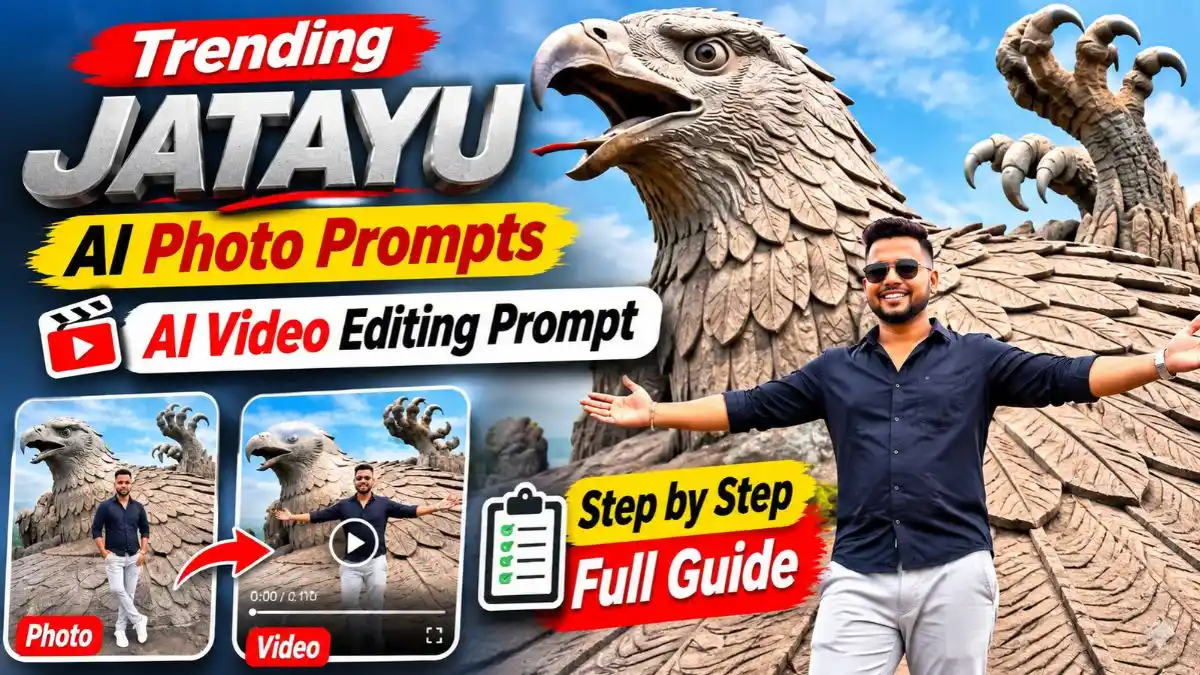
इन दिनों Social Media पर Jatayu AI Photo और AI Video का ऐसा ट्रेंड चल रहा है, जिसे देखते ही लोग रुककर देखने लगते हैं। कहीं लोग केरल की विशाल Jatayu Eagle Sculpture के सामने शानदार Pose देते दिखाई देते हैं, तो कहीं अपनी Video में Pose देते हुए नजर आते हैं और अचानक उनके पीछे आसमान में एक विशाल जटायु पंख फैलाकर उड़ता हुआ दिखाई देता है।
अगर आप भी अपनी Photo या Video से ऐसा Cinematic Look बनाना चाहते हैं, तो इस Article में आपको Jatayu AI Photo Prompts और Jatayu AI Video Editing Prompt मिलेंगे। साथ ही ChatGPT, Gemini, Google Flow और CapCut की मदद से ऐसी Photos और Videos बनाने का आसान Step-by-Step तरीका भी बताया है, ताकि आप खुद अपना पसंदीदा Jatayu Look तैयार कर सकें।
Jatayu AI Photo Kaise Banaye Using ChatGPT or Gemini?
अब इन Jatayu AI Photo Prompts से अपनी Photo बनाने का तरीका समझ लेते हैं। इसके लिए किसी Professional Photo Editing की जरूरत नहीं है।
- ChatGPT या Gemini खोलें: सबसे पहले अपने मोबाइल में ChatGPT या Google Gemini खोलें और Image Generation की सुविधा इस्तेमाल करें।
- अपनी Photo Upload करें: Gallery से अपनी एक साफ Photo चुनें, जिसमें Face और Hairstyle अच्छी तरह दिखाई दे।
- Jatayu Photo Prompt Copy करें: नीचे दिए गए पाँचों Prompts में से अपनी पसंद का Look चुनकर पूरा Prompt Copy करें।
- Photo Generate करें: अपनी Photo के साथ Prompt Paste करके Send करें। AI आपके Reference के आधार पर नई Image तैयार करेगा।
- Result Check करें: Photo बनने के बाद Face, Hairstyle, Pose और पीछे की Jatayu Sculpture ध्यान से देखें।
- Image Download करें: Photo सही लगे तो उसे Save करके Instagram, Facebook या WhatsApp पर इस्तेमाल कर सकते हैं।
एक जरूरी बात: Prompt में Face Lock होने के बाद भी AI कभी-कभी चेहरा या Hairstyle बदल सकता है। इसलिए अच्छी Lighting और Clear Face वाली Reference Photo इस्तेमाल करें। अगर Result सही नहीं आए, तो दूसरी साफ Photo से दोबारा Generate करके देखें।
Trending Jatayu AI Photo Prompts 2026
अगर आपने Kerala के Jatayu Earth Center की Photos देखी हैं, तो वहां की विशाल Eagle Sculpture जरूर ध्यान खींचती होगी। यह मूर्ति केरल के Chadayamangalam में स्थित है और इसे दुनिया की सबसे बड़ी Bird Sculpture के रूप में जाना जाता है।
इसी जगह से Inspired ये Jatayu AI Photo Prompts तैयार किए गए हैं। इनमें कोई अलग Background Photo देने की जरूरत नहीं है। आप सिर्फ अपनी Face Photo Upload करके अलग-अलग Travel Looks बना सकते हैं।
1. Jatayu Eagle Sculpture Cinematic Travel Photo
इस Jatayu Eagle Sculpture Prompt की खास बात इसका Wide-Angle Camera Look है, जिसमें पीछे की विशाल मूर्ति और सामने खड़ा लड़का दोनों साफ दिखते हैं। मैंने इसे खुद try किया, और 2-3 बार generate करने पर सबसे natural result मिला। White Shirt और Blue Jeans का colour prompt में साफ लिखेंगे तो AI कपड़े नहीं बदलेगा।
Jatayu AI Photo Prompt 1
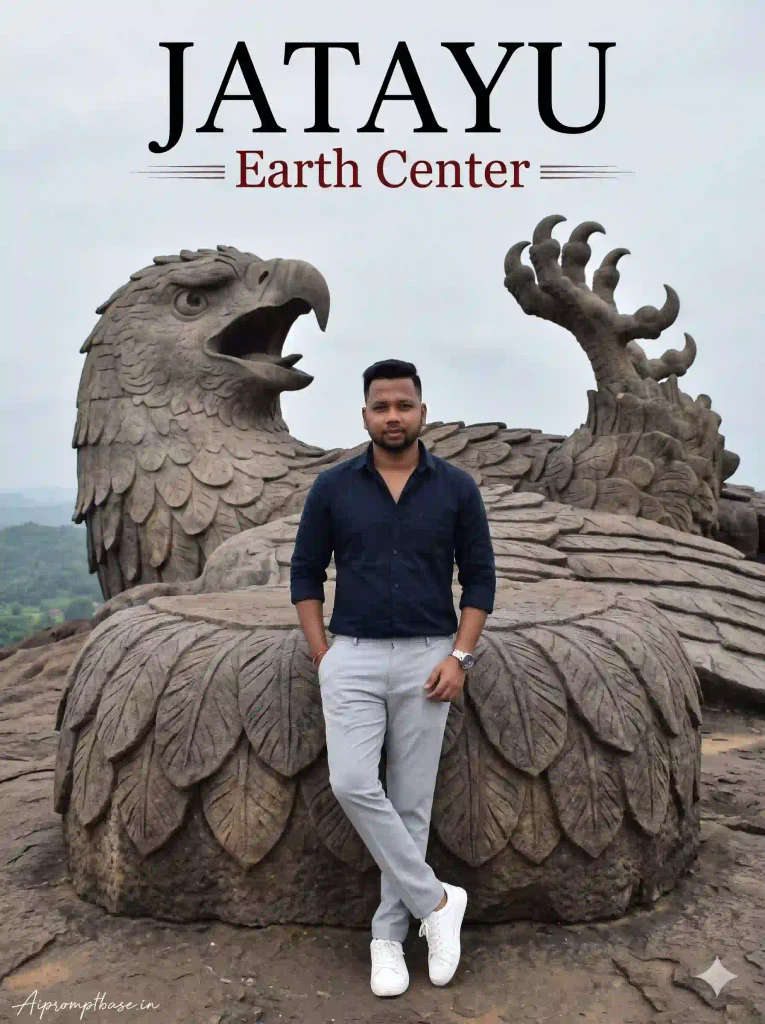
2. Jatayu Earth Center Realistic Travel Portrait
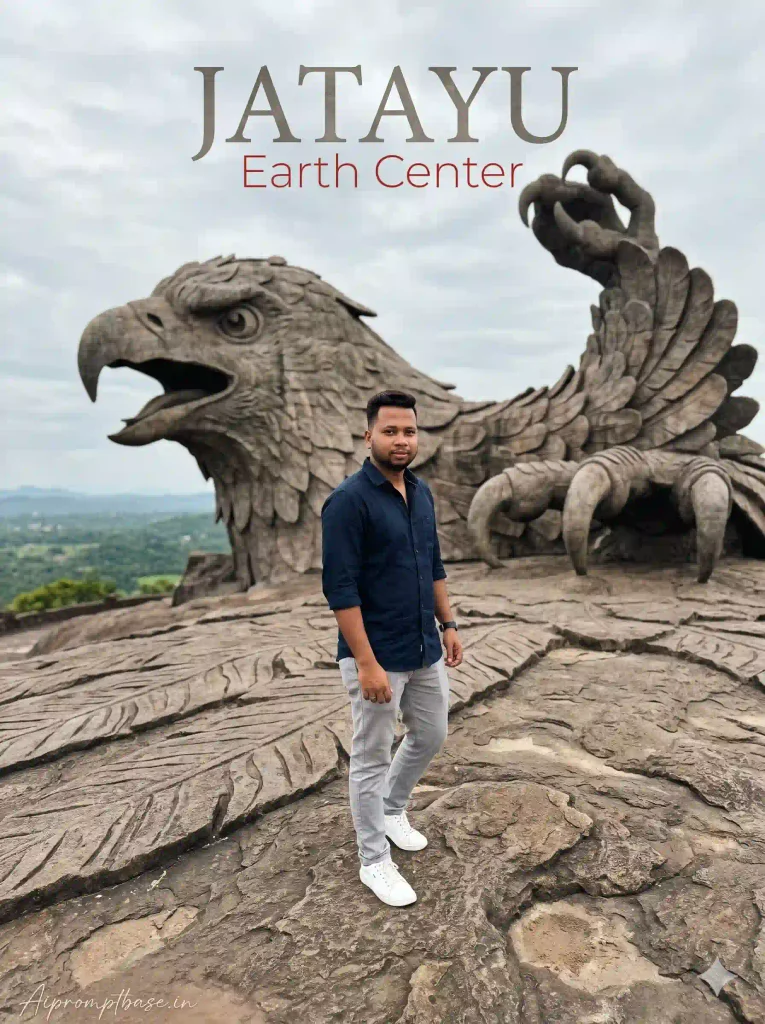
अगर आपको Simple लेकिन Classy Travel Photo पसंद है, तो यह Look आपके लिए सही रहेगा। इसमें Dark Navy Shirt, Light Grey Trousers और White Sneakers वाला लड़का जटायु की विशाल मूर्ति के सामने खड़ा है, और पीछे Eagle Head, बड़ी चट्टानें और विशाल पंजे साफ दिखते हैं। ऊपर लिखा JATAYU – Earth Center इसे एक Travel Poster जैसा Look देता है।
Jatayu AI Photo Prompt 2
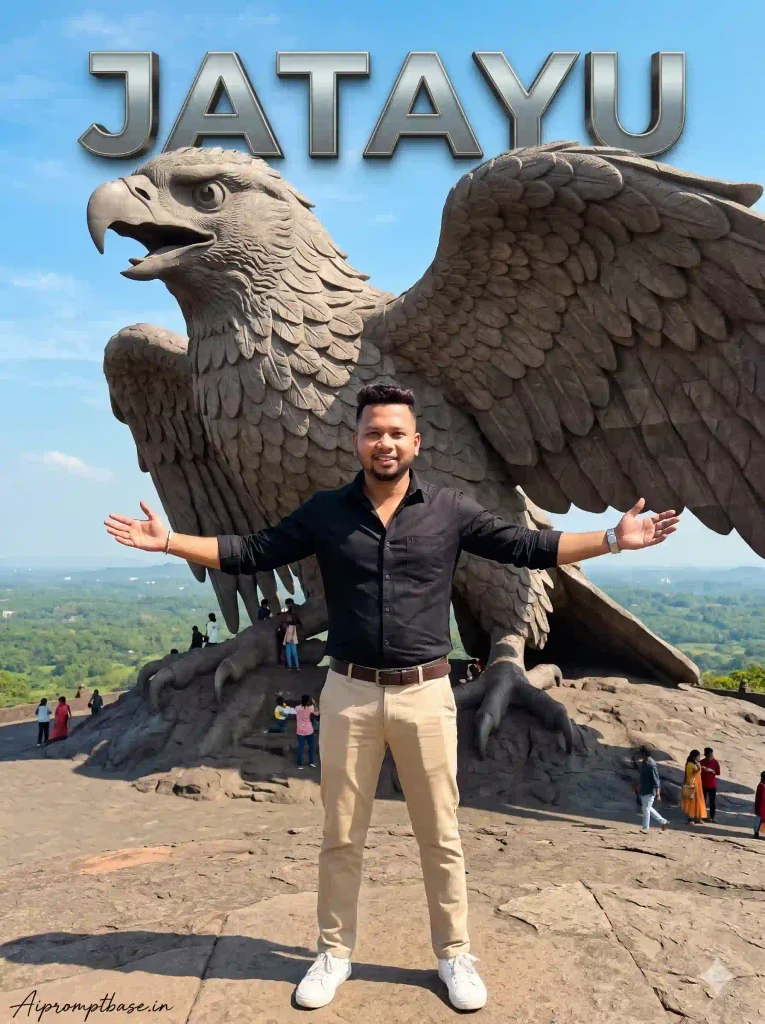
3. Jatayu Eagle Sculpture Stylish Attitude Photo
इस Look की सबसे खास बात इसका Cinematic Pose है, जिसमें लड़का Black Shirt और Beige Trousers पहनकर दोनों हाथ फैलाए जटायु की विशाल मूर्ति के सामने खड़ा दिखाई देता है। पीछे नीला आसमान और ऊपर लिखा Metallic 3D JATAYU Text तस्वीर को और ज्यादा eye-catching बनाता है।
अगर आपको थोड़ा bold और stylish travel look पसंद है, तो यह Prompt आपके लिए अच्छा रहेगा। मेरे हिसाब से इस तरह के pose वाले prompt में outfit का colour साफ लिखना जरूरी है, नहीं तो AI कई बार कपड़े बदल देता है।
Jatayu AI Photo Prompt 3
4. Jatayu Earth Center Premium Travel Photography
अगर आपको Simple लेकिन Premium Travel Photo पसंद है, तो यह Look आपके लिए सही रहेगा। इसमें लड़का पत्थर की चट्टान के सहारे आराम से खड़ा दिखाई देता है, एक हाथ Pocket में है और दूसरा पत्थर पर टिका हुआ है। पीछे जटायु का विशाल Eagle Head और बड़े पंजे साफ दिखते हैं, जिससे पूरी तस्वीर एक Professional Travel Portrait जैसी लगती है।
इस Jatayu AI Photo Prompts वाले Look की खास बात इसका Natural Pose और balanced composition है। मेरे हिसाब से ऐसे prompt में Face और Hairstyle की details साफ लिखी हों, तो AI identity को ज्यादा बेहतर तरीके से maintain करता है।
Jatayu AI Photo Prompt 4
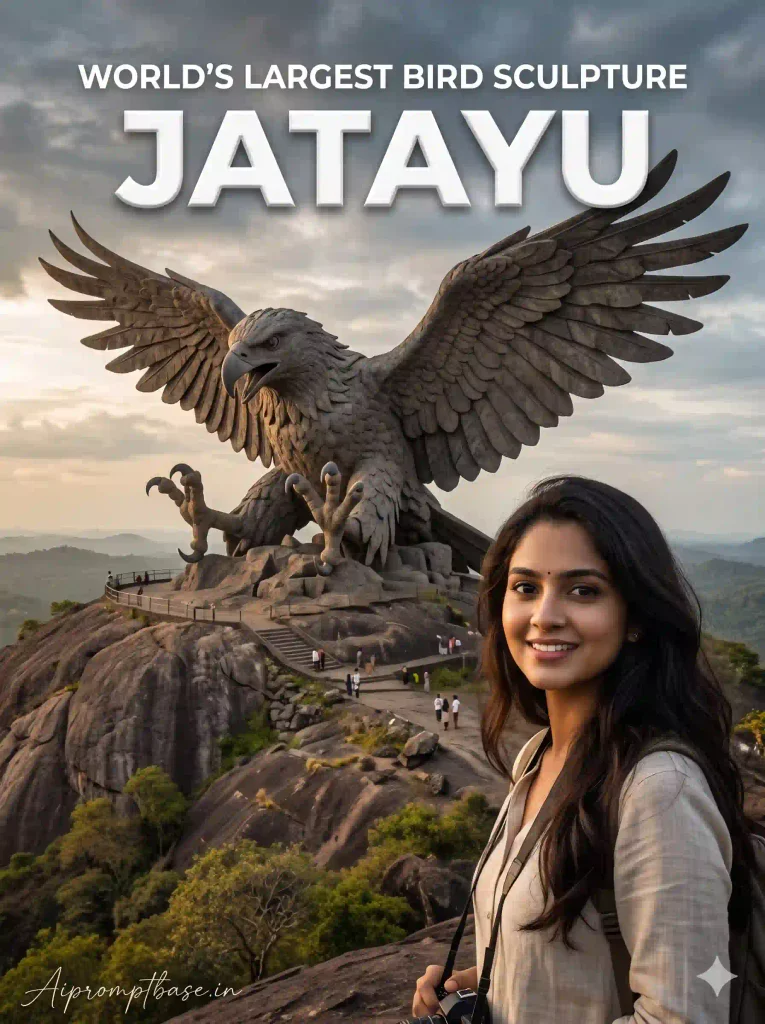
5. World’s Largest Bird Sculpture Jatayu AI Photo
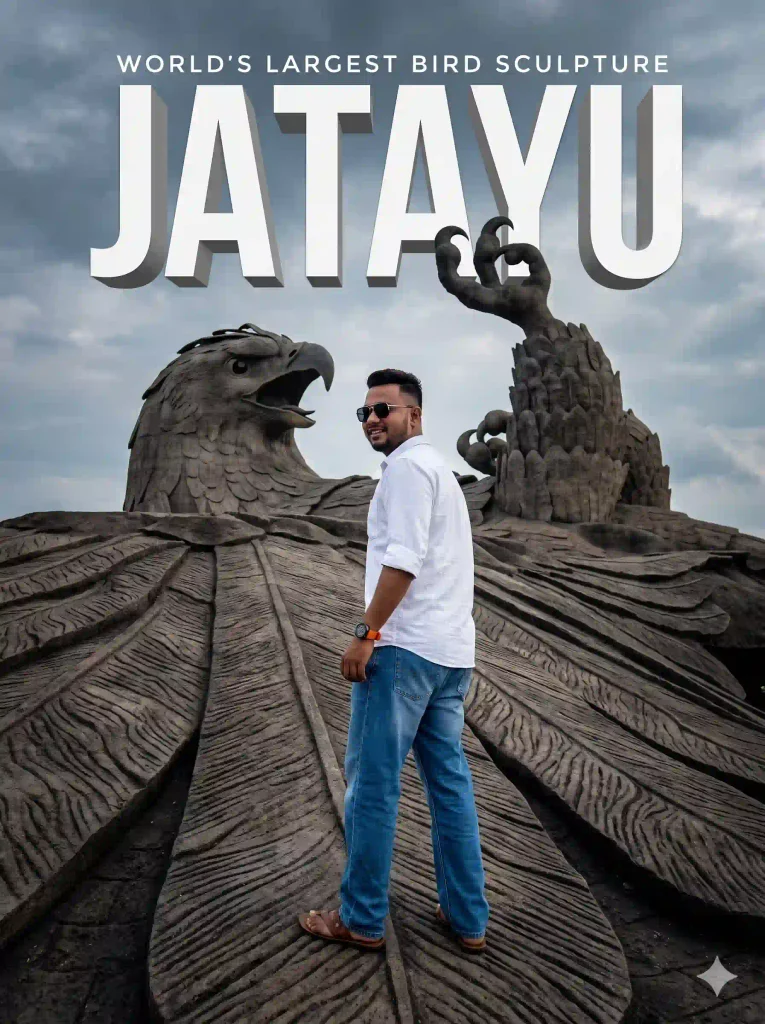
अगर आपको Cinematic Travel Poster जैसी Photo पसंद है, तो यह Look आपके लिए अच्छा रहेगा। इसमें पीछे जटायु की विशाल Eagle Sculpture, फैले हुए पंख और Dramatic Cloudy Sky दिखाई देता है। ऊपर बड़े सफेद 3D अक्षरों में लिखा JATAYU तस्वीर को और आकर्षक बनाता है।
इस Viral Jatayu Eagle Sculpture AI Prompt की खास बात इसका Wide-Angle Look है, जिसमें मूर्ति की विशाल बनावट और सामने खड़ा व्यक्ति दोनों साफ दिखाई देते हैं।
Jatayu AI Photo Prompt 5
Jatayu AI Video Editing Prompt – ऐसे बनाएं जटायु की Entry वाली Video
अब सबसे दिलचस्प हिस्सा आता है। ऊपर दिए गए Jatayu AI Photo Prompts से आप Jatayu Earth Center वाली Photos बना सकते हैं, लेकिन Jatayu AI Video Editing Prompt की मदद से अपनी Original Video में एक विशाल जटायु की Entry भी दिखा सकते हैं।
इस Video में आप खुले आसमान के नीचे खड़े होते हैं। अचानक पीछे पेड़ों के ऊपर से एक विशाल जटायु उड़ता हुआ दिखाई देता है। उसके बड़े पंख धीरे-धीरे खुलते हैं और वह आसमान में ऊपर उठता जाता है।
इस Viral Jatayu AI Video Prompt की खास बात यह है कि Camera अपनी जगह स्थिर रहता है, जबकि जटायु पीछे से ऊपर की तरफ आता है। इससे सही Source Footage और Editing मिलने पर Scene किसी Cinematic Movie जैसा महसूस हो सकता है।
Jatayu Slow Motion AI Video Prompt
नीचे दिया गया Jatayu Slow Motion AI Video Prompt खासतौर पर इस तरह की Entry के लिए है, जिसमें जटायु धीरे-धीरे ऊपर आता है, पंख फैलाता है और Background में हवा से पेड़ हिलते दिखाई देते हैं।
How to Create Jatayu AI Video Using Google Flow & CapCut?
अब इस Jatayu AI Video Editing Prompt से पूरी Video बनाने का तरीका समझते हैं। इसके लिए पहले अपने मोबाइल से एक छोटी Recording करनी है, फिर Google Flow से जटायु की Entry वाली AI Clip बनाकर दोनों को CapCut में जोड़ना है।
Step 1 – अपनी Video Record करें
सबसे पहले खुले आसमान वाली जगह पर मोबाइल को स्थिर रखकर अपनी छोटी Video Record करें। Camera के सामने खड़े होकर दोनों हाथ फैलाने वाला Pose दें और ऊपर की तरफ पर्याप्त खाली जगह रखें, ताकि बाद में जटायु आसानी से दिखाई दे सके।
Step 2 – CapCut में Video Add करें
अब CapCut खोलकर अपनी Recording Import करें और पसंद का Audio लगाएं। Video में जहां आप हाथ फैलाकर रुकते हैं, वहां तक का हिस्सा रखें और आगे का अनावश्यक Part Trim कर दें।
Step 3 – Same Pose का Screenshot लें
Video को उसी Frame पर रोकें जहां आपके दोनों हाथ फैले हुए हैं। अब उसका Screenshot लेकर Crop करें, ताकि सिर्फ आपकी Photo बचे और CapCut के Buttons दिखाई न दें।
Step 4 – Google Flow में Photo Upload करें
अब Google Flow खोलें, New Project बनाएं और Video Generation वाला Option चुनें। इसके बाद अपना Crop किया हुआ Screenshot Upload करें।
और 720p Resolution और 10 Seconds की Setting करे। आपके Flow Model में उपलब्ध Options अलग हो सकते हैं।
Step 5 – Jatayu AI Video Prompt Paste करें
अब ऊपर दिया गया Jatayu AI Video Editing Prompt Copy करके अपनी Photo के साथ Paste करें और Generate पर Tap करें। AI आपके Screenshot को Reference बनाकर पीछे से उड़ते हुए जटायु की Video तैयार करेगा।
Step 6 – AI Video Download करें
Video बनने के बाद Preview में देखें कि आपका Face, Pose और जटायु की Entry सही दिखाई दे रहे हैं या नहीं। Result पसंद आने पर Video Download कर लें।
Step 7 – CapCut में दोनों Clips जोड़ें
अब CapCut में वापस जाएं और अपनी Original Recording के ठीक बाद AI वाली Clip Add करें। दोनों Clips के जोड़ को ध्यान से Trim करें, ताकि हाथ फैलाने के बाद जटायु की Entry लगातार होती हुई दिखाई दे।
Step 8 – Speed Curve और Slow Motion लगाएं
अब AI Clip Select करके Speed → Curve → Custom खोलें। जटायु के ऊपर उठने वाले हिस्से की Speed थोड़ी तेज और पंख फैलाने वाले हिस्से की Speed धीमी रखें। Smooth Slow Motion का Option उपलब्ध हो तो उसे भी इस्तेमाल कर सकते हैं।
Step 9 – Dreamy Glow Effect लगाएं
अब Effects में जाकर Dreamy Glow Search करें। Effect Apply करके उसकी Glow, Range और Size अपने Video के हिसाब से Adjust करें। ज्यादा Glow न रखें, वरना आपका Face और Background धुंधला दिखाई दे सकता है।
Step 10 – Filter और Final Effects लगाएं
इसके बाद Filters में Dreamy Sunset चुनकर उसकी Intensity Adjust करें। इसके बाद “4K” नाम का Effect भी इस्तेमाल किया गया है। वह उपलब्ध हो तो जरूरत के अनुसार लगा सकते हैं।
Step 11 – Final Video Export करें
आखिर में पूरी Video Preview करें। Audio की Timing, दोनों Clips का जोड़ और जटायु की Slow-Motion Entry सही लगे, तो Video Export करके Gallery में Save कर लें।
मेरी सबसे जरूरी सलाह: इस पूरी Editing में Screenshot वाला Pose और AI Video का शुरुआती Frame जितना ज्यादा Match करेगा, दोनों Clips का Transition उतना ही Natural दिखाई दे सकता है। खासकर दोनों Clips में Camera Angle और आपकी Body Position एक जैसी रखने पर ध्यान दें।
Jatayu AI Video बनाते समय इन गलतियों से बचें
कई बार Instagram Viral Jatayu AI Video Editing Prompt इस्तेमाल करने के बाद भी Video वैसी नहीं बनती जैसी उम्मीद होती है। इसके पीछे कुछ छोटी-छोटी वजहें हो सकती हैं।
- Face बदल रहा है: Original Recording का साफ Screenshot इस्तेमाल करें, जिसमें Face और Hairstyle दिखाई दे।
- Jatayu सही जगह से नहीं आ रहा: Recording में अपने पीछे आसमान और पेड़ों के ऊपर पर्याप्त जगह रखें।
- Video का जोड़ खराब लग रहा है: CapCut में Original Recording के आखिरी Frame और AI Clip के पहले Frame को मिलाकर Trim करें।
- Slow Motion झटके दे रहा है: Speed Curve में अचानक बहुत ज्यादा Speed Change करने से बचें।
- Video Crop हो रही है: दिए गए Video Prompt में 16:9 Format है। Instagram Reel के लिए 9:16 इस्तेमाल करते समय Framing Check करें, ताकि जटायु के पंख कटें नहीं।
मेरे हिसाब से इस Edit में सबसे महत्वपूर्ण चीज कोई Glow Effect नहीं, बल्कि Recording और AI Clip की Continuity है। अगर दोनों का Pose और Camera Angle अलग होगा, तो अच्छे Effects लगाने के बाद भी Video का जोड़ साफ दिखाई दे सकता है।
Frequently Asked Questions (FAQs)
1. Jatayu AI Photo Prompts क्या हैं?
ये AI Image Generation Prompts हैं, जिनसे अपनी Photo को Kerala के Jatayu Earth Center की विशाल Eagle Sculpture के साथ Realistic Travel Portrait में बदल सकते हैं।
2. क्या Jatayu AI Photo बनाने के लिए Background Image भी Upload करनी होगी?
नहीं, ऊपर दिए गए पाँचों Prompts में Background की Details पहले से मौजूद हैं। आप अपनी एक Clear Face Photo Upload करके Image Generate कर सकते हैं।
3. Jatayu AI Video Editing Prompt कैसे इस्तेमाल करें?
सबसे पहले अपनी Recording के सही Pose का Screenshot लें। फिर Google Flow में Screenshot और Video Prompt इस्तेमाल करके जटायु की Entry वाली AI Clip बनाएं। आखिर में CapCut से Original Recording और AI Clip जोड़ दें।
4. क्या Jatayu Slow Motion AI Video मोबाइल से बना सकते हैं?
हां, Mobile पर उपलब्ध Google Flow और CapCut सुविधाओं की मदद से Video बना सकते हैं। हालांकि Features और Export Options App Version और Account के अनुसार अलग हो सकते हैं।
5. क्या AI Photo और Video में चेहरा Original जैसा रहेगा?
अच्छी Reference Photo और सही Prompt से Face Similarity बेहतर हो सकती है, लेकिन किसी भी AI Tool से चेहरा 100% समान रहने की गारंटी नहीं है।
Final Words
अगर आप अपनी Photo से कुछ अलग और Cinematic बनाना चाहते हैं, तो ये Jatayu AI Photo Prompts अच्छे विकल्प हैं। पांचों Looks में Outfit, Pose और Background का Style अलग रखा गया है, ताकि अपनी पसंद के हिसाब से Photo बना सकें।
वहीं Jatayu AI Video Editing Prompt की मदद से अपनी Original Recording में विशाल जटायु की Entry वाला Scene तैयार किया जा सकता है। इसके लिए सबसे ज्यादा ध्यान सही Screenshot, एक जैसे Pose और दोनों Clips की Editing पर देना जरूरी है।
आपको कौन-सा Look ज्यादा पसंद आया—Jatayu Earth Center वाली Cinematic Photo या आसमान में उड़ते जटायु की Slow-Motion Entry? नीचे Comment में जरूर बताएं।
नीचे लिखे अन्य लेख भी देखे आपको जरूर पसंद आएंगे:-