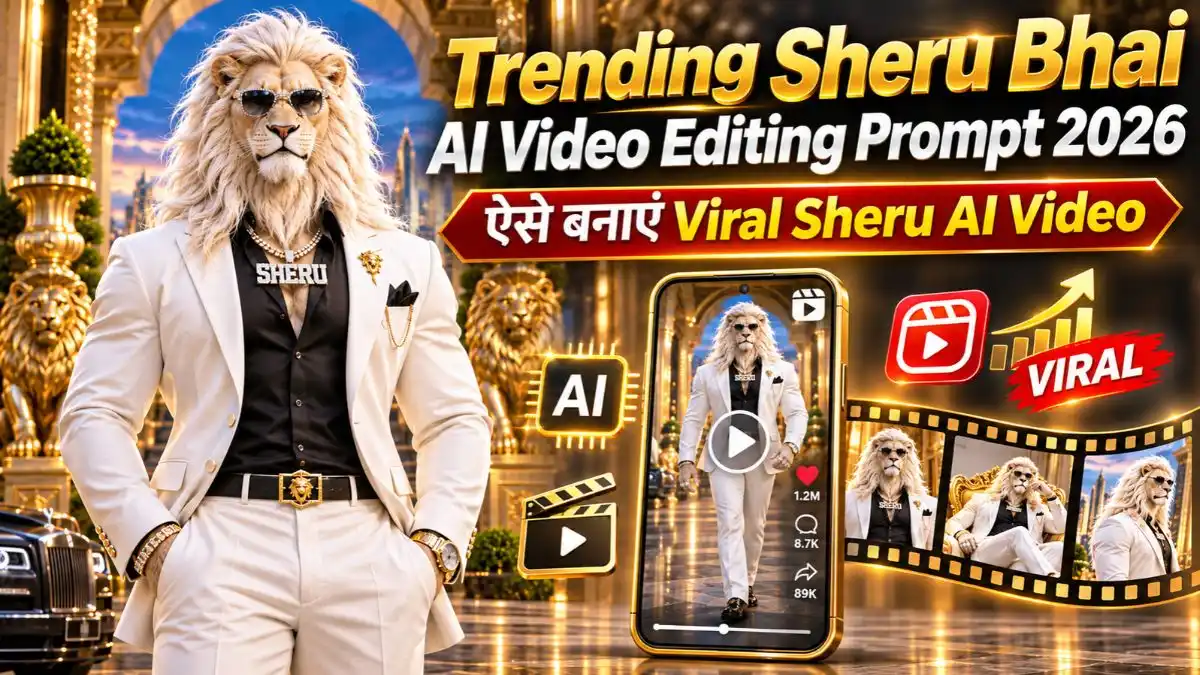
AI की मदद से अब Cinematic Videos बनाना पहले के मुकाबले काफी आसान हो गया है। बिना महंगे Camera, Shooting Setup या Professional Video Editing के भी आप Realistic Characters, शानदार Locations और Movie जैसी कहानियों वाले Videos तैयार कर सकते हैं।
ऐसा ही एक दिलचस्प Concept है Sheru Bhai AI Video, जिसमें Sheru नाम का एक शेर दुनिया के सबसे अमीर शेर के रूप में दिखाई देता है। उसके लंबे सफेद बाल, Diamond Sunglasses, महंगा White Suit और Royal Lifestyle उसे बाकी AI Characters से अलग बनाते हैं। कभी वह Private Jet में घूमता है, तो कभी Luxury Cars और Bodyguards के साथ किसी आलीशान महल में नजर आता है।
खास बात यह है कि आप भी Trending Sheru Bhai AI Video Editing Prompt 2026 की मदद से Sheru की अपनी पसंद की कहानी बना सकते हैं। इसके लिए ChatGPT या Gemini से Story और Video Prompts तैयार करने हैं, जबकि Google Flow AI से उन Scenes को Realistic Video में बदलना है।
इस Article में आपको Instagram Trending AI Sheru Video Prompt, Sheru की Story बनाने का तरीका, Character Reference Image तैयार करने की प्रक्रिया और Google Flow से पूरी Cinematic Video बनाने के Steps मिलेंगे।
What You Need to Create Sheru AI Videos
Trending Sheru AI Video Editing 2026 के लिए आपको बहुत सारे Tools की जरूरत नहीं है। मुख्य रूप से चार चीजें चाहिए।
- ChatGPT या Gemini: Sheru की नई Stories, Hindi Dialogues और Scene-by-Scene Video Prompts तैयार करने के लिए।
- Sheru Character Image: एक Reference Image, जिससे अलग-अलग Scenes में Sheru का चेहरा और Outfit एक जैसा रखने में मदद मिले।
- Google Flow AI: Sheru की Image और Video Prompts से Cinematic Clips Generate करने के लिए।
- Video Editing App: सभी Clips को जोड़कर एक पूरी Video बनाने के लिए। इसके लिए VN Video Editor इस्तेमाल कर सकते हैं।
मेरे हिसाब से इस तरह की Video में सबसे जरूरी चीज Sheru का Royal Look और उसकी Story है। क्योंकि अगर Character हर Scene में बदलता रहे या कहानी में कोई दिलचस्प बात ही न हो, तो Video उतनी अच्छी नहीं लगेगी।
How to Generate Sheru AI Video Prompts Using ChatGPT or Gemini
अब सबसे पहले Sheru की कहानी तैयार करनी होगी। इसके लिए नीचे दिया गया Instagram Trending AI Sheru Video Prompt इस्तेमाल करें। यह एक Master Prompt है, जिसमें Sheru के Character, Royal Lifestyle, Story, Hindi Dialogues और Video Generation की Instructions पहले से शामिल हैं।
इस Prompt की मदद से आप अपनी पसंद की Story बनवा सकते हैं या AI से पांच अलग-अलग कहानियां तैयार करवाकर उनमें से कोई एक चुन सकते हैं।
नीचे दिए गए Steps Follow करें:
- ChatGPT या Gemini खोलें: सबसे पहले अपने मोबाइल में ChatGPT या Google Gemini Open करें।
- Master Prompt Copy करें: नीचे दिया गया पूरा Viral AI Sheru Video Prompt Copy करके ChatGPT या Gemini में Paste करें।
- Video Duration बताएं: Prompt Send करने के बाद AI आपसे पूछेगा कि कितने Seconds की Video बनानी है। आप अपनी पसंद से 30, 60 या 90 Seconds बता सकते हैं।
- Story Idea चुनें: अब AI पूछेगा: “क्या आपके पास वीडियो की कोई कहानी या आइडिया है, या मैं आपके लिए 5 यूनिक कहानियाँ बनाऊँ?” आपका Reply: “5 कहानियाँ बनाओ” या अपनी Story बता दें।
- पसंदीदा Story Select करें: AI आपको 5 अलग-अलग कहानियाँ देगा और पूछेगा कि कौन-सी पसंद आई। आपको जो स्टोरी पसंद हो रिप्लाइ में उस Story का नंबर भेजें।
- Video Prompts Generate करें: अब AI आपकी चुनी हुई Story के 10-10 सेकंड के Video Prompts तैयार कर देगा। सभी Parts के Prompts Copy कर लें।
इस तरह आपको अपनी पूरी Sheru Story के अलग-अलग Video Prompts मिल जाएंगे, जिन्हें बाद में Google Flow में इस्तेमाल करना है।
SHERU Master Prompt – Copy & Paste
इस Master Prompt की अच्छी बात यह है कि हर बार एक जैसी कहानी बनाने की जरूरत नहीं है। आप Sheru की Royal Family, Private Island Adventure, Business Rivalry या Mystery जैसी अलग-अलग Stories तैयार कर सकते हैं।
How to Generate SHERU Character Reference Image
जब ChatGPT या Gemini आपकी पूरी Sheru Story और उसके Video Prompts तैयार कर दे, तो अगला काम Sheru की Character Image बनाना है।
इसके लिए आपको अलग से कोई Prompt लिखने की जरूरत नहीं है। उसी Chat में बस लिखें— “Ab isi story ke hisaab se Sheru ki Character Sheet Image bana do.” इसके बाद AI आपकी Story के अनुसार Sheru की Character Image तैयार करेगा। Image में Sheru का Face, Outfit और Royal Look सही दिखाई दे रहा है या नहीं, यह जरूर चेक करें।
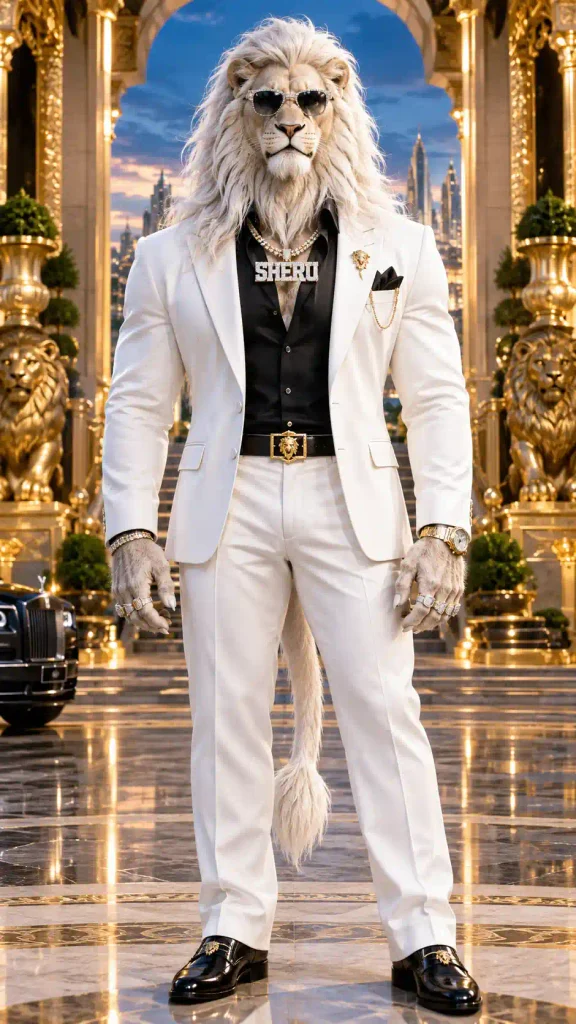
एक जरूरी बात: तैयार Image को Save कर लें और आगे Google Flow में Video बनाते समय इसी को Reference के रूप में इस्तेमाल करें। इससे अलग-अलग Scenes में Sheru का Look एक जैसा रखने में मदद मिलेगी। मदद मिलेगी।
Sheru AI Video Kaise Banaye Using Google Flow AI?
अब आपके पास Sheru की Story, Character Reference Image और अलग-अलग Video Prompts तैयार हैं। अगला काम इन्हें Google Flow AI की मदद से Cinematic Video Clips में बदलना है।
इसके लिए नीचे दिए गए Steps Follow करें।
- Google Flow AI खोलें: सबसे पहले Google Flow AI पर जाएं और अपने Google Account से Login करें।
- New Project बनाएं: Flow के Dashboard में New Project चुनें।
- Sheru की Image Upload करें: अब अपने चुने हुए Model में उपलब्ध Image Reference या Frames to Video वाले Option से Sheru की Photo Upload करें।
- First Video Prompt Paste करें: ChatGPT या Gemini से तैयार किया गया पहला Sheru AI Video Editing Prompt Copy करके Flow के Prompt Box में Paste करें।
- Video Generate करें: उपलब्ध Settings में 9:16 Vertical Format और Video Duration चुनकर Generate करें।
- पहला Clip Download करें: Video बनने के बाद Sheru का Face, Actions, Dialogues और Camera Movement Check करें। Result सही लगे तो Download कर लें।
- बाकी Scenes बनाएं: अब दूसरे, तीसरे और बाकी Video Prompts से भी इसी तरह Clips Generate करें। Sheru की वही Reference Image इस्तेमाल करें।
- Final Video तैयार करें: सभी Clips को VN Video Editor में Story के अनुसार जोड़ें। जरूरत के हिसाब से Background Music और Sound Effects लगाकर Video Export कर लें।
ध्यान रखें कि Google Flow में Clip Duration चुने गए Model पर निर्भर करती है। इसलिए 10-Second Prompts इस्तेमाल करने से पहले उपलब्ध Duration Check करें। अगर Model सिर्फ 8-Second Clips बनाता है, तो उसी हिसाब से Scenes तैयार करें।
Best Tips for Realistic Sheru AI Video Editing
Trending Sheru AI Video Editing 2026 में सिर्फ Luxury Cars और महंगे महल दिखाने से Video दिलचस्प नहीं बनती। Sheru की कहानी, उसके Expressions और Scenes का आपस में जुड़ा होना भी जरूरी है।
- Same Character Image: सभी जुड़े हुए Scenes में Sheru की एक ही Reference Image इस्तेमाल करें।
- Story Continuity: एक Scene जहां खत्म हो रहा है, अगला Scene उसी कहानी से जुड़ा होना चाहिए।
- Hindi Dialogues: छोटे और Natural Dialogues रखें, ताकि Lip Sync बेहतर हो सके।
- Camera Movement: हर Scene में जरूरत के अनुसार Camera Movement रखें। बेवजह ज्यादा Effects Video को Artificial बना सकते हैं।
- Final Preview: Video Save करने से पहले Sheru के Face, Hands, Dialogues और Outfit को जरूर Check करें।
मेरे हिसाब से Sheru Bhai AI Video को दिलचस्प बनाने में सबसे बड़ी भूमिका उसकी कहानी की है। अगर शुरुआत में ही कोई Mystery या Unexpected Situation हो, तो दर्शक आगे क्या होगा यह जानना चाहेगा।
इसीलिए Instagram Trending AI Sheru Video Prompt में केवल Character का Look नहीं, बल्कि Story, Dialogues और Scene Continuity भी महत्वपूर्ण हैं।
Frequently Asked Questions (FAQs)
1. Sheru AI Video Editing क्या है?
इसमें AI Tools की मदद से Sheru नाम के एक Fictional Billionaire Lion की Cinematic Stories और Videos बनाई जाती हैं। इसमें Royal Lifestyle, Adventure और Mystery जैसे अलग-अलग Scenes हो सकते हैं।
2. क्या ChatGPT या Gemini से Sheru की पूरी Story बना सकते हैं?
हां, ऊपर दिए गए Master Prompt की मदद से ChatGPT या Gemini में Sheru की Story, Hindi Dialogues और Scene-by-Scene Video Prompts तैयार किए जा सकते हैं।
3. Sheru Character Image कैसे बनाएं?
Master Prompt से Story और Video Prompts तैयार होने के बाद AI से Sheru Character Image Generate करने के लिए कहें। अगर AI Image Prompt देता है, तो उसे Image Generation Tool में इस्तेमाल करें।
4. क्या Google Flow से लंबी Sheru AI Video बना सकते हैं?
Google Flow में अलग-अलग छोटे Clips Generate करके उन्हें Video Editing App में जोड़ सकते हैं। इस तरह 30 या 60 Seconds जैसी लंबी Story तैयार की जा सकती है।
Final Words
अब आप समझ गए होंगे कि Sheru AI Video Kaise Banaye और इसके लिए किन AI Tools की जरूरत होती है। सबसे पहले ChatGPT या Gemini से Sheru की Story और Video Prompts तैयार करें। फिर उसी Master Prompt की मदद से Character Reference Image बनाएं और Google Flow AI में अलग-अलग Scenes Generate करें।
ऊपर दिया गया Trending Sheru Bhai AI Video Editing Prompt 2026 आपको इस पूरी प्रक्रिया में मदद करेगा। इससे आप Sheru की अपनी पसंद की कहानी पर Cinematic Video तैयार कर सकते हैं। मेरी सलाह है कि शुरुआत में 30 Seconds की छोटी Story चुनें। इससे Character Consistency, Hindi Dialogues और Video Clips को संभालना आसान रहेगा।
वैसे आप Sheru की पहली Video किस पर बनाना चाहेंगे—Royal Entry, Mystery Adventure या किसी Powerful Business Rivalry पर? नीचे Comment में जरूर बताएं।
नीचे लिखे अन्य लेख भी देखे आपको जरूर पसंद आएंगे:-