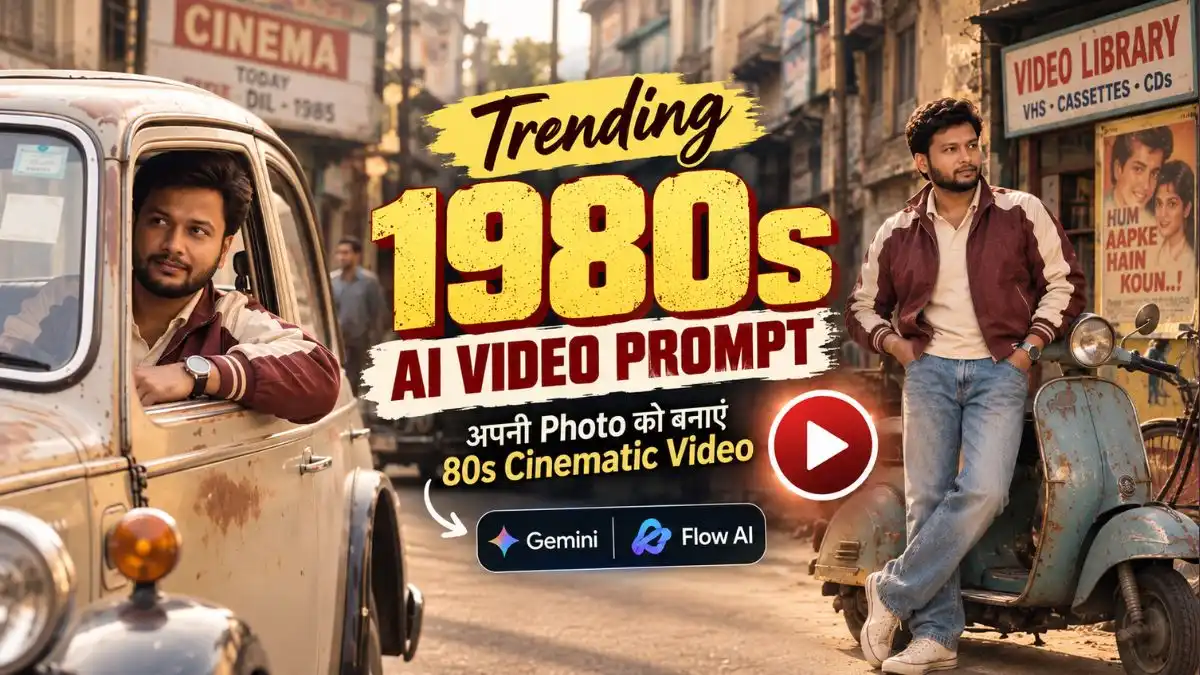
Trending 1980s AI Video Prompt: Gemini और Flow AI से अपनी Photo को बनाएं 80s Cinematic Video

दोस्तों, 80s Look वाली Photo के बाद अब उसी Retro Look को चलती-फिरती Cinematic Video में बदलने वाला Trend तेजी से सामने आ रहा है। Instagram और Shorts पर ऐसी Videos दिख रही हैं जिनमें पुराना Cinema Hall, Irani Cafe, Vintage Car, 80s की Indian Streets और Film Grain देखकर पहली नजर में Video आज की नहीं, किसी पुराने दौर की लगती है। Current prompt sites पर भी पिछले कुछ दिनों में इसी 1980s AI Video Prompt और photo-to-video workflow पर नया content आया है।

लेकिन यहां सिर्फ अपनी Normal Photo Upload करके “80s Video बना दो” लिखने से वही Feel मिलना मुश्किल है। बेहतर तरीका है कि पहले अपनी Photo का पूरा 1980s Look तैयार किया जाए और फिर उसी Image को Gemini या Google Flow में Reference बनाकर Video Generate की जाए।

इसीलिए इस बार मैंने शुरुआत के लिए एक 1980s AI Photo Prompt और उसके बाद चार अलग Video Prompts रखे हैं। इनमें Old Indian Lane से लेकर Cinema Hall, Chai Stall, Vintage Car, Coastal City और 1985 Cafe तक अलग-अलग Scenes हैं। यानी आप सिर्फ Photo में Zoom होने वाली Reel नहीं, बल्कि अपने Face के साथ पूरा Retro 80s Cinematic Sequence बना सकते हैं।

पहले अपनी Normal Photo को 1980s Look में बदलें

दोस्तों, अगर आप अपनी Normal Photo को सीधे Video में डाल देंगे, तो कई बार Face आपका रहेगा लेकिन Outfit, Hairstyle और Background आज के जमाने का ही दिखेगा। ऐसे में Film Grain लगाने के बाद भी Video में असली 80s वाली Feel नहीं आ पाती।

इसलिए पहले ChatGPT में अपनी एक साफ Photo Upload करके नीचे दिए Prompt से पूरी 1980s Look वाली Base Image बनाएं। इसमें Outfit से लेकर पुरानी Indian Lane, Scooter, Bicycle और Vintage Film Texture तक पहले ही तय रहेगा। यही Photo आगे Gemini और Flow AI में Reference Image बनेगी, जिससे Video को शुरुआत से ही सही 80s Look और आपका recognizable Face दोनों मिलेंगे।

1980s Indian Street Look बनाने का AI Photo Prompt

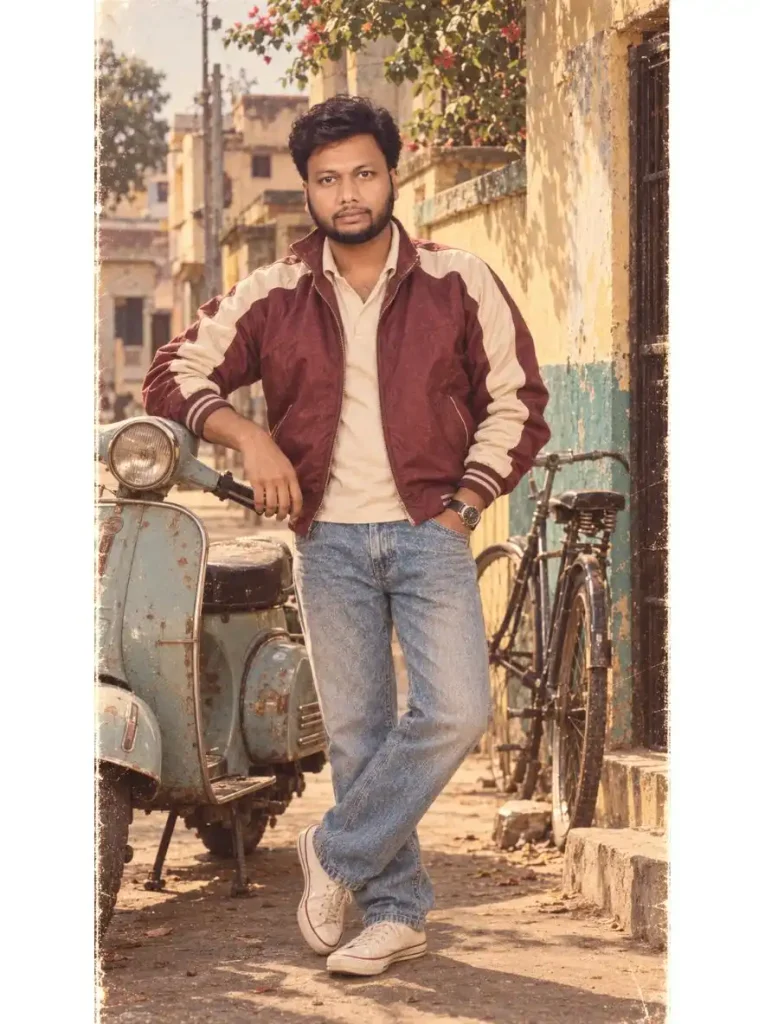
यह Prompt उन Photos के लिए अच्छा रहेगा जहां आप पूरा 1980s Indian Look चाहते हैं, सिर्फ Face Portrait नहीं। Burgundy-Cream Jacket, Stonewashed Jeans और पुराने Indian Residential Lane वाला Scene आगे Video में movement आने पर भी कहानी का हिस्सा लगता है।
1980s AI Video Prompt
Use my uploaded photo as the STRICT FACE AND IDENTITY REFERENCE. Create an ultra-realistic full-body cinematic portrait of the exact same man photographed in India in the mid-1980s. ABSOLUTE FACE LOCK — preserve his exact recognizable face, facial structure, eyes, eyebrows, nose, lips, jawline, beard pattern, natural skin tone, age and identity. Do not beautify, reshape, smooth or reinterpret his face. Dress him in a genuine 1980s burgundy-and-cream high-collared bomber jacket with ribbed cuffs, straight-leg stonewashed denim jeans, classic canvas sneakers and a chunky analog wristwatch. Give him a natural period-appropriate side-parted hairstyle while keeping his facial identity unchanged. Show him standing confidently on a quiet old Indian residential lane with faded painted walls, a vintage scooter and an old bicycle nearby. Warm hazy afternoon sunlight, authentic 1980s Indian atmosphere, slightly faded yellows, oranges and teal tones, subtle analog film grain, very light film scratches and realistic vintage film texture. Natural relaxed pose, full body clearly visible, realistic skin and fabric details, no modern objects, no modern vehicles, no text, no extra person. Vertical 9:16 composition.

इस तरह के और भी 80s Look AI Photo Prompt के लिए यह देखे

Image Generate होने के बाद सबसे पहले Face और पूरा 1980s Look देखें। अगर दोनों natural लग रहे हैं, तो इसी Photo को Save कर लें। आगे Gemini या Flow AI में Video बनाते समय यही 80s Photo Reference Image के रूप में Upload करें—इससे Video में आपका Retro Outfit, Hairstyle और 80s वाला पूरा Look बनाए रखना आसान रहेगा।

अब 80s Photo से बनाएं Cinematic AI Video

दोस्तों, 80s Look Photo तो बन गई, लेकिन असली मजा तब आएगा जब उसी Photo में आप चलते हुए, Vintage Car चलाते या पुराने Cinema Hall और Cafe में नजर आएंगे। यानी अब अपनी एक Photo को छोटी-सी 1980s Film Scene में बदलने की बारी है।

इसके लिए नीचे 4 अलग 1980s AI Video Prompts दिए हैं। हर Prompt की अपनी अलग Story और Feel है—आपको जो Scene पसंद आए, अपनी वही 80s Photo Gemini या Flow AI में Reference के तौर पर Upload करें और उस Prompt से Video बनाएं।

1. Old Indian Street से Cinema Hall तक 7-Scene 1980s AI Video Prompt

अगर आपको एक ही Video में कई Locations वाली 1980s Cinematic Story चाहिए, तो यह पहला Prompt सबसे detailed है। इसमें Residential Lane से शुरुआत होकर Cinema Hall, Chai Stall, Marketplace और Vintage Car तक Scene आगे बढ़ता है; Outfit और Identity को पूरे Sequence में same रखने की instruction भी पहले से शामिल है।

A cinematic ultra-realistic 4K/8K video (9:16) shot to look exactly like it was filmed in the 1980s — authentic vintage film grain, slightly soft focus, warm faded color tones with muted yellows, oranges, and teals typical of 1980s film stock, subtle light film scratches and grain texture throughout, analog camera aesthetic, of a young man dressed in genuine period-accurate 1980s clothing — a high-collared bomber jacket in burgundy and cream with ribbed cuffs, straight-leg stonewashed denim jeans, classic canvas sneakers, and a chunky analog wristwatch, with a natural period-appropriate side-parted hairstyle, standing in real 1980s-style locations exactly as they would have looked in that era. A small, subtle watermark reading ‘Aipromptbase.in’ stays fixed in the bottom corner throughout the entire video, minimal white or light-colored font, low opacity, appearing only once at all times. CRITICAL: use the uploaded reference photo as the exact identity source — same face, same exact facial features, same exact bone structure, same natural skin tone and texture, and the exact same body type and build as shown in the uploaded photo, maintained precisely and identically in every single scene with zero facial drift, zero identity change, and zero morphing between scenes — the face must remain the same person throughout the entire video from Scene 1 to Scene 7. This must work accurately for any person of any age or body type who uploads their own reference photo — the generated face, skin, and body must always match the uploaded photo exactly, never a generic, different, or altered face. Scene 1: Wide shot — he walks down a quiet old residential lane with faded painted walls, an old bicycle leaning against a wall, and a vintage scooter parked nearby, warm hazy afternoon light, authentic period atmosphere. Scene 2: Medium shot — he stands outside an old single-screen cinema hall with a hand-painted film poster board and ticket window, adjusting his jacket collar, faded paint and old signage around him. Scene 3: Close-up shot — he sits on a wooden bench at a roadside tea stall, holding a small glass of tea, taking a sip and savoring it with a satisfied expression, steam rising from the glass, old kettles and shelves visible softly blurred behind him. Scene 4: Wide shot — he walks along an old cobblestone marketplace lined with small vintage shops, hand-painted signboards, and hanging string lights, vendors and old wooden carts softly blurred in the background, warm nostalgic afternoon glow. Scene 5: Medium shot — he sits behind the wheel of a classic 1980s vintage car with round chrome headlights, a boxy body design, and a simple analog dashboard, one arm resting on the open window ledge, calm confident expression as he drives down an old quiet street, warm nostalgic afternoon light glowing on the car’s faded paint. Scene 6: Close-up shot — he leans casually against a lamppost on the quiet lane, looking off to the side, soft warm afternoon light, faded painted walls and old rooftops behind him. Scene 7: Final wide shot — he walks away down the same quiet lane as the golden afternoon light fades, an old scooter and bicycle visible along the road, cinematic slow zoom-out, warm nostalgic film-grain finish exactly like an authentic 1980s home movie. Overall style: same face, same identity, same exact skin tone, same exact body type as the uploaded reference photo with zero facial variation in any scene, same burgundy-and-cream bomber jacket, stonewashed denim jeans, canvas sneakers, and analog wristwatch outfit consistent in every single scene, no outfit change, authentic real-world 1980s-style locations throughout exactly as described — residential lane, cinema hall, tea stall, marketplace, vintage car on an old street — natural realistic movement with period-accurate poses and distinct camera angles in every scene, realistic skin and fabric texture, genuine vintage 1980s film color grading with warm faded tones, soft grain, and slight scratches, filmic depth, smooth cinematic transitions between poses, ultra-realistic premium 4K/8K quality reimagined through an authentic period film look, vertical 9:16 format, continuous nostalgic story flow from start to end, no scene skipped, only 7 scenes total exactly as described. Watermark (final instruction): keep a single small, subtle, clean text watermark reading ‘Aipromptbase.in’ fixed in the same bottom corner position throughout the entire video, minimal white or light-colored font, low opacity, consistent placement in every scene.

मेरे हिसाब से इस तरह के लंबे Multi-scene Prompt में सबसे जरूरी चीज हर Shot को flashy बनाना नहीं, बल्कि एक ही Character और Outfit की continuity बनाए रखना है। इस Prompt की खास बात यही है कि Story बदलती रहती है लेकिन Character को उसी दिन की एक continuous 80s journey की तरह रखा गया है।

2. Vintage Convertible और Coastal City वाला 80s Cinematic Video Prompt

यह Prompt पहले वाले से बिल्कुल अलग Mood देता है। यहां focus Indian Coastal Promenade, Convertible Car, Watch Close-up, Street Walk और पुराने Irani Cafe जैसे छोटे cinematic shots पर है—इसलिए Reel ज्यादा Retro Film Montage जैसी बन सकती है।

Video Prompt Analysis Opening Coastline Shot (0:00) Prompt: Aerial tracking shot of an Indian coastal city promenade in the 1980s at golden hour. A vintage red bus drives along the seawall with a hazy city skyline silhouetted in the background. Cinematic sunset lighting. Driving Convertible (0:01) Prompt: Medium close-up of a rugged, bearded man with thick hair wearing aviator sunglasses, driving a black vintage convertible. Warm sunset backlighting with lens flares. Watch Close-up (0:02) Prompt: Extreme macro close-up of a two-tone luxury watch on a man’s wrist resting on a car steering wheel. The background is a soft, blurred golden-hour sunset. Car Tracking Shot (0:04) Prompt: Low-angle tracking shot of a classic black convertible driving past colonial-era stone architecture on a sunlit street. Stepping Out (0:05) Prompt: Low-angle shot focusing on the legs of a man in blue jeans and brown leather boots stepping out of a black vintage car onto a busy street. Walking Shot (0:06) Prompt: Medium tracking shot of a man in a brown leather jacket, white shirt, and aviators walking confidently toward the camera. Background features 1980s street life and a classic black-and-yellow taxi. Cafe Interior (0:07) Prompt: Cinematic interior medium shot of a vintage Irani cafe. Atmospheric sunbeams shine through slatted windows. A man sits at a marble table with a glass of tea and a newspaper, removing his sunglasses.

इस Prompt में हर Shot बहुत छोटा है, इसलिए इसकी strength Face Acting से ज्यादा camera angles और visual cuts हैं। Coastline → Car → Watch → Walking → Cafe का बदलाव Reel को वही fast cinematic flow देता है जो सिर्फ एक Location वाली Video में नहीं मिलता।

3. 1985 India Cafe और Vintage Car Story AI Video Prompt

अगर आपको Random Retro Shots की जगह एक जुड़ी हुई कहानी चाहिए, तो यह Prompt ज्यादा interesting है। शुरुआत पुराने Cafe में Newspaper पढ़ने से होती है और वही Character आगे Street, Vintage Car और Seaside Promenade तक जाता है।

Create a cinematic multi-shot video set entirely in India around 1985. Use the uploaded image as the STRICT IDENTITY AND CHARACTER REFERENCE for the main man. ABSOLUTE CONTINUITY LOCK: throughout every shot preserve his exact recognizable face, facial structure, skin tone, beard pattern, age, hairstyle and body appearance. Keep the EXACT SAME 1980s outfit, hairstyle, shoes and accessories in every scene; never redesign or change his clothes or hair between shots. Do not beautify or reinterpret his face. 0:00 — Medium shot inside an authentic 1980s Indian cafe with old marble tables, wooden chairs, faded walls and ceiling fans. The man sits reading a Hindi newspaper as warm sunlight enters through the window. 0:01 — Close-up continuation of the same scene. He slowly lowers the newspaper and looks thoughtfully toward the side. Same face, hair, clothes and cafe, warm backlight. 0:02 — Cut to an old Indian street. The same man receives a newspaper from an elderly Indian newspaper seller with a white mustache. Background has faded shopfronts, bicycles, vintage scooters and period-correct Indian details. 0:03 — Low-angle wide shot of a black vintage car driving through the same 1985 Indian neighborhood, passing old buildings, bicycles, scooters and hand-painted shop signs. 0:04 — Profile close-up of the same man driving the black vintage car, wearing period-style sunglasses. Keep his exact face, hairstyle and SAME outfit unchanged. Warm sunlight creates a subtle natural lens flare while old Indian streets pass behind him. 0:05 — Golden-hour wide shot. The same man casually leans against the same black vintage car on a 1980s Indian seaside promenade, with old railings, vintage street lamps, period vehicles and a hazy city skyline behind him. 0:08 — Medium shot continuing from the previous scene. Without changing his pose, clothes, hairstyle, car or location, he slowly turns his eyes toward the camera with a calm confident expression as warm sunset light falls across him. The whole video must feel like genuine footage shot in India in the mid-1980s: warm slightly faded yellows, oranges and teal tones, subtle analog film grain, very light film scratches, realistic natural motion and period-correct architecture, vehicles, streets and props. NO modern cars, modern buildings, LED signs, smartphones or modern objects. Never change the main man’s face, hairstyle, beard, outfit or overall appearance between shots. Every shot must clearly look like the SAME PERSON on the SAME DAY in one continuous 1980s Indian cinematic sequence.

मुझे इस Concept में सबसे useful चीज इसकी same-day continuity लगती है—Cafe का Character अचानक अगली Clip में नया Hero नहीं बन जाता। Same Face, Outfit, Car और 1985 India वाला environment Video को अलग-अलग AI clips के बजाय एक छोटी Retro Film जैसा feel देने में मदद करता है।

4. एक 80s Photo में Natural Movement देने का Simple Video Prompt

हर बार 6–7 Scenes वाली Video जरूरी नहीं है। अगर आपकी बनाई हुई 1980s Photo पहले से बहुत अच्छी है और आप बस उसमें हल्का Body Movement, Expression, Background Motion और Vintage Camera Feel चाहते हैं, तो यह छोटा Prompt ज्यादा practical है।

Create a cinematic 1980s-inspired video based on the uploaded image. Preserve the person’s identity, facial features, hairstyle, clothing, body proportions and overall appearance. Make the scene feel like an authentic video recorded during the 1980s rather than a modern recreation. Add subtle natural movement, realistic facial expressions, gentle body movement and believable environmental motion. Use vintage analog-camera characteristics, warm nostalgic lighting, slightly faded colors, subtle film grain, natural motion blur and an authentic retro film texture. Use a slow, smooth cinematic camera movement with realistic depth and perspective. Keep the subject consistent throughout the video and avoid changing the face or clothing. The final result should feel like a genuine 1980s home-video or cinematic film recording, realistic, nostalgic and naturally imperfect.

इसमें Scene को बार-बार बदलने के बजाय uploaded Image के existing Look को बचाने पर ज्यादा जोर है। ऐसी Photo जहां Face और Background पहले से perfect हैं, वहां simple movement कई बार बड़े multi-scene experiment से ज्यादा natural दिखाई देता है।

Google Flow AI से 1980s Photo को Video में कैसे बदलें?

अब ऊपर बनाई हुई 1980s Base Image को Flow में Reference बनाना है। Google Flow image/reference based video workflow देता है, इसलिए यहां दोबारा 80s Photo Generate करने के बजाय उसी तैयार Image से Video शुरू करना ज्यादा consistent workflow है. Current guides भी clear reference image को consistency के लिए useful मानती हैं।

Flow AI में 80s Video बनाने के Steps

  1. Google Flow खोलें और अपने Google Account से Sign In करें।
  2. नया Project शुरू करके Video Generation में Frames to Video workflow चुनें।
  3. ऊपर बनाई हुई अपनी 1980s Base Image को Starting Frame के रूप में Upload करें।
  4. ऊपर दिए चार Video Prompts में से पसंद वाला Prompt Copy करके Paste करें।
  5. Video Generate करें और पूरा Result शुरुआत से आखिर तक देखें।
  6. अगर पहला Result अच्छा है तो उसे Save करें; Face या Movement खराब है तो नीचे दिए practical fixes के हिसाब से अगली generation करें।

यहां मेरी priority Face → Outfit continuity → Movement → Background रहेगी। Background में कोई छोटी चीज बदल जाना उतना noticeable नहीं होता, लेकिन बीच Video में Face या Jacket बदल जाए तो पूरी Retro Story तुरंत AI-generated लगने लगती है।

Gemini से 1980s AI Video कैसे बनाएं?

अगर आपके Gemini interface में Video Generation उपलब्ध है, तो उसी 80s Base Image को वहां भी Reference के रूप में इस्तेमाल कर सकते हैं। Process का logic Flow जैसा ही है—Image में Look पहले से तय है, अब Prompt से उस Look में movement और cinematic sequence जोड़ना है।

Gemini में 80s Video बनाने के Steps

  1. Gemini खोलें और Video Generation option पर जाएं।
  2. अपनी तैयार 1980s Look Photo Upload करें।
  3. ऊपर से अपने Scene के हिसाब से Video Prompt चुनें।
  4. Prompt को Uploaded Image के साथ Paste करके Video Generate करें।
  5. तैयार Clip में Face, Outfit और Scene continuity देखें।
  6. सही Result को Save करके Reel/Shorts Editing में इस्तेमाल करें।

मैं यहां Flow और Gemini के लिए अलग-अलग Base Image नहीं बनाऊंगा। Same Image + Same Prompt से दोनों को Try करने पर आपको ज्यादा साफ पता चलेगा कि आपके Scene में कौन-सा Result Face और Movement को बेहतर संभाल रहा है।

80s Video में Face बदल जाए तो क्या करें?

कभी-कभी Reference Photo सही होने के बाद भी Generated Video के किसी Scene में Face थोड़ा बदल सकता है। ऐसे में ये practical तरीके अपनाएं:

  1. उसी 80s Base Image और उसी Video Prompt से Video दोबारा Generate करें। हर Generation का Result एक जैसा नहीं आता, इसलिए दूसरा Result Face के मामले में बेहतर मिल सकता है।
  2. अगर कई Results में Face खराब आ रहा है, तो Base Image बदलकर देखें। ऐसी 80s Photo इस्तेमाल करें जिसमें Face साफ, sharp और ज्यादा छिपा हुआ न हो।
  3. अगर पूरी Video अच्छी है लेकिन किसी एक Scene में Face खराब है, तो सिर्फ उस वजह से पूरी Reel छोड़ने की जरूरत नहीं—अच्छे हिस्से को Editing में इस्तेमाल किया जा सकता है।
  4. Flow और Gemini दोनों उपलब्ध हों तो Same Image + Same Prompt दोनों में Try करें और जिस Result में Face ज्यादा stable मिले, वही रखें।

यहां कोई अलग “Face Lock” button या movement control ढूंढने की जरूरत नहीं है। Reference Image की Quality और Generated Results में से सही Version चुनना ज्यादा practical तरीका है।

Video बन गई, लेकिन 1980s वाली Feel नहीं आ रही?

अगर Video साफ और Cinematic है लेकिन देखने पर आज के समय की लग रही है, तो पहले अपनी Base Image देखें। उसी में Modern Background, Vehicle या Styling है तो Video में भी वही Feel आगे जा सकती है।

ऐसे में ऊपर वाले Image Prompt से नई 1980s Base Photo बनाएं और उसी Video Prompt को फिर से इस्तेमाल करें। Final Result में पुरानी Indian Street, Vintage Car/Scooter, Retro Outfit और Analog Film Feel साफ दिखाई दे रही हो तो वही Version चुनें।

कौन-सा 1980s AI Video Prompt पहले Try करें?

चारों Prompts का काम अलग है। Prompt 1 पूरी 7-Scene Retro Story के लिए है, Prompt 2 Vintage Car और Coastal City वाली fast cinematic Reel के लिए, Prompt 3 Cafe से Seaside तक connected 1985 Story के लिए और Prompt 4 अपनी बनी हुई 80s Photo में natural cinematic movement देने के लिए है।

पहली बार बना रहे हैं तो Prompt 4 से Result देखना आसान रहेगा। इसके बाद अलग Locations और पूरी 80s Story चाहिए तो बाकी Multi-scene Prompts Try कर सकते हैं।

FAQ – 1980s AI Video Prompt

1980s AI Video Prompt क्या है?

यह ऐसा Video Generation Prompt है जो आपकी Photo को 80s के Outfit, Location, Film Texture, Camera Movement और Retro Cinematic Feel के साथ Video में बदलने के लिए instructions देता है।

क्या Normal Photo से सीधे 80s AI Video बना सकते हैं?

बना सकते हैं, लेकिन इस workflow में पहले 1980s Style Base Image बनाना ज्यादा useful है। इससे Video model को Face के साथ Outfit और पूरा Retro Look भी Reference में मिल जाता है।

1980s AI Video बनाने के लिए Flow या Gemini में कौन बेहतर है?

दोनों को उसी Base Image और Prompt के साथ Try करना बेहतर comparison है। Result Scene और generation के हिसाब से बदल सकता है, इसलिए किसी एक को हर Video के लिए winner मानना सही नहीं होगा।

Instagram Reel के लिए कौन-सा Format रखें?

इस article के Prompts 9:16 Vertical Video को ध्यान में रखकर दिए गए हैं, जो Reels और Shorts के लिए practical format है।

क्या एक ही 80s Photo से कई Videos बना सकते हैं?

हां। उसी Base Image को Reference रखकर अलग 1980s AI Video Prompts इस्तेमाल करें। इससे Character का Retro Look similar रखते हुए Cafe, Car, Street या Cinema जैसे अलग Scenes बना सकते हैं।

निष्कर्ष

दोस्तों, इस 1980s AI Video Trend में असली मजा सिर्फ Photo को थोड़ा हिलाने में नहीं है। जब वही आपका Face पुराने Cinema Hall में दिखाई देता है, Vintage Car चलाता है या 1985 के Cafe में Newspaper पढ़ता है, तभी Photo सच में किसी पुरानी Film की Clip जैसी महसूस होती है।

इसलिए पहले एक अच्छी 1980s Base Image तैयार करें और उसी को Gemini या Flow AI में Reference रखकर ऊपर दिए Prompts Try करें। Simple movement से शुरुआत करें और फिर Multi-scene Videos पर जाएं—इससे आपको जल्दी समझ आएगा कि आपकी Photo पर कौन-सा Retro Scene सबसे natural बैठ रहा है।

नीचे लिखे अन्य लेख भी देखे:-

About the Author

Lavit

नमस्कार! मैं लवित राव हूँ। मैं AI Prompts, Gemini AI, ChatGPT और AI Image Editing पर काम करता हूँ। इस वेबसाइट पर मैं केवल वही प्रॉम्प्ट्स और गाइड्स शेयर करता हूँ जिन्हें मैं खुद टेस्ट करता हूँ, ताकि आपको सही, उपयोगी और आसानी से समझ आने वाली जानकारी मिल सके।

Leave a Comment

Join WhatsApp Group