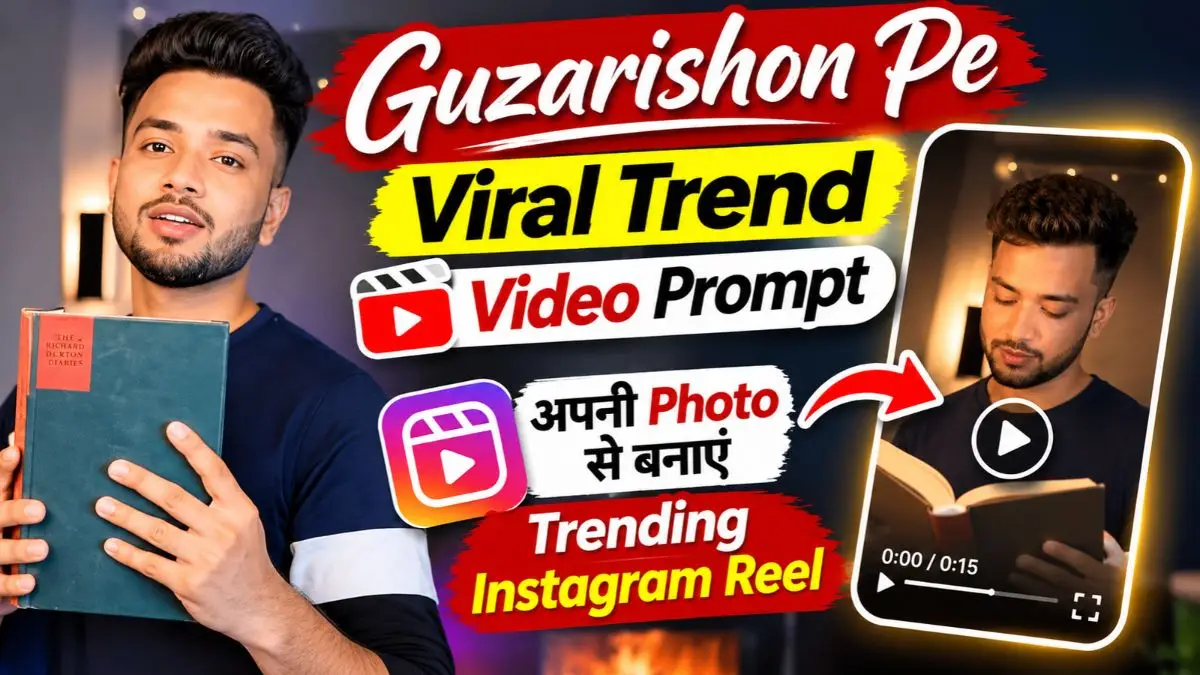
दोस्तों, Instagram पर इन दिनों Guzarishon Pe Gaur Kijiye गाने पर बनी AI Videos देखने को मिल रही हैं। इनमें कभी कोई कैमरे के सामने हाथ घुमाता है, तो कभी Face का Close-Up आते ही Outfit और पूरा Look बदल जाता है। सबसे दिलचस्प बात यह है कि Video में दिखने वाले Expressions और Transitions किसी असली शूट की हुई Reel जैसे लगते हैं।
अब ऐसी Video बनाने के लिए आपको खुद Acting करने या अलग-अलग Clips शूट करने की जरूरत नहीं है। अपनी एक साफ Photo और Reference Video की मदद से Google Flow AI की मदद से ऐसी विडिओ बना सकते हैं।
लेकिन यहां एक परेशानी अक्सर सामने आती है—AI कभी आपका Face बदल देता है, तो कभी Reference Video वाले Actions और Transitions सही नहीं बनाता। इसीलिए आज मैं आपके साथ Guzarishon Pe Viral Trend Video Prompt और Guzarishon Pe Gaur Kijiye AI Video Prompt शेयर कर रहा हूँ। साथ ही बताऊँगा कि अपनी Photo से Video कैसे बनाएं और Result खराब आने पर क्या करें।
Guzarishon Pe Viral Trend Video आखिर कैसी होती है?
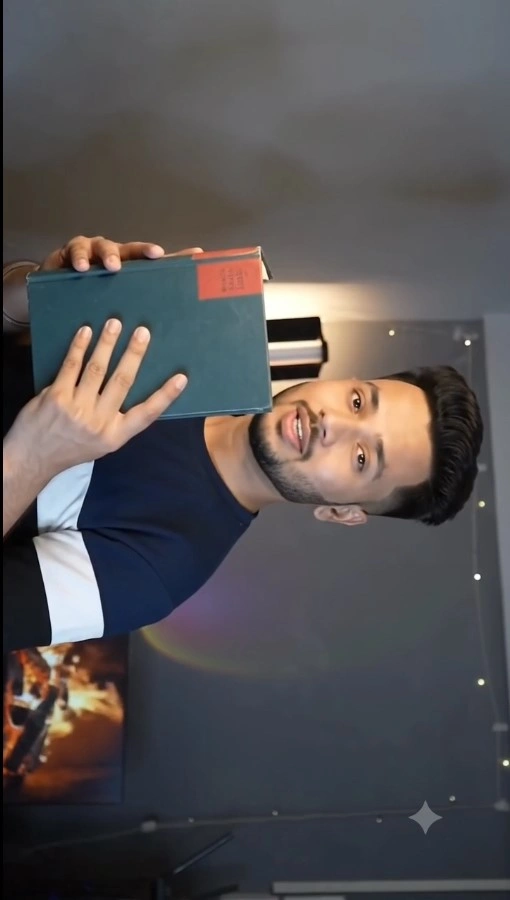
इस Trending Reel की शुरुआत में लड़का अपनी Normal Shirt में एक Dark Teal Colour की Book पकड़कर कैमरे की तरफ देखता है। Book कैमरे के सामने घूमती है और अचानक उसके चेहरे का Close-Up दिखाई देता है। इसके बाद वही Action दोबारा होता है, लेकिन आखिरी Book-Swipe के बाद लड़का Black Shiny Party Blazer में दिखाई देता है। पहले उसके हाथ में White Love Letter होता है और फिर वह Letter हटाकर Stylish Pose देता है।
इस Guzarishon Pe AI Video Editing Prompt की सबसे अलग बात इसका Sideways Camera Angle है। पूरी Video में Face थोड़ा घूमे हुए Frame में दिखाई देता है। अगर AI इसे Normal Straight Angle में बना दे, तो Original Trend वाली Feel बदल जाती है।
Guzarishon Pe Boy Version Reference Video
इस Trend में सिर्फ अपनी Photo Upload करना काफी नहीं है। खासकर अगर आपको वही Book Movement, Face Close-Up और Outfit Change चाहिए, तो Reference Video भी काफी जरूरी है।
सबसे पहले जिस Guzarishon Pe Boy Version Reel का Look बनाना चाहते हैं, उसकी Reference Clip तैयार रखें। फिर अपनी एक साफ Photo लें, जिसमें Face, Hairstyle और Beard अच्छी तरह दिखाई दें।
मेरे हिसाब से ऐसी Photo बेहतर रहेगी जिसमें चेहरा बहुत ज्यादा Side में न हो। क्योंकि Video में दो Close-Up Scenes हैं और वहीं AI के लिए Original Face बनाए रखना मुश्किल हो सकता है।
Guzarishon Pe Viral Trend Video Prompt 2026 — Copy & Paste
नीचे दिया गया Guzarishon Pe Gaur Kijiye AI Video Prompt खास इसी Boy Version के लिए बनाया गया है। इसमें Book-Swipe, दोनों Face Close-Ups, Black Blazer और Love Letter वाले Scenes को उनकी Timing के साथ रखा गया है।
Google Flow AI से Guzarishon Pe Viral Video कैसे बनाएं?
अगर आप पहली बार Trending Guzarishon Pe AI Video Prompt इस्तेमाल कर रहे हैं, तो नीचे दिए गए Steps Follow करें।
- सबसे पहले अपनी पसंद की Guzarishon Pe Boy Version Reference Video और एक Clear Face Photo तैयार करें।
- अब Google Flow AI खोलें और नया Project बनाएं।
- उपलब्ध Video Model में Ingredients/References या Video Editing का Option चुनें।
- अपनी Face Photo और Reference Video Upload करें।
- ऊपर दिया गया Video Prompt Paste करें। जरूरत पड़ने पर Prompt में Media References के नाम सही Select करें।
- Video के लिए 9:16 Ratio और 10-Second Duration चुनें, यदि आपके Model में उपलब्ध हो।
- Generate करने के बाद Face, Book Movement, Camera Angle और Blazer वाला Final Scene Check करें। Result सही हो तो Download करें।
ध्यान दें: Flow में हर Model एक जैसे Features नहीं देता। अगर 10-Second या Reference Video Editing का Option नहीं दिखता, तो Compatible Model चुनें। जरूरत पड़ने पर Video को अलग-अलग छोटे हिस्सों में बनाकर जोड़ सकते हैं।
Video में Face बदल रहा है या Book Transition सही नहीं बन रहा?
कई बार Guzarishon Pe Viral AI Video Editing करते समय Video की शुरुआत सही बनती है, लेकिन पहला Close-Up आते ही Face बदल जाता है। कुछ Results में Book गायब हो जाती है या Black Blazer शुरुआत में ही दिखाई देने लगता है।
ऐसी परेशानी में ये Fixes काम आएंगे:
- Face बदल रहा है: Clear, High-Quality Face Photo इस्तेमाल करें। खासकर दोनों Orange Lighting वाले Close-Ups Check करें।
- Reference Video वाला Face दिखाई दे रहा है: अपनी Photo को मुख्य Identity Reference रखें। यदि जरूरत हो, तो उसी चेहरे की दूसरी साफ Photo भी Reference में इस्तेमाल करें।
- Book गायब हो रही है: Reference Video में Book वाला Frame साफ चुनें। जरूरत पड़ने पर Book का अलग Reference Image इस्तेमाल करें।
- Camera सीधा हो रहा है: पूरे Result में Sideways Angle Check करें। सिर्फ एक Scene सही और बाकी Straight हों, तो Video Original Trend जैसी नहीं लगेगी।
- Outfit जल्दी बदल रहा है: Black Blazer केवल आखिरी Book-Swipe के बाद आना चाहिए। शुरुआत और दोनों Close-Up Scenes में Original Outfit बना रहे।
- Lip-Sync गलत हो रहा है: अगर AI बार-बार गाना बोल रहा है, तो बिना Lip-Sync वाली Video Generate करके देखें। बाद में Editing App में Music जोड़ना ज्यादा आसान रहेगा।
- 10-Second Video सही नहीं बन रही: Book वाले शुरुआती Scenes और Blazer Reveal को अलग Clips में Generate करके Editor में सही Timing पर जोड़ें।
- Generation Failed या Policy Error: अपनी या अनुमति प्राप्त Photo इस्तेमाल करें। Selected Model की Reference Video Support और Upload Requirements Check करें। Copyrighted Audio को AI Generation में शामिल करने के बजाय उचित Music Library से अलग जोड़ें।
Guzarishon Pe Song को AI Video में कैसे लगाएं?
इस Guzarishon Pe Viral Trend Video में सबसे जरूरी है Song और Book-Swipe Transition की सही Timing। अगर Book हटने से पहले ही Music का Beat निकल जाए, तो Black Blazer वाला Reveal उतना अच्छा नहीं लगेगा।
मेरे हिसाब से पहले Google Flow से बिना Music वाली Video बनाएं। फिर Instagram Reels में Guzarishon Pe Song चुनें और Video को इस तरह Adjust करें कि Book-Swipe के तुरंत बाद Face Close-Up और आखिरी Beat पर Black Blazer वाला Look दिखाई दे।
अगर Timing सही नहीं बैठ रही, तो VN या CapCut में Clip को Trim करके Music के साथ Match कर लें। खासकर आखिरी Love Letter वाला Scene जरूर Check करें, क्योंकि सही Music Timing के साथ यही Moment पूरी Reel को ज्यादा आकर्षक बनाता है।
मेरा अनुभव: इस Trend में Face से ज्यादा Transition पर भी ध्यान दें
मेरे हिसाब से अच्छी Guzarishon Pe Viral Trend Video Prompt वाली Reel में सिर्फ आपका Face Same दिखना काफी नहीं है। सबसे जरूरी है कि Book कैमरे को सही तरह Cover करे और उसके हटते ही अगला Scene Natural दिखाई दे।
खासकर इस Video में दो Face Close-Ups और आखिरी Black Blazer Reveal सबसे ध्यान खींचते हैं। इसलिए Final Result चुनते समय इन तीनों जगह Face, Hairstyle और Expressions जरूर Check करें। अगर Book-Swipe सही नहीं बना है, तो सिर्फ HD Quality देखकर Video Final न करें। एक साफ Transition और सही Face वाली Video ज्यादा बेहतर लगेगी।
Guzarishon Pe Viral Trend Video Prompt – FAQs
1. Guzarishon Pe Viral Trend Video कैसे बनाएं?
सबसे पहले अपनी Clear Face Photo और Boy Version की Reference Video तैयार करें। फिर Google Flow AI में Guzarishon Pe Viral Trend Video Prompt इस्तेमाल करके Video Generate करें।
2. Guzarishon Pe Gaur Kijiye AI Video Prompt कहां इस्तेमाल करें?
इस Prompt को Google Flow AI में इस्तेमाल कर सकते हैं। अगर चुना हुआ Model Reference Video Support करता है, तो अपनी Photo और Reference Clip दोनों Upload करें।
3. Video में मेरा Face बदल रहा है, क्या करें?
ऐसी Photo इस्तेमाल करें जिसमें Face, Hairstyle और Beard साफ दिखाई दें। खासकर Book-Swipe के बाद आने वाले दोनों Face Close-Ups जरूर Check करें।
4. Book-Swipe Transition सही नहीं बन रहा तो क्या करें?
पहले Reference Video की Movement देखें। अगर AI बार-बार गलत Transition बना रहा है, तो Book-Swipe वाले हिस्से को अलग Generate करके Video Editor में जोड़ें।
5. Guzarishon Pe Song वाली Reel में Black Blazer कब दिखाई देना चाहिए?
Original Trend के मुताबिक Black Blazer वाला Look आखिरी Book-Swipe के बाद आता है। इसके बाद लड़का White Love Letter पकड़ता है और आखिर में Stylish Pose देता है।
निष्कर्ष
दोस्तों, Guzarishon Pe Gaur Kijiye AI Video Prompt की मदद से आप अपनी Normal Photo को Book-Swipe, Cinematic Face Close-Ups और Black Blazer वाले Stylish Instagram Reel Look में बदलने की कोशिश कर सकते हैं। बस Reference Video के Actions, Sideways Camera Angle और Original Face का ध्यान रखें। इन्हीं Details से Final Video इस Trend के ज्यादा करीब दिखाई देगी।
वैसे आपने Guzarishon Pe Viral Trend Video बनाने की कोशिश की है? Google Flow में आपका Face सही आया या Book Transition में परेशानी हुई? नीचे Comment में जरूर बताएं।र Outfit Change की Timing सही होनी चाहिए। इसी से पूरी Reel ज्यादा Natural लगेगी।
नीचे लिखे अन्य लेख भी देखे आपको जरूर पसंद आएंगे:-