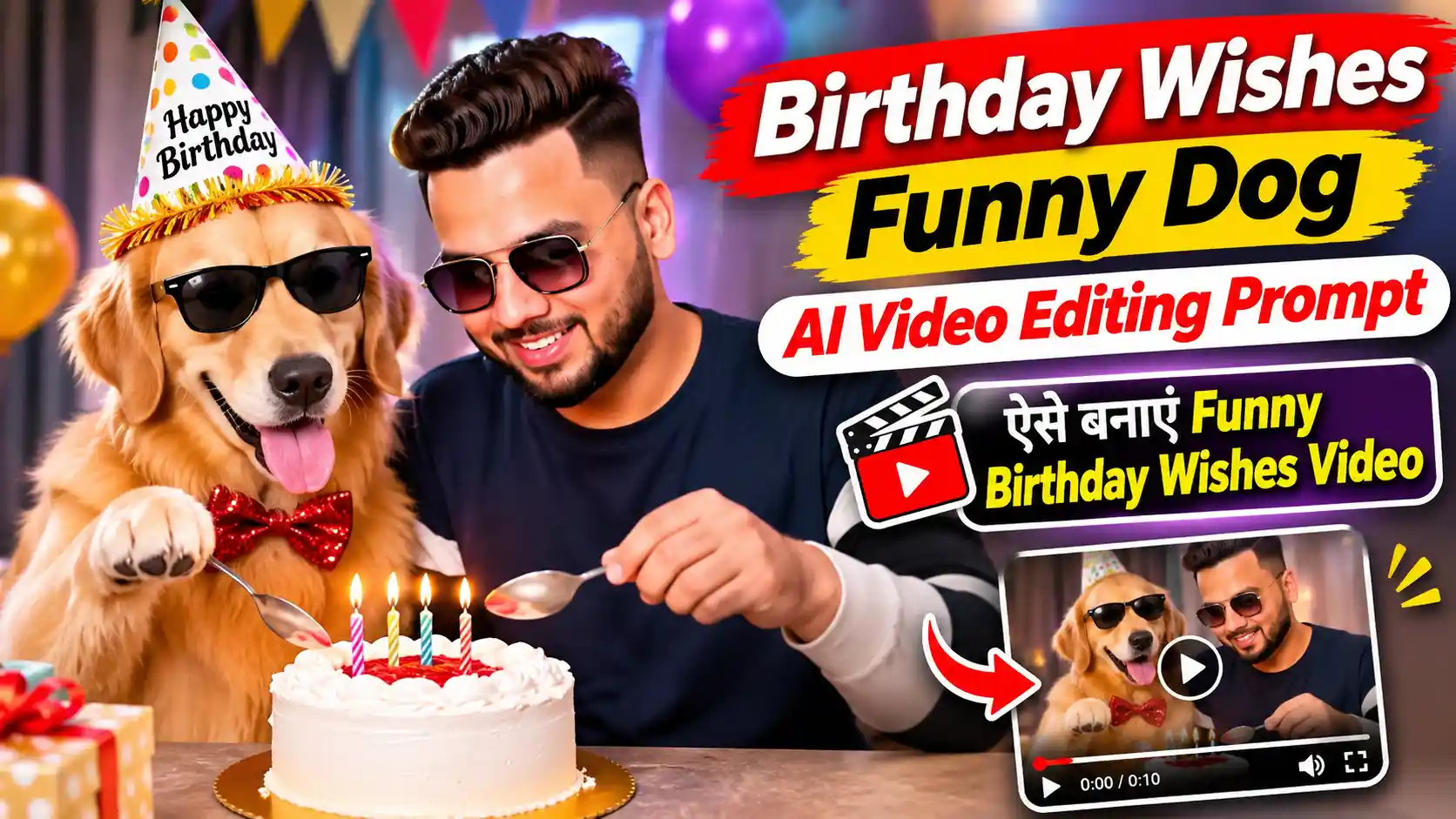
आजकल Instagram Reels पर Birthday Wishes Funny Dog AI Video का एक मजेदार Concept देखने को मिल रहा है, जिसमें Dog बड़े ही Funny अंदाज में Birthday Wish करता है। उसके बोलने का Style और मजेदार Expressions इस तरह की Video को आम Birthday Wishes से काफी अलग बनाते हैं।
अगर आप भी अपने किसी दोस्त या खास व्यक्ति को इस तरह Birthday Wish करना चाहते हैं, तो यहां आपको Birthday Wishes Funny Dog AI Video Editing Prompt और Google Flow AI से Video बनाने का आसान तरीका मिलेगा। साथ ही Dialogue, Voice और Dog के Expressions सही नहीं आने पर क्या करना है, वह भी समझेंगे।
Birthday Wishes Funny Dog AI Video Editing Prompt 2026
इस Funny Dog Birthday Wishes AI Video की खास बात इसके मजेदार Dialogues और Dog के Natural Expressions हैं। खासकर जब Dog Birthday Wish करते हुए Funny Reaction देता है, तो Video ज्यादा Entertaining लगती है।
मेरे हिसाब से इस तरह की Video में सबसे ज्यादा ध्यान Dialogue की Timing और Mouth Movement पर देना चाहिए। अगर आवाज पहले आए और Dog का मुंह बाद में हिले, तो पूरा Funny Moment खराब हो जाता है।
Funny Dog Birthday Wishes AI Video Prompt
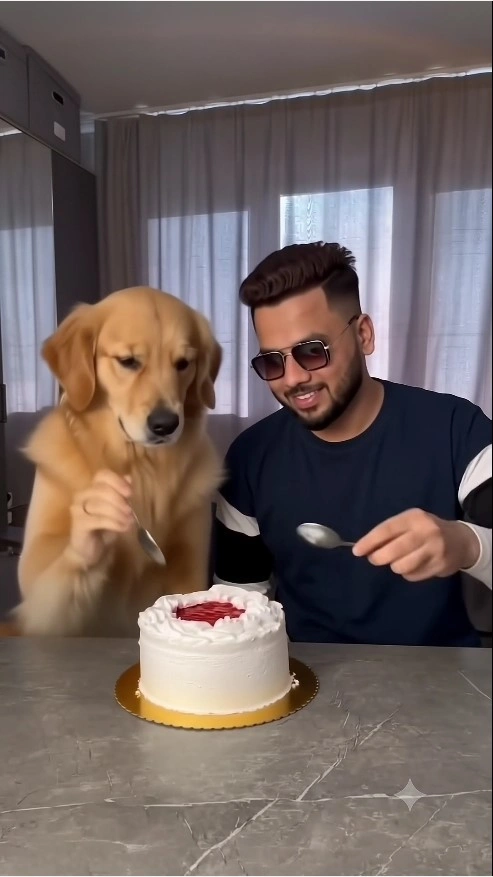
Create an ultra-realistic 9:16 comedy video closely following the uploaded reference video’s visual composition, action sequence, timing, camera placement and funny ending. Use the uploaded personal photograph as the exclusive visual identity reference for the human character. Replace the human performer in the reference scene with the person from the uploaded photograph while preserving the Golden Retriever, cake prank, kitchen environment and original sequence of events. PRIORITY 1 — STRICT HUMAN IDENTITY PRESERVATION The generated human must remain as faithful as possible to the uploaded personal photograph throughout the complete video. Identity requirements: Use the uploaded photograph as the ONLY source of the human’s facial identity. Preserve the person’s recognizable face shape, forehead, eyebrows, eyes, nose, lips, cheeks, jawline and chin. Maintain their original skin tone, realistic skin texture, facial proportions and distinctive features. Preserve the exact hairstyle, hairline, facial hair if present, and apparent age. Keep the person’s natural appearance without artificial beautification, reshaping or skin smoothing. Apply the same facial identity consistently across frontal views, side angles, head movements and changing expressions. Do not blend the original video performer’s facial features with the uploaded identity. Avoid face morphing, identity switching, flickering, inconsistent facial geometry or noticeable changes between frames. REFERENCE PHOTO IDENTITY RULE: The uploaded personal photograph defines the human character’s face, hairstyle, complexion, clothing and visible accessories. This instruction must adapt to whichever authorized personal reference photograph is supplied. Use natural facial expressions that fit the reference video’s actions without changing the person’s recognizable identity. PRIORITY 2 — CLOTHING AND PERSONAL APPEARANCE Recreate the uploaded person’s outfit as closely as possible. Preserve the clothing colors, neckline, sleeves, patterns and visible accessories from the personal photograph. Do not automatically reproduce the original performer’s black clothing. Keep the same hairstyle and outfit throughout every scene. Maintain natural body proportions and realistic clothing movement. PRIORITY 3 — REFERENCE VIDEO SCENE CONTINUITY Reproduce the original visual environment as closely as possible. The scene takes place inside a modern, naturally illuminated room. A person sits behind a grey kitchen counter while a friendly Golden Retriever sits closely beside them. On the counter is a round white cream cake decorated with red details, resting on a golden cake board. Preserve these visual elements: Same Golden Retriever appearance, golden fur, body proportions and size. Same grey countertop and cake position. Same white cake, red decoration and golden cake board. Same indoor room, curtains, furniture and background arrangement. Same natural lighting direction, realistic shadows and overall color balance. Same camera perspective, distance, height and framing. Same relative position of the human, dog and cake. Do not add unrelated props, different animals, additional people or alternative locations. PRIORITY 4 — PRECISE ACTION AND COMEDY TIMING Follow the uploaded reference video’s original actions and transitions as closely as possible. SCENE 1 — OPENING (0:00–0:02) The person sits naturally behind the grey counter with the Golden Retriever positioned beside them. The decorated white cake remains visible in front of both characters. The person looks downward, making small natural hand movements. Meanwhile, the Golden Retriever slowly reaches one paw toward the cake with curious, playful behavior. Keep the original character positions and camera framing. SCENE 2 — PLAYFUL INTERACTION (0:02–0:06) The dog continues interacting playfully with the person. The person turns toward the Golden Retriever and smiles naturally. The person holds a spoon and moves it toward the cake, preparing to eat. The dog watches the spoon and cake closely with curious facial expressions. The person opens their mouth slightly and reacts playfully to the dog’s behavior. Maintain natural hand coordination, realistic paw movement and the original comedic rhythm. Do not introduce extra actions or rearrange the interaction. SCENE 3 — SURPRISE CAKE PRANK (0:06–0:08.7) The Golden Retriever suddenly makes the same playful movement shown in the reference video. The dog jumps or lunges toward the person, causing the cake to move directly toward the person’s face. The cake makes visible contact with the face, spreading white cream naturally over the cheeks, nose and surrounding facial area. The person reacts immediately with genuine surprise, instinctively moving backward. Preserve the original timing of the surprise and the funny cake-covered ending. The cream must behave realistically with believable contact, splashing and gravity. The prank must appear unexpected and accidental, not deliberately performed by the human. PRIORITY 5 — NATURAL MOTION AND PHYSICAL REALISM Maintain anatomically correct Golden Retriever movements. Preserve the dog’s natural paw structure, body balance and fur movement. Keep the human’s hands, fingers, shoulders and body movements realistic. Make interactions with the spoon and cake physically believable. Ensure the cake moves naturally when contacted. Show believable cream transfer and splashing. Avoid exaggerated jumping, cartoon reactions or unrealistic object movement. Maintain stable facial identity even when cream temporarily covers parts of the person’s face. Avoid sudden scene changes, distorted faces, disappearing objects or unnatural body transformations. PRIORITY 6 — CAMERA AND VISUAL STYLE The final video should resemble authentic live-action smartphone footage. Video specifications: Vertical 9:16 aspect ratio. Approximately 8.7 seconds, or the closest supported duration. Realistic indoor daylight. Consistent camera angle and framing. Natural skin texture and realistic Golden Retriever fur. Smooth continuous motion. Realistic shadows and object physics. High-resolution visual quality. No unnecessary cinematic transitions. No captions, subtitles, logos or watermarks. Preserve the original reference video’s pacing and overall visual atmosphere. FINAL GENERATION INSTRUCTION — IDENTITY AND SCENE LOCK Use the two uploaded sources for clearly separated purposes: PERSONAL PHOTO: Human facial identity, facial structure, skin tone, hairstyle, outfit and accessories. REFERENCE VIDEO: Golden Retriever, cake, room, character positions, movements, gestures, camera framing, scene progression, timing and comedy ending. Reconstruct the reference scene with the supplied human identity while keeping every other important visual and narrative element consistent. The human must remain recognizable as the person in the uploaded photograph before, during and after the cake prank. Keep the complete interaction natural, believable and visually continuous. The intended outcome is the same Golden Retriever cake-prank storyline and surprise ending, featuring the person from the uploaded reference photograph.
इस Birthday Wishes Funny Dog AI Video Editing Prompt से Video बनाने के लिए नीचे दिए गए Steps Follow करें।
Google Flow AI खोलें: सबसे पहले Google Flow पर जाएं और अपने Google Account से Login करें।
New Project बनाएं: अब New Project खोलकर उपलब्ध Video Generation Model चुनें।
Reference Add करें: अपना Reference Video और जिस व्यक्ति का वीडियो बनाना चाहते हैं उसकी फोटो अपलोड करें।
Prompt Paste करें: ऊपर दिया गया Funny Dog AI Video Prompt Copy करके Prompt Box में Paste करें।
Video Generate करें: अपने Model के अनुसार 9:16 Format और उपलब्ध Duration चुनकर Generate करें।
Result Check करें: Dog के Expressions, Birthday Dialogue और Voice Timing सही दिखाई दे रहे हैं या नहीं, यह जरूर देखें।
Video Download करें: Result पसंद आए तो Video Save करके Instagram Reels या WhatsApp Status पर Share कर सकते हैं।
Funny Dog AI Video सही नहीं बन रही? ये Solutions देखें
कई बार Funny Dog AI Video Editing Prompt इस्तेमाल करने पर Video में Dog की आवाज, Mouth Movement या Funny Expressions सही नहीं आते।
Dialogue साफ नहीं बोल रहा: Video का Audio सुनकर देखें कि पूरे शब्द समझ आ रहे हैं या नहीं। जरूरत हो तो अलग Voiceover इस्तेमाल करें।
Lip Sync खराब है: Dog का Mouth Movement Dialogue से Match न हो, तो Clip दोबारा Generate करके देखें।
Dog का Look बदल रहा है: उपलब्ध Reference Image Feature में उसी Dog की साफ Photo इस्तेमाल करें।
Birthday Name गलत आ रहा है: Name को Video में बाद में VN या CapCut से Text के रूप में Add करना ज्यादा भरोसेमंद रहेगा।
मेरे हिसाब से इस Video का सबसे जरूरी हिस्सा Funny Birthday Wish है। इसलिए बहुत सारे Effects लगाने के बजाय साफ Dialogue और Natural Reaction पर ध्यान देना ज्यादा अच्छा रहेगा।
Birthday Wishes Funny Dog AI Video के लिए जरूरी Tips
इस Birthday Wishes Funny Dog AI Video Editing Prompt से Video बनाते समय कुछ बातों का ध्यान रखें, ताकि बार-बार Generate न करना पड़े।
पूरा Prompt इस्तेमाल करें: Prompt को अधूरा Copy न करें, क्योंकि उसमें Dog की Actions, Expressions और Birthday Dialogue की Instructions शामिल हो सकती हैं।
सही AI Model चुनें: Google Flow में Audio Generation वाला Model इस्तेमाल करें, अगर Prompt में Dog के बोलने की Instructions हैं।
Result सही नहीं आया: अगर Dog का Dialogue अधूरा रह गया या कोई Action गलत बना, तो उसी Prompt से दोबारा Generate करके देखें।
Final Video चेक करें: Download करने से पहले देखें कि Birthday Wish पूरी बोली गई है और Video बीच में Cut तो नहीं हो रही।
मेरी सलाह: इस तरह की Funny Birthday Video में सबसे जरूरी है कि AI Prompt के अनुसार पूरा Scene तैयार करे। इसलिए पहली Video में कोई Action छूट जाए, तो बिना जरूरत Prompt बदलने के बजाय पहले उसी से दोबारा Generate करके देखें।
Frequently Asked Questions (FAQs)
1. Birthday Wishes Funny Dog AI Video Editing Prompt क्या है?
यह एक AI Video Prompt है, जिसकी मदद से Google Flow में Funny Dog के मजेदार Birthday Wishes और Expressions वाली Video बनाई जा सकती है।
2. Funny Dog Birthday Wishes AI Video कैसे बनाएं?
सबसे पहले Google Flow खोलें, New Project बनाएं और ऊपर दिया गया Birthday Wishes Funny Dog AI Video Editing Prompt Paste करें। इसके बाद उपलब्ध Video Model चुनकर Generate करें और तैयार Video Download कर लें।
3. क्या Funny Dog AI Video में आवाज भी आएगी?
हां, अगर आप Audio Generation Support करने वाला AI Model इस्तेमाल करते हैं, तो Dog के Birthday Dialogues की आवाज भी Generate हो सकती है। हालांकि हर बार सही Voice और Lip Sync मिलने की गारंटी नहीं है।
4. Google Flow में Funny Dog AI Video Generate नहीं हो रही तो क्या करें?
सबसे पहले चेक करें कि सही AI Model चुना है और Prompt पूरा Paste हुआ है। अगर Generation Fail हो रहा है, तो दिखाई देने वाला Error Message और उपलब्ध Credits भी चेक करें।
5. क्या Birthday Funny Dog AI Video मोबाइल से बना सकते हैं?
हां, मोबाइल Browser में Google Flow खोलकर उपलब्ध Video Generation Features इस्तेमाल कर सकते हैं। तैयार Video को Instagram Reels, YouTube Shorts या WhatsApp Status पर Share कर सकते हैं।
Final Words
अगर आप भी इस बार अपने दोस्त या किसी खास इंसान को पुराने Birthday Message की जगह कुछ मजेदार भेजना चाहते हैं, तो Birthday Wishes Funny Dog AI Video Editing Prompt आपके लिए अच्छा विकल्प है। इसकी मदद से Google Flow पर Funny Dog के Birthday Dialogues और मजेदार Expressions वाली Video बना सकते हैं।
मेरे हिसाब से इस Video का असली मजा Dog के Funny Birthday Wish और उसके आखिरी Reaction में है। इसलिए Download करने से पहले पूरा Scene जरूर देखें, ताकि कोई Dialogue या मजेदार Moment अधूरा न रह जाए।
वैसे आप यह Funny Dog Birthday Video किसे भेजने वाले हैं—अपने दोस्त, भाई या किसी खास इंसान को? और Video बनाते समय कोई परेशानी आई हो, तो नीचे Comment में जरूर बताएं।
नमस्कार! मैं लवित राव हूँ। मैं AI Prompts, Gemini AI, ChatGPT और AI Image Editing पर काम करता हूँ। इस वेबसाइट पर मैं केवल वही प्रॉम्प्ट्स और गाइड्स शेयर करता हूँ जिन्हें मैं खुद टेस्ट करता हूँ, ताकि आपको सही, उपयोगी और आसानी से समझ आने वाली जानकारी मिल सके।