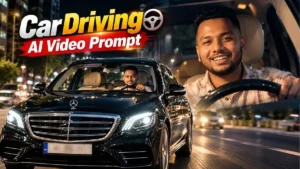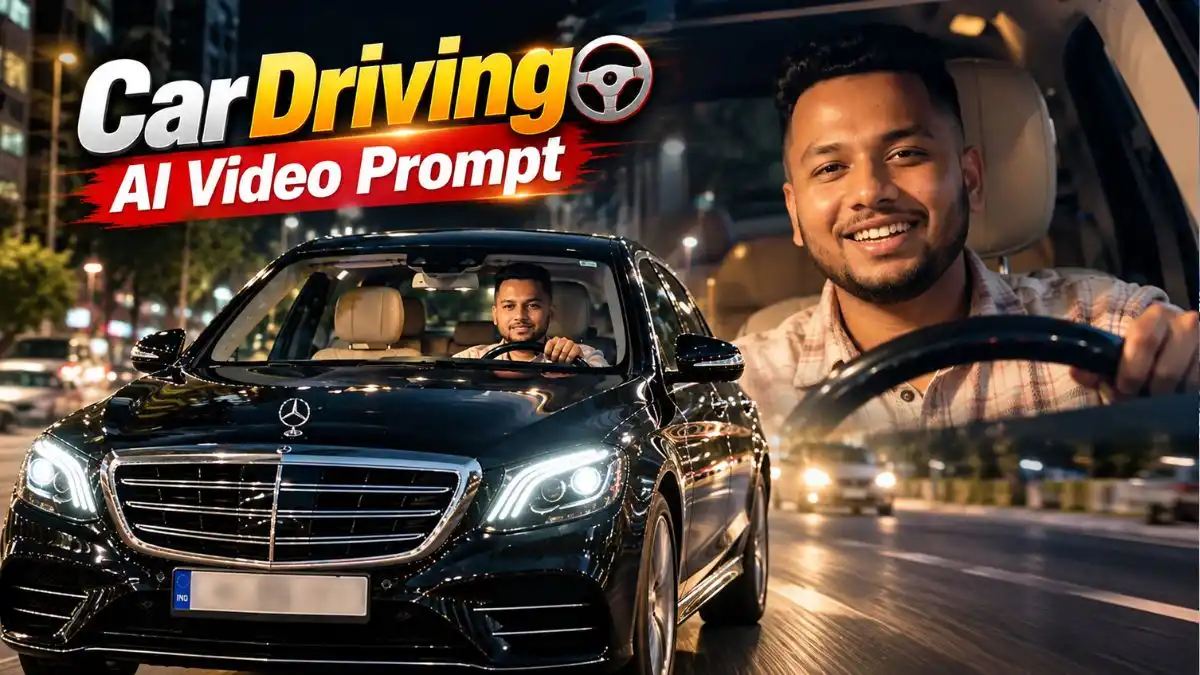
दोस्तों, Instagram Reels में इन दिनों एक Car Video वाला Look काफी नजर आ रहा है—शुरुआत में सामने से Black Mercedes दिखाई देती है और अगले ही पल Camera Windshield के करीब पहुंचता है, जहां अंदर बैठा Person Steering Wheel के साथ Smile और हल्की Hand Movement करता दिखाई देता है। सही Camera Movement मिले तो एक Normal Photo से बना Scene भी किसी Car Reel की Shooting जैसा लग सकता है। हाल में इसी तरह के Car-driving AI workflows दूसरे editing sites पर भी publish हुए हैं।
अगर आप भी अपनी Photo से ऐसा Video बनाना चाहते हैं, तो नीचे मैंने दो अलग Car Driving AI Video Editing Prompt दिए हैं। पहला Prompt बाहर से Mercedes Front दिखाते हुए धीरे-धीरे Driver के Close-up तक जाता है, जबकि दूसरा Mercedes Car AI Video Editing Prompt अंदर बैठे Driver के ज्यादा simple और natural Camera Shot पर Focus करता है। आगे इन्हें Google Flow में Photo के साथ इस्तेमाल करने का तरीका भी आसान Steps में देखेंगे।
इस Car Driving AI Video में खास क्या है?
दोस्तों, Car Driving AI Video Editing Prompt में Car बन जाना आसान है, लेकिन उसे Real Driving Shot जैसा दिखाना असली Challenge है। अगर Camera एक ही जगह रुका रहे और सिर्फ Face या Hands हिलें, तो Video तुरंत Animated Photo जैसा लगने लगता है।
इसलिए इस Trending Car Driving AI Video Prompt में शुरुआत Mercedes के Front View से होती है और Camera धीरे-धीरे Windshield के करीब पहुंचता है। साथ में Driver की Smile, Head Turn और Hand Movement भी उसी Flow में होती है। यही छोटा Camera Reveal Scene में Movement लाता है और Video को सिर्फ “Car में बैठी Photo” बनने से बचाता है।
1. Mercedes Windshield Driving AI Video Prompt – Front View से Close-Up तक
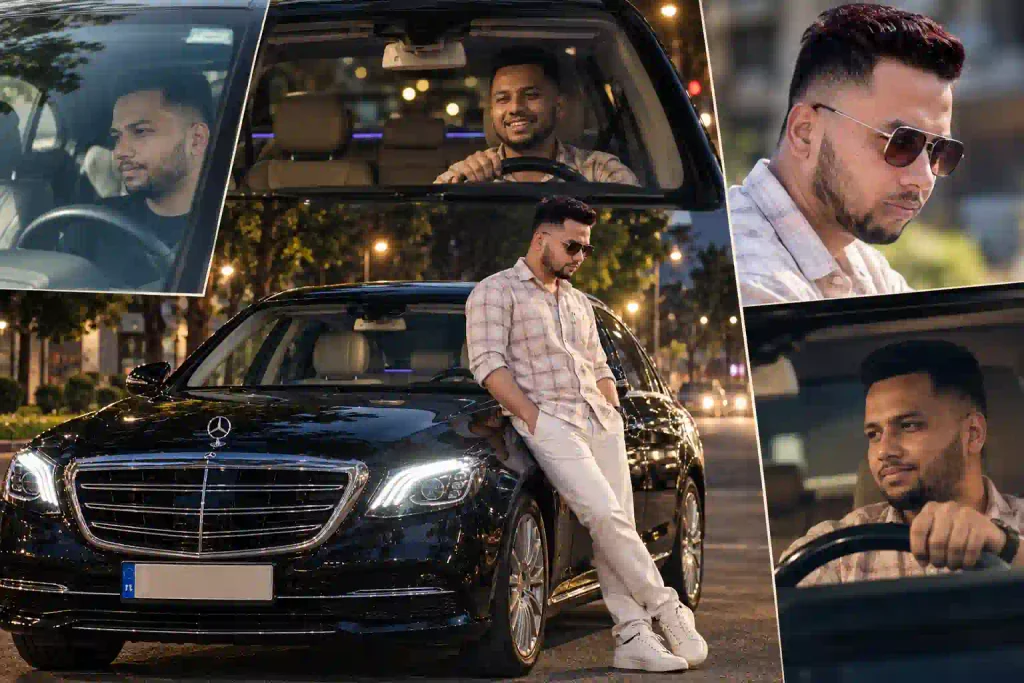
पहला Mercedes Car AI Video Editing Prompt थोड़ा ज्यादा Cinematic है। Video Mercedes के Front View से शुरू होता है और Camera Windshield के करीब आते-आते Driver के Face पर पहुंचता है; बीच में Smile, Head Movement और Hand Gestures भी रखे गए हैं।
मुझे इस Scene की अच्छी बात इसका 10-second sequence पहले से तय होना लगता है। AI को सिर्फ “Car चलाते हुए Video बनाओ” कहने के बजाय हर कुछ Seconds में Camera और Person को क्या करना है, वह Prompt में साफ है—इसलिए पूरा Scene किस Direction में जाना है, इसकी Instruction ज्यादा स्पष्ट रहती है।
2. Natural Mercedes Car Driving AI Video Prompt – Side Look वाला Scene
दूसरा Car Driving AI Video Prompt ज्यादा Simple रखा गया है। इसमें Person Mercedes की Driver Seat पर बैठकर पहले Side में देखता है, हल्का Smile करता है और फिर सामने देखता है, जबकि Camera Windshield से धीरे-धीरे थोड़ा करीब आता है।
अगर आपको बहुत ज्यादा Performance या Hand Movement नहीं चाहिए, तो इस Mercedes Car AI Video Prompt का Scene ज्यादा Calm Feel देता है। Steering Wheel, Dashboard, Tinted Glass और Windshield Reflections Frame में रहने की वजह से Focus Person के साथ Car Interior पर भी बना रहता है।
Google Flow में Car Driving AI Video कैसे बनाएं?
Google Flow में Reference Images/Frames से Video बनाने की सुविधा उपलब्ध है; Google के अनुसार Flow में Ingredients और Frames जैसे controls से reference assets को scene में इस्तेमाल किया जा सकता है, हालांकि उपलब्ध controls/model account के हिसाब से बदल सकते हैं.
तरीका छोटा है:
- Google Flow खोलकर नया Project शुरू करें।
- Video Generation में उपलब्ध Image/Frame Reference option चुनें।
- अपनी Clear Photo Upload करें।
- ऊपर से पसंद वाला Car Driving AI Video Editing Prompt पूरा Paste करें।
- Prompt में दिया Aspect Ratio/Scene Follow करते हुए Video Generate करें।
- Result में Face, Hands, Steering Wheel और Car Continuity देखकर Final Video चुनें।
एक जरूरी बात: Flow का Interface बदल सकता है, इसलिए किसी पुराने Tutorial में दिखने वाले Button या Model Name को ढूंढने के बजाय अपने Account में मौजूद Current Video/Reference controls इस्तेमाल करें।
Car Driving AI Video के लिए कौन-सी Photo सबसे सही रहेगी?
दोस्तों, Mercedes Car AI Video Editing Prompt में पूरा Scene Prompt से बन जाएगा, इसलिए आपको Mercedes के साथ Photo लेने की जरूरत नहीं है। असली काम की चीज है एक साफ Face Reference—क्योंकि Video में Camera आखिर में Windshield के पीछे बैठे आपके Face के काफी करीब आता है।
बेहतर Result के लिए ऐसी Photo लें जिसमें:
- Face Front या हल्के Side Angle से साफ दिखाई दे।
- दोनों Eyes, Hairline और Jawline Clear हों।
- Heavy Beauty Filter, Sunglasses और ज्यादा Blur न हो।
- बहुत दूर की Full-body Photo के बजाय Chest-up या Half-body Photo चुनें।
- Expression Natural रखें; बहुत बड़ा Smile या Extreme Pose वाली Photo से बचें।
काम की Tip: Prompt में Face Lock कितना भी Detail में हो, Reference Photo में Facial Details साफ नहीं हैं तो Video के Close-up में Identity बदल सकती है। इसलिए इस Car Driving AI Video Prompt के लिए पहले अच्छी Photo चुनना सबसे जरूरी Step है।
एक Photo से दोनों Mercedes Video Looks Try करें
एक ही Clear Photo को दोनों Mercedes Car AI Video Editing Prompt के साथ इस्तेमाल करें। पहले Prompt में Mercedes Front से Driver Close-up वाला cinematic reveal मिलेगा, जबकि दूसरे में ज्यादा simple और natural Driving Shot बनेगा।
इससे आपको Photo बदलने की जरूरत नहीं पड़ेगी और आसानी से पता चल जाएगा कि आपकी Photo पर cinematic Mercedes look बेहतर लग रहा है या natural Car Driving look।
Video अच्छा बन गया, अब Reel वाला Look कैसे दें?
AI से निकले Clip को सीधे Post करने की बजाय शुरुआत और Ending के Extra Frames Trim कर दें, ताकि Action तुरंत शुरू हो। इसके बाद जरूरत हो तो Music अपने Editor/Instagram में लगाएं और Original Video Audio की जरूरत न हो तो उसे कम या Remove कर सकते हैं।
अगर Music जोड़ रहे हैं तो ऐसा Track इस्तेमाल करें जिसके लिए आपके पास जरूरी Rights/Platform permission हो। और realistic AI-generated footage share करते समय जिस Platform पर disclosure जरूरी हो, वहां उसे सही तरीके से label करें।
FAQs
Car Driving AI Video Editing Prompt किस Tool में इस्तेमाल करें?
ये Prompts Photo-to-Video workflow के लिए लिखे गए हैं। इस Article में Google Flow वाला तरीका रखा गया है; available video/reference features आपके account और region के अनुसार अलग हो सकते हैं।
क्या पहले Mercedes वाली AI Photo बनाना जरूरी है?
पहले Prompt में Uploaded Photo को Identity Reference और Mercedes Scene को Prompt से Generate करने की साफ Instruction है, इसलिए अलग Mercedes Photo अनिवार्य नहीं है। दूसरे Prompt के workflow में भी Clear Face Reference से शुरुआत की जा सकती है।
Face Video के बीच बदल जाए तो क्या करें?
ऐसी Clear Reference Photo Try करें जिसमें Face बड़ा और बिना Heavy Filter के हो। अगर शुरुआत से ही Identity गलत है, तो उसी खराब Clip पर लगातार काम करने के बजाय Original Reference से Fresh Generation ज्यादा practical है।
Mercedes Car Stand AI Video Editing Prompt और Driving Prompt में क्या फर्क है?
Mercedes Car Stand AI Video Editing Prompt आमतौर पर Car के साथ बाहर खड़े Person/Entry-style Scene पर Focus करता है, जबकि यहां दिए Prompts Driver Seat, Steering Wheel और Windshield Camera View वाले Car Driving AI Video के लिए हैं।
निष्कर्ष
दोस्तों, इस Car Driving AI Video Editing Prompt Trend की सबसे Interesting चीज Mercedes नहीं बल्कि Camera का वह Moment है जब View Car के बाहर से धीरे-धीरे Windshield के पीछे बैठे आपके Face तक पहुंचता है। वही छोटा Reveal एक Normal Reference Photo को Short Cinematic Car Reel वाली Feel देता है।
ऊपर दोनों Mercedes Car AI Video Editing Prompt अलग Mood के हैं—एक में पूरा Front-to-Close-up Sequence है और दूसरे में Simple Natural Driving Shot। अपनी Clear Photo के साथ दोनों Scenes Try करके देखिए और Comment में बताइए कि Front Windshield वाला Cinematic Shot बेहतर लगा या Side-Look Driving Scene।
नीचे लिखे अन्य लेख भी देखे आपको जरूर पसंद आएंगे:-