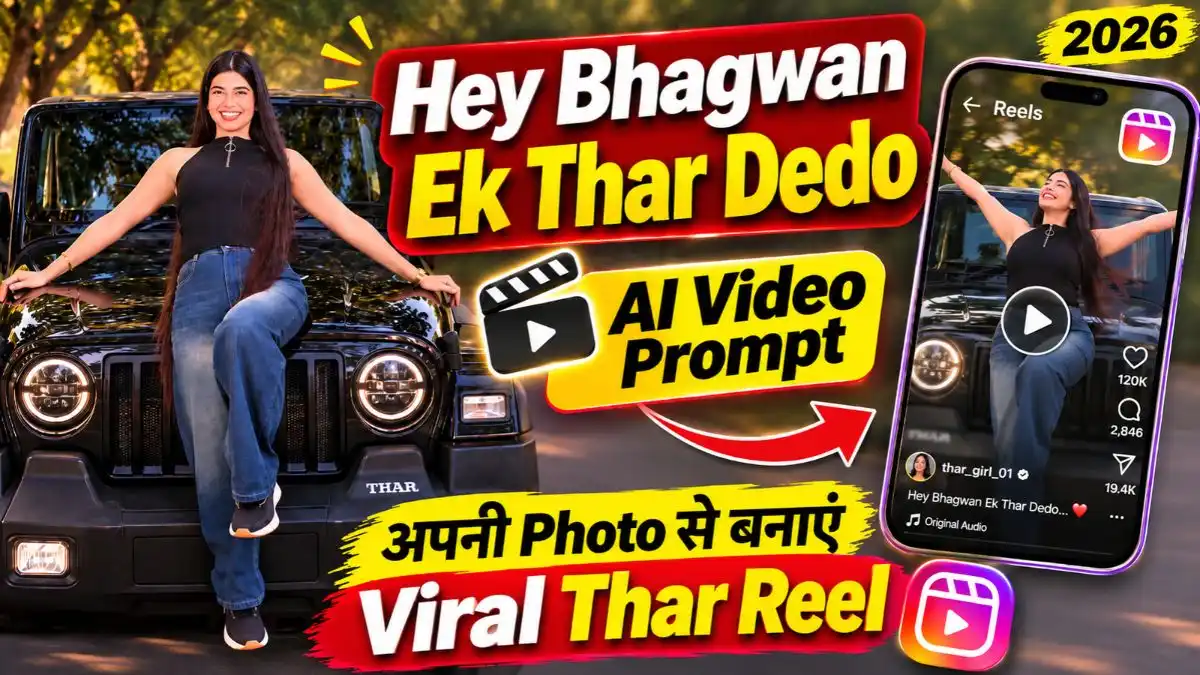
दोस्तों, सोचिए आप भगवान से एक Black Thar मांग रहे हों और अगले ही पल आपके सामने Thar की जगह एक शानदार White Mercedes आ जाए! इतना ही नहीं, कुछ ही Seconds में आपकी Body बन जाए और फिर चारों तरफ पैसों की बारिश होने लगे। Instagram पर He Bhagwan Ek Thar Dedo Viral Trend 2026 की ऐसी ही मजेदार AI Videos देखने को मिल रही हैं।
इस Trend की खास बात यह है कि पूरी Video सिर्फ 10 Seconds में चार अलग-अलग Scenes दिखाती है। सबसे पहले भगवान कृष्ण के सामने Thar का सपना, फिर Car Transformation, Gym में Funny Muscles और आखिर में पैसों से भरा Golden Palace।
अगर आप भी अपनी Photo से ऐसी Reel बनाना चाहते हैं, तो आज मैं आपके साथ Hey Bhagwan Ek Thar Dedo AI Video Prompt शेयर कर रहा हूँ। साथ ही Google Flow AI में Video बनाने का सही तरीका और Face या Scene बदलने जैसी परेशानियों के आसान Solutions भी समझेंगे।
Hey Bhagwan Ek Thar Dedo Viral Trend 2026 क्या है?
इस Viral Trend में एक व्यक्ति भगवान से आशीर्वाद ले कर अपनी पसंदीदा Black Mahindra Thar का सपना देखता है। अचानक अगले Scene में वह फूलों से सजी Thar के सामने खड़ा दिखाई देता है, लेकिन Lightning Effect के साथ वही गाड़ी White Mercedes में बदल जाती है।
इसके बाद Gym में उसकी Muscles मजेदार तरीके से बड़ी हो जाती हैं और आखिरी Scene में वह आलीशान Palace के अंदर पैसों की बारिश का आनंद लेता दिखाई देता है।
मेरे हिसाब से इस Trending Hey Bhagwan Ek Thar Dedo AI Video Prompt की सबसे दिलचस्प बात इसकी अचानक बदलती कहानी है। हर 2.5 Seconds में नया Scene आता है, इसलिए Video छोटी होने के बावजूद देखने में काफी Entertaining लगती है।
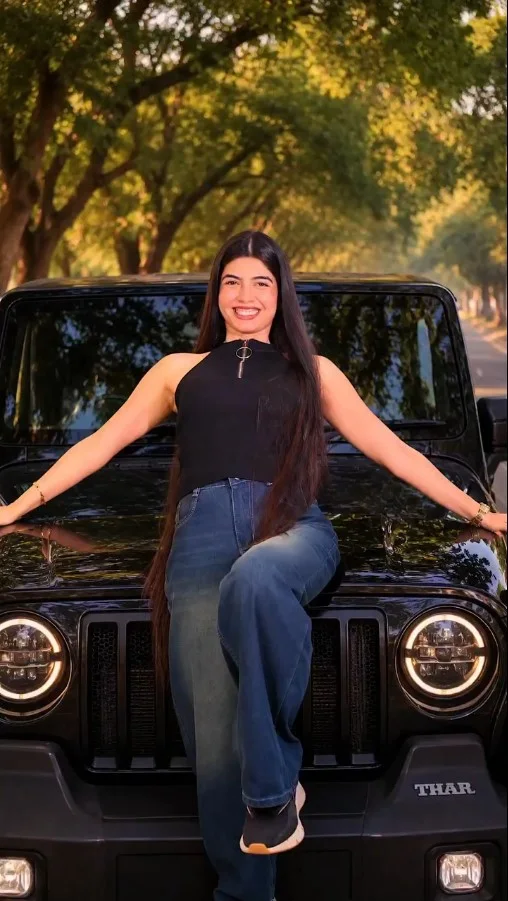
Hey Bhagwan Ek Thar Dedo AI Video Prompt – Copy & Paste
अब इस Trend की Video बनाने के लिए नीचे दिया गया Hey Bhagwan Ek Thar De Do AI Video Editing Prompt इस्तेमाल करें।
इसमें भगवान कृष्ण वाला Temple Scene, Black Thar से Mercedes बनने का Transformation, Funny Gym Look और Money Palace की पूरी 10-Second Sequence दी गई है।
Thar Viral AI Video Prompt
Hey Bhagwan Ek Thar Dedo AI Video Kaise Banaye Using Google Flow?
अब इस Hey Bhagwan Ek Thar Dedo Google Flow AI Prompt से अपनी Photo की Video बनाने का तरीका समझ लेते हैं।
- Google Flow खोलें: सबसे पहले Google Flow AI पर जाएं और अपने Google Account से Login करें।
- New Project बनाएं: Video Generation के लिए Ingredients/References वाला Option चुनें।
- अपनी Photo Upload करें: ऐसी साफ Photo लगाएं जिसमें Face, Hairstyle और Outfit अच्छी तरह दिखाई दें।
- Video Prompt Paste करें: ऊपर दिया गया पूरा Hey Bhagwan Ek Thar Dedo AI Video Prompt Copy करके Paste करें।
- Video Settings चुनें: 9:16 Vertical, 10 Seconds, 720p और 1 Output चुनें, यदि आपके Model में ये Options उपलब्ध हों।
- Generate करें: Video तैयार होने पर चारों Scenes और Original Face Check करें।
- Download करें: Result सही लगे तो Save करके Instagram Reels या YouTube Shorts पर इस्तेमाल कर सकते हैं।
ध्यान दें: यहां Photo को Starting Frame के बजाय Character Reference की तरह इस्तेमाल करना ज्यादा सही रहेगा। इससे Video सीधे Golden Temple वाले Scene से शुरू हो सकती है, न कि आपकी Static Photo से।
Google Flow AI की Best Video Settings
| Setting | Recommended |
|---|---|
| Video Model | Omni Flash 1.2 |
| Mode | Ingredients / References |
| Aspect Ratio | 9:16 Vertical |
| Video Duration | 10 Seconds |
| Resolution | 720p |
| Output | 1 Video |
| Reference | Clear Personal Photo |
ये Settings Hey Bhagwan Ek Thar De Do AI Video Editing Prompt के लिए उपयोगी रहेंगी। हालांकि Google Flow में कुछ Features आपके चुने हुए Model और Account के अनुसार अलग दिखाई दे सकते हैं।
Video में Face या Scene बदल रहा है तो क्या करें?
कई बार Prompt सही होने के बावजूद AI चारों Scenes एक जैसे नहीं बना पाता। खासकर Thar Transformation और Gym वाले Scene में गलती हो सकती है।
- Face बदल रहा है: Clear Photo इस्तेमाल करें और Check करें कि आपकी Image में चेहरा साफ हो।
- Video की शुरुआत Photo से हो रही है: Starting Frame के बजाय Ingredients/References Mode इस्तेमाल करें।
- Black Thar सही नहीं बन रही: Result में Car की Grille, Round Headlights और Body Shape देखें। गलत Car आए तो नया Generation Try करें।
- Thar Mercedes में नहीं बदल रही: Transformation Scene को अलग Generate करके देखें। जरूरत पड़े तो Thar और Mercedes की Reference Images इस्तेमाल करें।
- Gym में हाथ खराब बन रहे हैं: Barbell उठाने और Biceps दिखाने वाला हिस्सा Check करें। Shirt की Sleeves नहीं फटनी चाहिए।
- चारों Scenes पूरे नहीं आ रहे: 10 Seconds में AI कोई Action छोड़ दे, तो चार छोटे Clips बनाकर VN में सही Order में जोड़ सकते हैं।
- Video Generation Failed: Model की Settings, Credits और Error Message Check करें। Audio की वजह से परेशानी आए तो बिना Music वाला Result बनाकर बाद में Song जोड़ें।
मेरा अनुभव: इस Trend में सबसे जरूरी क्या है?
मेरे हिसाब से Hey Bhagwan Ek Thar Dedo AI Video Prompt में सिर्फ Original Face सही दिखना काफी नहीं है। असली मजा तब आता है, जब हर Scene में वही व्यक्ति नजर आए और Black Thar से Mercedes बनने वाला Transformation साफ दिखाई दे।
इसलिए Final Video चुनते समय तीन चीजें जरूर Check करें—पहले Scene में सही Face, दूसरे में Car Transformation और तीसरे में हाथों की Natural Movement। खासकर अगर Thar की जगह कोई दूसरी गाड़ी बन जाए या आखिरी Scene में Face बदल जाए, तो पूरी Reel की Continuity खराब लग सकती है।
Hey Bhagwan Ek Thar Dedo AI Video Prompt – FAQs
1. Hey Bhagwan Ek Thar Dedo AI Video कैसे बनाएं?
सबसे पहले Google Flow AI में अपनी Clear Photo Upload करें। फिर Hey Bhagwan Ek Thar Dedo AI Video Prompt Paste करके 9:16 Vertical Format में Video Generate करें।
2. Hey Bhagwan Ek Thar De Do AI Video Editing Prompt कहां इस्तेमाल करें?
इस Prompt को Google Flow AI में इस्तेमाल कर सकते हैं। अपनी Photo को Reference के रूप में जोड़ें, ताकि चारों Scenes में आपका Face एक जैसा बना रहे।
3. क्या Hey Bhagwan Ek Thar Dedo AI Video Free में बना सकते हैं?
Google Flow में Free Credits या सीमित Free Usage की उपलब्धता Account और मौजूदा Plan पर निर्भर करती है। Video बनाने से पहले अपने Account में उपलब्ध Credits Check करें।
4. Google Flow AI में @image1 का क्या मतलब है?
@image1 आपकी Upload की गई Reference Photo को दर्शाता है। Prompt में इसे सही Image से Link करना जरूरी है, वरना AI कोई दूसरा Face बना सकता है।
5. Black Thar की जगह दूसरी Car बन रही है तो क्या करें?
Reference में Black Mahindra Thar की साफ Image इस्तेमाल करके दोबारा Generate करें। खासकर Round Headlights, Front Grille और Thar की Body Shape जरूर Check करें।
निष्कर्ष
दोस्तों, Hey Bhagwan Ek Thar De Do AI Video Editing Prompt की मदद से आप अपनी एक Photo से Black Thar, Funny Gym Transformation और Money Palace वाली 10-Second Instagram Reel बना सकते हैं। मेरी सलाह है कि Generate करने से पहले अपनी Photo की @image1 Linking जरूर Check करें और Final Result में चारों Scenes ध्यान से देखें। इससे Face या गलत Scene वाली Video को Final करने से बच सकते हैं।
वैसे आपको इस Trend का कौन-सा Scene सबसे मजेदार लगा—Thar से Mercedes बनने वाला या पैसों की बारिश वाला? और Google Flow में Video बनाते समय कोई परेशानी आई हो, तो नीचे Comment में जरूर बताएं।
नीचे लिखे अन्य लेख भी देखे आपको जरूर पसंद आएंगे:-