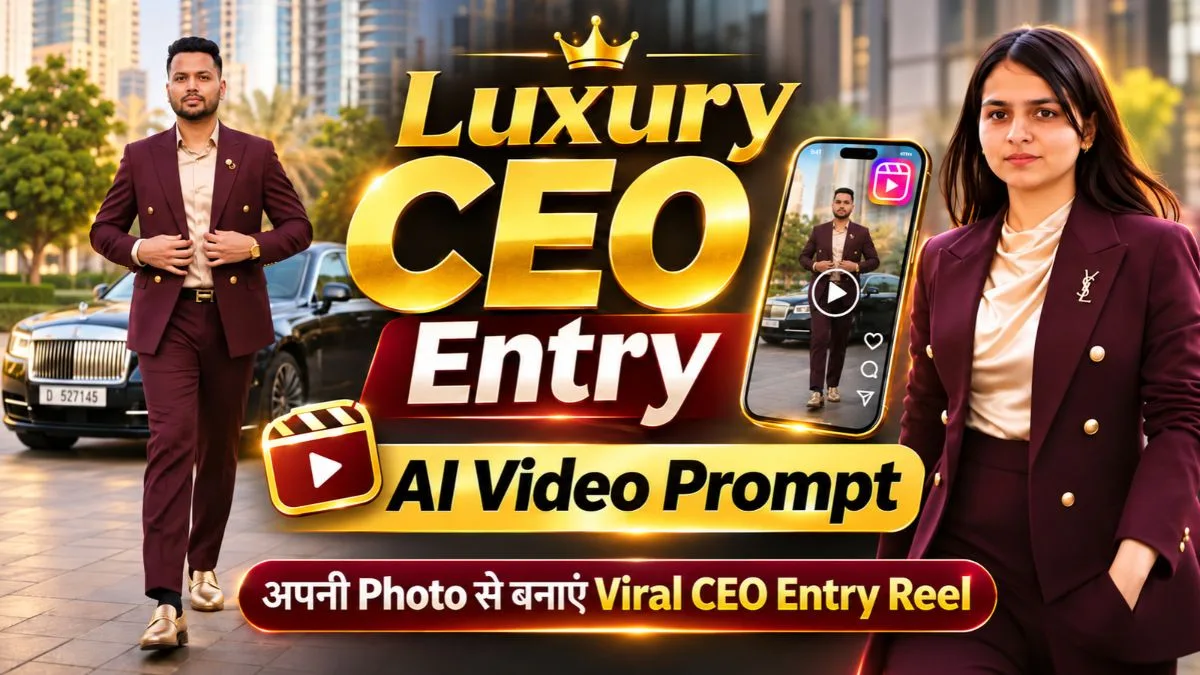
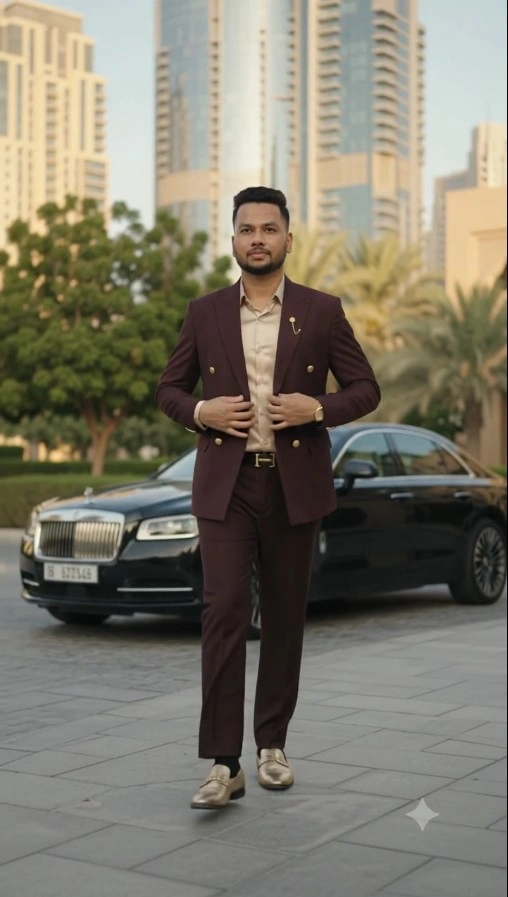
दोस्तों, आजकल Instagram Reels पर Luxury CEO Entry AI Video का Trend काफी Viral हो रहा है। इसमें एक Black Luxury Car का दरवाजा खुलता है, Golden Shoes जमीन पर पड़ते हैं और Maroon Blazer में आपकी शानदार CEO Entry होती है। अगले ही पल आप Luxury Office में पहुंचते हैं और CEO Chair पर बैठकर Powerful Look देते हैं। बिल्कुल किसी फिल्म जैसा Scene!
सबसे मजेदार बात यह है कि अब ऐसी Cinematic Video बनाने के लिए न Luxury Car चाहिए, न महंगा Office। Google Flow AI में अपनी सिर्फ एक Photo से यह पूरा CEO Entry Look बनाया जा सकता है।
इसीलिए आज मैं आपके साथ Luxury CEO Entry AI Video Prompt शेयर कर रहा हूँ, जिसमें 10 Seconds के अंदर छोटे छोटे Cinematic Shots हैं। साथ ही अपनी Photo से Video बनाने का तरीका और Face, Outfit या Scene बदलने जैसी परेशानियों के काम के Fixes भी जानेंगे।
Luxury CEO Entry AI Video Trend क्या है?
इस Trend में Video की शुरुआत एक शानदार Black Luxury Car से होती है। पहले Car Door और Golden Shoes का Close-Up दिखाई देता है, फिर Maroon Blazer पहने व्यक्ति Confident Walk करते हुए Glass Office में Entry लेता है।
इसके बाद Reception Area, Luxury Hall और Office के अलग-अलग Camera Shots आते हैं। आखिर में वही व्यक्ति CEO Chair पर बैठकर कैमरे की तरफ Powerful Look देता है। मेरे हिसाब से इस Trending Luxury CEO Entry AI Video Prompt की सबसे खास बात इसके Fast Cinematic Cuts हैं। Video सिर्फ 10 Seconds की है, लेकिन Car Entry से लेकर Final CEO Look तक पूरी कहानी दिखाई देती है।
Luxury CEO Entry Video बनाने के लिए क्या चाहिए?
इस Video को बनाने के लिए सिर्फ कुछ चीजें तैयार रखें।
- Google Flow AI: अपनी Photo से Cinematic Video Generate करने के लिए।
- Clear Reference Photo: जिसमें Face, Hairstyle और Skin Details साफ दिखाई दें।
- Luxury CEO Entry Master Prompt: नीचे दिया गया पूरा Video Prompt।
- Video Editor: जरूरत पड़ने पर Music और Scene Timing ठीक करने के लिए VN या CapCut।
खास बात: इस Luxury CEO Entry AI Video Prompt के लिए अलग Reference Video की जरूरत नहीं है। आपकी एक Photo ही Main Character का Reference बनेगी।
Luxury CEO Entry Video Prompt for Boys & Girls – Copy & Paste
अगर आप अपनी Photo से किसी बड़े CEO जैसी Luxury Car Entry बनाना चाहते हैं, तो यह Prompt आपके लिए है। इसमें Deep Maroon Blazer, Matching Trousers और Golden Shoes के साथ Stylish Car Entry, Confident Walk और Luxury Office के शानदार Shots दिखाई देंगे।
इस Instagram Viral CEO Entry AI Video Prompt की खास बात इसके 18 Cinematic Camera Shots हैं। मेरे हिसाब से सबसे शानदार Moment आखिरी CEO Chair वाला Powerful Close-Up है। बस ध्यान रहे कि हर Scene में आपका Original Face और Outfit एक जैसा दिखाई दे।
Luxury CEO Entry Master Video Prompt
यहाँ से Video Prompt Copy करें:
How to Create Luxury CEO Entry AI Video Using Google Flow?
अब इस Luxury CEO Entry AI Video Prompt से अपनी Photo की Video बनाने का आसान तरीका समझ लेते हैं।
- Google Flow खोलें: सबसे पहले Google Flow AI पर जाएं और Google Account से Sign In करें।
- New Project बनाएं: Video Generation में Ingredients/References वाला Option चुनें।
- अपनी Photo Upload करें: ऐसी Photo लगाएं जिसमें Face और Hairstyle साफ दिखाई दें।
- Video Prompt Paste करें: ऊपर दिया गया पूरा Luxury CEO Entry Master Prompt Copy करके Paste करें।
- Video Settings चुनें: Available Model में 9:16 Vertical, 10 Seconds और 1 Output Select करें।
- Generate करें: Video बनने पर Car Entry, Maroon Outfit, Walking Pose और Final CEO Chair वाला Scene Check करें।
- Download करें: Result सही लगे तो Save करके Instagram Reel के लिए इस्तेमाल करें।
ध्यान दें: इस Video में Photo को Character Reference के तौर पर इस्तेमाल करें, न कि Opening Frame के तौर पर। वरना Video की शुरुआत Luxury Car के बजाय आपकी Static Photo से हो सकती है।
Luxury CEO Entry AI Video की Best Settings
| Setting | Recommended Option |
|---|---|
| AI Tool | Google Flow AI |
| Model | Omni Flash 1.2 |
| Generation Mode | Ingredients / References |
| Aspect Ratio | 9:16 Vertical |
| Duration | 10 या 15 Seconds |
| Reference Image | अपनी एक Clear Photo |
| Output | 1 Video |
| Audio | Silent, Music बाद में |
Luxury CEO Entry Video में आपका Face या Scene बदल रहा है तो क्या करें?
कई बार Luxury CEO Entry AI Video Editing Prompt इस्तेमाल करने पर शुरुआत की Car Entry तो अच्छी बनती है, लेकिन Walking Shots या आखिरी CEO Close-Up में Face और Outfit बदल जाते हैं।
ऐसी परेशानी आए तो ये Practical Fixes देखें।
- Face बदल रहा है: अच्छी Lighting वाली Clear Photo Upload करें। खासकर Lobby और Final CEO Close-Up में चेहरा Check करें।
- Outfit अलग बन रहा है: Video के शुरुआती और आखिरी Frames Compare करें। कहीं Blazer का Colour बदल रहा हो तो उसी Original Reference Photo से नया Generation करें।
- Video की शुरुआत अपनी Photo से हो रही है: Photo को Starting Frame के बजाय Character/Ingredient Reference में इस्तेमाल करें।
- 18 Scenes पूरे नहीं बन रहे: इतने छोटे Shots एक ही Generation में मुश्किल हो सकते हैं। Car Entry, Lobby Walk और CEO Office को अलग Clips में Generate करके जोड़ें।
- Walking Pose खराब बन रहा है: Full-Body Reference Photo इस्तेमाल करके दोबारा Try करें। खासकर पैरों की Position और Body Proportions Check करें।
- Hand या Fingers खराब हैं: Blazer Adjust करने, Greeting देने और CEO Chair छूने वाले Scenes Check करें। खराब Scene को अलग Generate करना बेहतर रहेगा।
- CEO Chair वाला Last Scene गायब है: Final Office Scene को अलग Generate करें और उसे Reel के आखिर में जोड़ें।
- Video Blur आ रही है: High-Quality Reference Photo इस्तेमाल करें और Final Video में उपलब्ध Resolution Option Check करें।
- Generation Failed या Policy Error: Google Flow का Error Message, Model Support और Credits देखें। अपनी या अनुमति प्राप्त Photo इस्तेमाल करें और Audio Error होने पर Silent Video बनाकर देखें।
18 Shots वाली Video एक बार में नहीं बन रही तो क्या करें?
इस Luxury CEO Entry AI Video Prompt में 10 Seconds के अंदर 18 अलग Camera Shots हैं। इसलिए AI कभी-कभी कुछ Shots छोड़ सकता है या उनकी Timing बदल सकता है।
मेरे हिसाब से ऐसा होने पर पूरी Video बार-बार Generate करने के बजाय इसे तीन हिस्सों में बनाना बेहतर रहेगा।
- Part 1 – Car Entry: Luxury Car, Golden Shoes और CEO Walking वाले शुरुआती Shots।
- Part 2 – Office Arrival: Glass Lobby, Reception और Hallway वाला हिस्सा।
- Part 3 – CEO Reveal: Luxury Office, Chair और Final Face Close-Up।
तीनों Clips में उसी Reference Photo का इस्तेमाल करें और फिर VN या किसी Editor में सही Order में जोड़ दें। इससे गलत Scene को अलग सुधारना आसान रहेगा।
Luxury CEO Entry Reel में Music कैसे लगाएं?
इस Video में हर कुछ Seconds के बजाय बहुत तेजी से Camera Shots बदलते हैं। इसलिए Music का Beat खासकर Car Door खुलने, Golden Shoes जमीन पर आने और आखिरी CEO Chair वाले Scene से Match होना चाहिए।
मेरी सलाह है कि पहले बिना Music वाली Video तैयार करें। फिर Instagram Reels में उपलब्ध अपना पसंदीदा Cinematic या Attitude Audio लगाएं। अगर Music और Video की Timing अलग लग रही है, तो VN या CapCut में शुरुआती Car Entry और Final Close-Up को सही Beat के साथ Adjust कर लें।
मेरा अनुभव: CEO Entry Video में सिर्फ Luxury Car ही सबकुछ नहीं
मेरे हिसाब से अच्छी Luxury CEO Entry AI Video की पहचान सिर्फ महंगी Car या शानदार Office से नहीं होती। असली फर्क तब दिखाई देता है, जब Car से उतरने से लेकर CEO Chair पर बैठने तक वही व्यक्ति, वही Maroon Outfit और वही Confident Look बना रहे।
खासकर Walking Shots, हाथों की Movement और आखिरी Face Close-Up सबसे ज्यादा ध्यान देने लायक हैं। कई बार AI Video पहली नजर में शानदार लगती है, लेकिन बीच में Hairstyle या Blazer बदल जाता है।
इसीलिए Final Reel में सिर्फ शुरुआत नहीं, बल्कि Last CEO Chair वाला Scene भी जरूर Check करें। वही पूरी Video का सबसे खास Moment है।
Luxury CEO Entry AI Video Prompt – FAQs
1. Luxury CEO Entry AI Video कैसे बनाएं?
Google Flow AI में अपनी Clear Photo Upload करें, फिर Luxury CEO Entry AI Video Prompt Paste करके 9:16 Format में Video Generate करें।
2. क्या Luxury CEO Entry Video के लिए Reference Video चाहिए?
नहीं, इस Concept में आपकी एक Reference Photo और Master Prompt से Video बनाई जा सकती है। अलग Reference Video जरूरी नहीं है।
3. क्या Luxury CEO Entry Video Prompt for Boys & Girls दोनों इस्तेमाल कर सकते हैं?
हां, Boys और Girls दोनों अपनी Photo का इस्तेमाल कर सकते हैं। Prompt में Maroon Formal Outfit और CEO Entry Style दिया गया है।
4. Google Flow में @image1 Linking क्या है?
@image1 का मतलब Prompt में इस्तेमाल की गई आपकी Reference Photo है। अगर Tool में Image Linking का Option है, तो उसी Photo को Select करें।
5. 10 Seconds में सभी 18 Scenes नहीं आ रहे तो क्या करें?
Car Entry, Office Walk और Final CEO Look को अलग-अलग Clips में Generate करके VN या CapCut में जोड़ सकते हैं।
निष्कर्ष
दोस्तों, Luxury CEO Entry AI Video Prompt की मदद से आप अपनी Normal Photo को Luxury Car Arrival, Maroon Blazer और CEO Office वाली Cinematic Instagram Reel में बदलने की कोशिश कर सकते हैं।
इस Trending Luxury CEO Entry AI Video Prompt में सबसे जरूरी है कि Face और Outfit सभी Scenes में एक जैसे रहें। खासकर Final CEO Chair वाला Look सही आए, तभी पूरी Video ज्यादा प्रभावशाली लगेगी।
वैसे आपको इस CEO Entry Video में सबसे अच्छा कौन-सा Scene लगा—Luxury Car से उतरना, Stylish Walk या CEO Chair पर बैठने वाला Powerful Look? और Google Flow में Face या Scene बदलने की परेशानी आई हो, तो नीचे Comment में जरूर बताएं।
नीचे लिखे अन्य लेख भी देखे आपको जरूर पसंद आएंगे:-