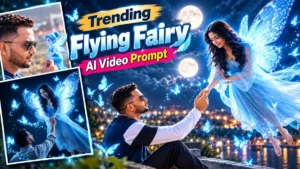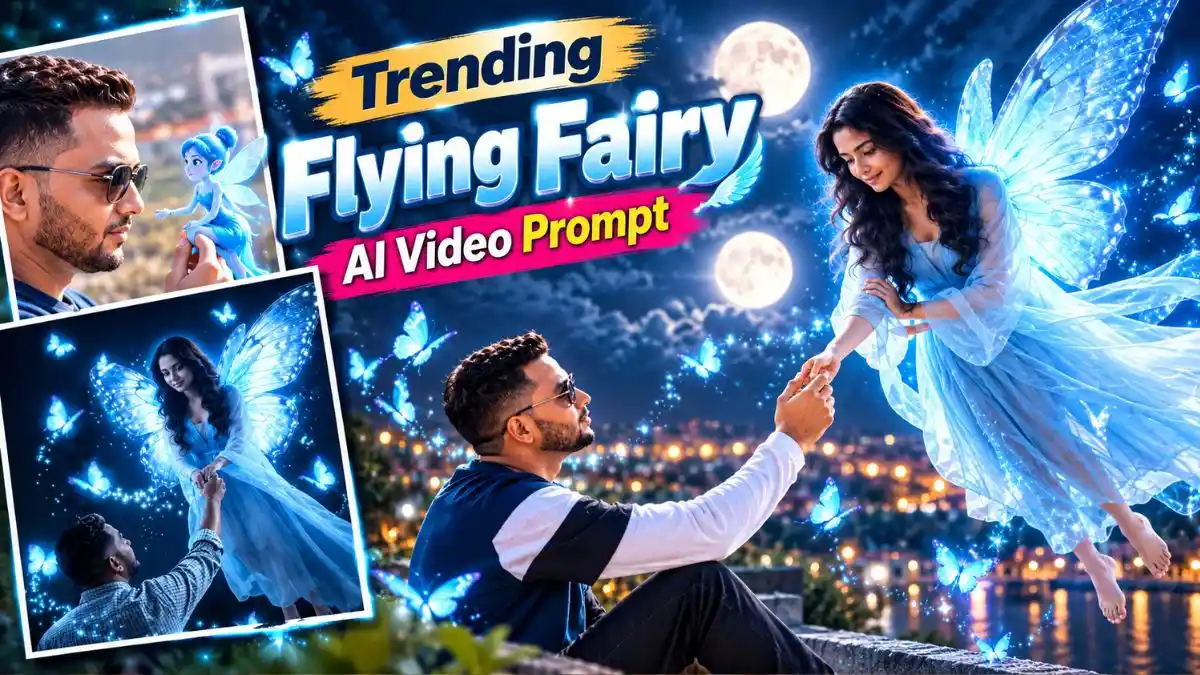
नमस्ते दोस्तों, Social Media पर इन दिनों Flying Fairy AI Video वाला एक नया magical edit काफी देखने को मिल रहा है। इसमें एक लड़का रात में हाथ आगे बढ़ाकर खड़ा होता है और अचानक glowing blue Fairy हवा में उड़ते हुए उसके पास आती है, उसका हाथ पकड़ती है और पूरा scene किसी fantasy movie जैसा लगने लगता है।
इस trend की खास बात सिर्फ Fairy के wings या blue glow नहीं हैं, बल्कि Fairy का उड़कर सामने आना और हाथ पकड़ना है—यही छोटा सा moment Video को देखने लायक बनाता है।
अगर आप भी अपनी Photo से ऐसा Video बनाना चाहते हैं, तो नीचे मैंने Trending Flying Fairy AI Video Prompt और Flying Fairy AI Video Editing Prompt दिए हैं। एक simple magical encounter के लिए है और दूसरा Fairy Love Story जैसा पूरा flying और hand-holding scene बनाता है। चलिए सीधे prompts देखते हैं।
Flying Fairy AI Video Prompt – हाथ पकड़ती Glowing Blue Fairy
इस Magical Fairy AI Video Prompt का सबसे खूबसूरत moment तब आता है जब glowing blue Fairy हवा में floating रहते हुए Boy की तरफ हाथ बढ़ाती है और दोनों के हाथ आपस में मिलते हैं।
बड़े butterfly wings, आसपास उड़ती blue butterflies और छोटे glowing particles पूरे 5-second scene को dreamy fantasy-movie जैसा look देते हैं। अगर आपको short लेकिन instantly attention लेने वाला Trending Fairy AI Video Editing scene चाहिए, तो यह पहला Prompt उसी तरह के edit के लिए है।
AI Fairy Love Story Video Prompt – उड़कर आएगी Fairy और थाम लेगी आपका हाथ

इस Flying Fairy AI Video Editing Prompt में असली magic Fairy के दिखाई देने से नहीं, बल्कि उसके धीरे-धीरे उड़कर आपके पास आने से शुरू होता है। वह सामने आकर आपका उठा हुआ हाथ पकड़ती है और उसी हाथ के सहारे करीब आकर जमीन पर उतरती है।
पूरे scene में Boy लगभग अपनी original position में रहता है, इसलिए attention Fairy की smooth flying, hand-holding और blue glowing particles पर रहती है। यही छोटा romantic moment इसे normal Fairy effect से अलग AI Fairy Love Story Video वाली feel देता है।
Gemini या Flow AI से Flying Fairy Video कैसे बनाएं?
अपनी Photo से Trending Flying Fairy AI Video बनाने के लिए ये आसान steps follow करें:
- Gemini या Google Flow खोलें और Video Generation option पर जाएं।
- Image-to-Video के लिए अपनी clear reference Photo upload करें।
- ऊपर दिया Flying Fairy AI Video Editing Prompt copy करके prompt box में paste करें।
- Reel बनानी है तो available settings में Vertical/Portrait format चुनें।
- अब Generate पर click करें और Video तैयार होने दें।
- Video बनने के बाद उसे save करें और जरूरत हो तो CapCut में music या magical sound effect add कर लें।
काम की Tip: दूसरे Prompt के लिए ऐसी Photo use करें जिसमें आपका एक हाथ पहले से सामने या ऊपर उठा हो। इससे Fairy के उड़कर आने और हाथ पकड़ने वाला scene ज्यादा naturally बन पाएगा।
इस Fairy Video में Reference Photo सबसे ज्यादा Matter क्यों करती है?
इस Flying Fairy AI Video Editing Trend में Fairy बाद में add होती है, लेकिन पूरा scene आपकी शुरुआती Photo पर टिका रहता है। खासकर दूसरे Prompt में boy का हाथ पहले से ऐसी position में होना चाहिए कि Fairy का हाथ उससे naturally connect हो सके।
इसलिए ऐसी Photo चुनें जिसमें:
- Face साफ दिखाई दे।
- एक हाथ सामने या ऊपर की तरफ हो।
- Body पूरी तरह crop न हो।
- Night background हो तो effect और natural बैठेगा।
- Photo बहुत blurred या heavily filtered न हो।
काम की बात: हाथ नीचे वाली normal standing Photo में Fairy का hand-contact बनवाने पर AI को extra body movement बनानी पड़ सकती है। पहले से raised-hand pose इस scene को काफी आसान बना देता है।
कौन-सी Photo से Flying Fairy Video ज्यादा अच्छा बनेगा?
इस Flying Fairy AI Video Editing Prompt में सबसे important आपकी starting Photo है, क्योंकि Fairy उसी Photo के scene में आकर आपका हाथ पकड़ती है। ऐसी Photo use करें जिसमें आप अकेले हों और एक हाथ सामने या थोड़ा ऊपर उठा हुआ साफ दिखाई दे। हाथ frame से कटा हुआ या body के पीछे नहीं होना चाहिए। Night या थोड़ा dark outdoor background हो तो blue glowing Fairy भी scene में ज्यादा naturally fit होती है।
अगर आपके पास ऐसी Photo नहीं है, तो पहले Gemini या ChatGPT से raised-hand pose वाली Photo बना सकते हैं और फिर उसी image को Trending Flying Fairy AI Video Prompt के साथ Video में बदल सकते हैं।
Flying Fairy Video बन गई? Reel में ये छोटा Touch जरूर दें
Trending Flying Fairy AI Video Prompt से Video बनने के बाद उसे effects से भरने की जरूरत नहीं है। इस Reel का सबसे attention-grabbing moment Fairy का अचानक सामने आना और हाथ पकड़ना है, इसलिए उसी moment को साफ रहने दें।
Background में soft fantasy या romantic music रखें और Fairy की entry पर हल्का magical sound effect add कर सकते हैं। Video छोटा है तो शुरुआत में extra intro या लंबा text न जोड़ें—सीधे Fairy वाला scene शुरू होना Reel को ज्यादा engaging रखता है। मेरे हिसाब से यहां कम editing ज्यादा अच्छी लगती है; AI से बना original magical moment ही Video का main attraction रहना चाहिए।
Trending Flying Fairy AI Video Prompt – Quick Tips
- Raised-hand वाली clear Photo इस scene के लिए ज्यादा useful है।
- Fairy और Boy के hand contact को जरूर देखें।
- Blue glow इतना ज्यादा न रखें कि Fairy का face गायब हो जाए।
- एक छोटे clip में बहुत सारे camera movements add न करें।
- Reel के लिए Vertical composition ज्यादा practical रहेगी।
- Original face और background बचाना है तो दूसरे Prompt की identity/scene instructions न हटाएं।
FAQs
Trending Flying Fairy AI Video Prompt कहां use करें?
इसे अपनी reference Photo के साथ Gemini या Flow AI जैसे supported AI Video tools में use कर सकते हैं।
Flying Fairy AI Video Editing Prompt के लिए कैसी Photo चाहिए?
Clear face और visible upper body वाली Photo बेहतर है। Hand-holding scene के लिए एक हाथ ऊपर या सामने दिखाई देने वाली Photo ज्यादा useful रहेगी।
क्या Fairy का color बदल सकते हैं?
हां। Blue Fairy की जगह pink, purple या golden glow लिखा जा सकता है। बाकी movement instructions वैसे ही रख सकते हैं।
AI Fairy Love Story Video कैसे बनाएं?
दूसरे AI Fairy Love Story Video Prompt में Fairy के उड़कर आने, हाथ पकड़ने और सामने land करने का पूरा action दिया गया है। इसे अपनी reference Photo के साथ Video generation tool में use करें।
Flying Fairy Video में अपना face same कैसे रखें?
Clear reference Photo use करें और Prompt में मौजूद face/background preservation instructions को बिना जरूरत remove न करें।
आखिर में
दोस्तों, इस Trending Flying Fairy AI Video Prompt की सबसे मजेदार चीज Fairy का सिर्फ दिखाई देना नहीं, बल्कि उड़कर आपके पास आना और हाथ पकड़ना है। सही reference Photo के साथ यही छोटा सा scene पूरे Video को magical feel देता है।
अब अपनी Photo के साथ Flying Fairy AI Video Editing Prompt try करें। Video बन जाए तो नीचे Comment में बताएं कि आपका Fairy वाला result कैसा आया। और अगर आप इसी तरह का कोई नया AI Video Trend देखते हैं, उसका नाम भी Comment में लिख दें—मैं उसके लिए अगला ready-to-use Prompt लेकर आऊंगा।
नीचे लिखे अन्य लेख भी देखे आपको जरूर पसंद आएंगे:-