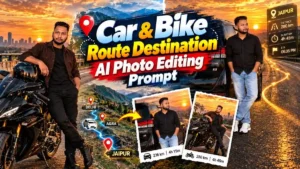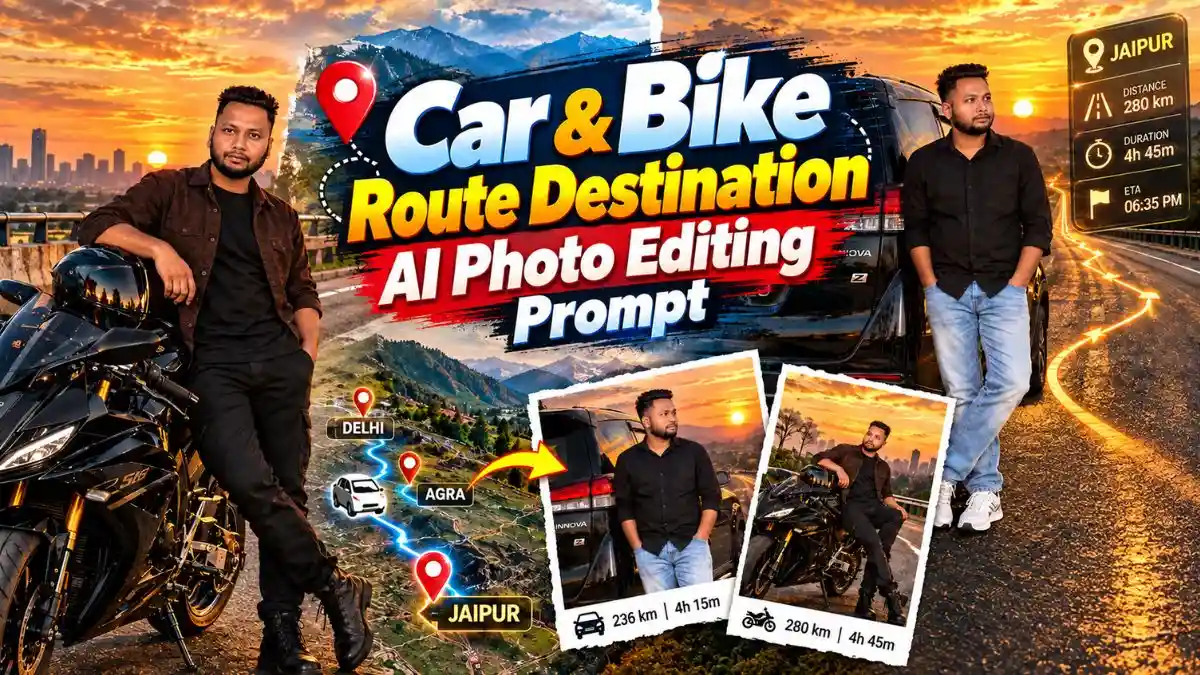
दोस्तों, कहीं घूमने का plan बन रहा है या जल्दी ही किसी Road Trip पर निकलने वाले हैं? तो इस बार वही normal “Trip Loading” वाली Photo डालने की जगह कुछ अलग try कर सकते हैं। सोचिए, आप Highway पर अपनी Car या Bike के साथ खड़े हैं और सड़क पर ही आपका Destination, GPS Route, Distance और ETA चमकता हुआ दिखाई दे रहा है—Photo देखते ही पता चल जाएगा कि अगला सफर कहां का है।
और मजेदार बात ये है कि इसके लिए आपको Highway पर जाकर photoshoot भी नहीं करना है। अपनी एक Photo और सही Car & Bike Route Destination AI Photo Editing Prompt देकर ChatGPT में ऐसा पूरा scene बनाया जा सकता है। नीचे मैंने Car और Bike के लिए 2 ChatGPT GPS Route Photo Prompt दिए हैं, जिनमें आप अपना City, Destination और Distance डालकर अपनी Trip वाली Photo बना सकते हैं।
सड़क पर दिखाई देने वाला GPS Route ही इस Photo को बनाता है अलग
इस trend की सबसे interesting चीज Car या Bike नहीं, बल्कि सड़क के साथ merge होता navigation effect है। Normal map screenshot की तरह GPS को ऊपर चिपकाने के बजाय route line, destination और travel details asphalt की perspective के साथ दिखाई देती हैं।
यही वजह है कि Route Map AI Photo Editing Prompt में road का खाली हिस्सा काफी important हो जाता है। सामने destination pin, आगे जाती glowing route line और उसके आसपास ETA, distance और speed जैसी details हों तो Photo में journey का पूरा scene एक ही frame में समझ आ जाता है।
नीचे दोनों looks अलग रखे हैं, ताकि Bike और Car वाली Photo सिर्फ vehicle बदलकर बनाया गया same result न लगे।
1. Bike Golden Sunset GPS Route Photo Prompt
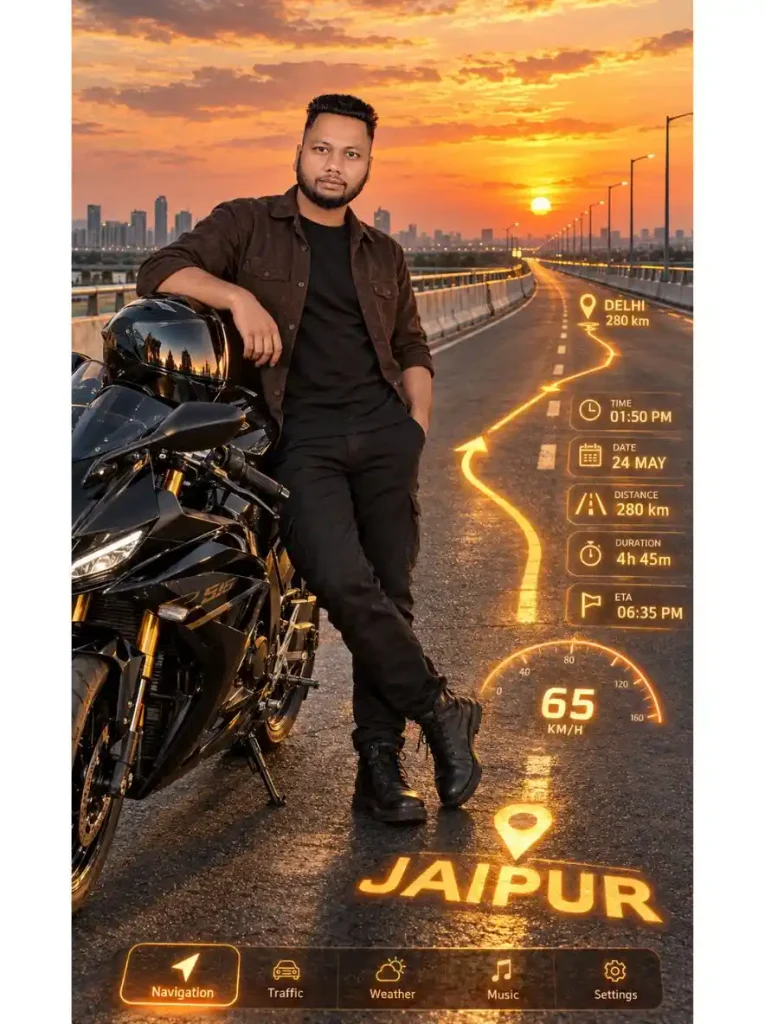
अगर Photo में Bike के साथ बड़ा highway view चाहिए, तो यह पहला look काफी cinematic है। Person black sports bike के पास casually lean करता है और helmet सिर पर लगाने के बजाय Bike पर रखा रहता है, इसलिए face साफ दिखाई देता है।
इस ChatGPT GPS Route Photo Prompt की खास detail सड़क पर बना amber-golden navigation projection है। Ringus Khatu Shyam location pin से route Delhi की तरफ जाता है और साथ में distance, duration, ETA और speedometer भी scene का हिस्सा दिखाई देते हैं। Sunset की warm lighting उसी golden HUD के साथ naturally match होती है।
2. Car Highway Route Destination AI Photo Prompt
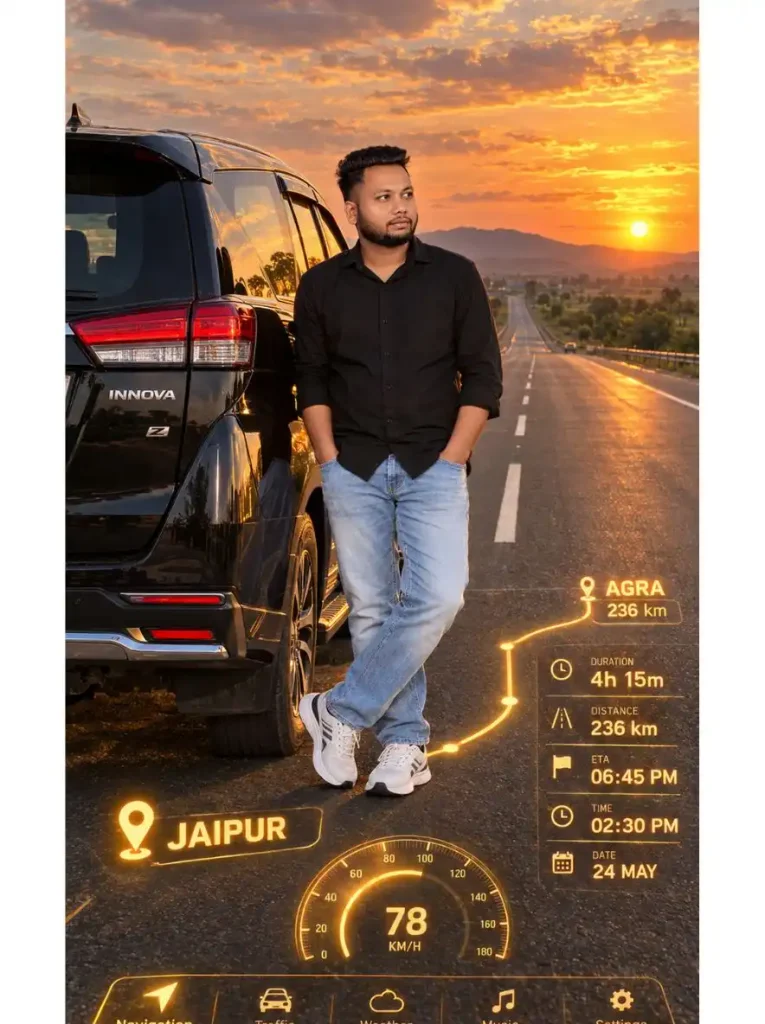
दूसरे look में पूरा composition Car-focused है। बड़ी black SUV frame के left side में रहती है, person उसके rear side में casually खड़ा होता है और सामने लंबा highway, green fields तथा right side का golden sunset Photo को proper road-trip feel देता है।
यह Route Destination AI Photo Editing Prompt पहले Bike scene से इसलिए अलग लगता है क्योंकि यहां Jaipur से Agra की curved navigation route road पर दिखाई देती है। 236 km distance, ETA, duration और 78 KM/H speedometer जैसी details futuristic effect देती हैं, लेकिन vehicle और person को main subject ही रहने देती हैं।
ChatGPT से GPS Route Photo कैसे बनाएं?
दोस्तों, इस Photo को बनाने के लिए आपको अलग से Map या Route edit करने की जरूरत नहीं है। बस अपनी Photo और ऊपर दिया ChatGPT GPS Route Photo Prompt तैयार रखें।
- सबसे पहले ChatGPT खोलें और अपनी एक clear Photo upload करें।
- Car या Bike में से जिस तरह की Photo बनानी है, उसका पूरा prompt copy करें।
- अब prompt paste करके Photo generate कर दें।
- अपना Route बनाना है तो Destination, Distance, ETA और City Name को अपनी Trip के हिसाब से बदल दें।
- Photo बनने के बाद Destination की spelling, Route Line और face एक बार zoom करके जरूर check करें।
एक काम की बात—अगर आपको Highway पर full-body look चाहिए तो सिर्फ face वाली selfie की जगह ऐसी Photo upload करें जिसमें body भी साफ दिखाई दे। इससे Car & Bike Route Destination AI Photo Editing Prompt में pose और body proportions ज्यादा natural आने की संभावना रहती है।
अपनी Trip का City और Destination कैसे बदलें?
दोस्तों, जरूरी नहीं कि prompt में दिया Jaipur, Agra या Delhi वाला Route ही रखें। आपकी अगली Trip जहां की है, उसी हिसाब से ChatGPT GPS Route Photo Prompt में City और Destination बदल सकते हैं।
बस Starting City, Destination, Distance, Duration, ETA और Date replace करें। सही Distance या Travel Time के लिए Google Maps पर Route देखकर details डाल सकते हैं, ताकि Photo में दिखाई देने वाली जानकारी आपकी Trip से match करे।
जैसे prompt में लिखा है:
“JAIPUR → AGRA 236 km”
और आपको Delhi से Manali जाना है, तो इसे बदलकर लिखें:
“DELHI → MANALI 500 km”
बाकी face-lock, Car/Bike position, Highway और lighting वाली instructions को वैसा ही रहने दें। इस तरह एक ही Route Map AI Photo Editing Prompt को अलग-अलग Road Trips के लिए use किया जा सकता है।
GPS Route Photo को Realistic बनाने के आसान Tips
दोस्तों, Photo बनाते समय इन छोटी बातों का ध्यान रखेंगे तो final result ज्यादा clean और natural लगेगा:
- Clear और natural lighting वाली reference Photo upload करें।
- ज्यादा blur, dark shadow या heavy beauty filter वाली Photo avoid करें।
- ChatGPT GPS Route Photo Prompt को पूरा copy करें, खासकर face-lock और navigation वाली instructions।
- अपनी Trip के हिसाब से Destination बदलें तो Distance, Duration और ETA भी साथ में बदलें।
- Full-body look के लिए ऐसी Photo दें जिसमें face के साथ body भी साफ दिखाई दे।
- Photo बनने के बाद Destination की spelling और GPS Route जरूर check करें, क्योंकि AI text में गलती कर सकता है।
- Distance, ETA और Speedometer जैसी छोटी details को zoom करके एक बार देख लें।
- अगर Route Line या navigation गलत जगह बने, तो उसी detail को साफ instruction देकर दोबारा generate करें।
FAQs
Car & Bike Route Destination AI Photo Editing Prompt क्या है?
यह ऐसा AI prompt है जिसमें आपकी Photo को Car या Bike के साथ highway scene में रखा जाता है और road पर GPS route, destination, distance तथा दूसरी navigation details दिखाई जाती हैं।
ChatGPT GPS Route Photo Prompt में अपना destination डाल सकते हैं?
हां। Prompt में मौजूद starting city, destination, distance, duration, ETA और date को अपनी journey के हिसाब से बदल सकते हैं।
क्या Bike और Car दोनों की Photo बनाई जा सकती है?
हां। ऊपर एक sports Bike और एक SUV के लिए अलग Car & Bike Route Destination AI Photo Editing Prompt दिया गया है।
Face को same रखने के लिए कैसी Photo upload करें?
Clear, front-visible और natural-light वाली Photo बेहतर reference देती है। Prompt में identity instructions जरूर रखें, हालांकि AI-generated image में exact facial match की guarantee नहीं होती।
Instagram और Reels के लिए कौन-सा ratio अच्छा रहेगा?
इस article के दोनों prompts 9:16 vertical composition के लिए बनाए गए हैं, इसलिए Story और Reels-style vertical visual के लिए यह format useful है।
आखिर में
दोस्तों, हर Road Trip की शुरुआत गाड़ी चलने से नहीं होती—कभी-कभी उसकी शुरुआत एक ऐसी Photo से हो सकती है, जिसे देखकर ही सफर का mood बन जाए। पीछे ढलता Sunset, सामने लंबा Highway और सड़क पर चमकता आपका अगला Destination… यही इस Photo को थोड़ा अलग बनाता है।
अब Car & Bike Route Destination AI Photo Editing Prompt में अपनी अगली Trip का City और Destination डालकर देखिए। और जब आपका ChatGPT GPS Route Photo तैयार हो जाए, तो Comment में जरूर बताना—अगली Road Trip किस तरफ जा रही है?
नीचे लिखे अन्य लेख भी देखे आपको जरूर पसंद आएंगे:-