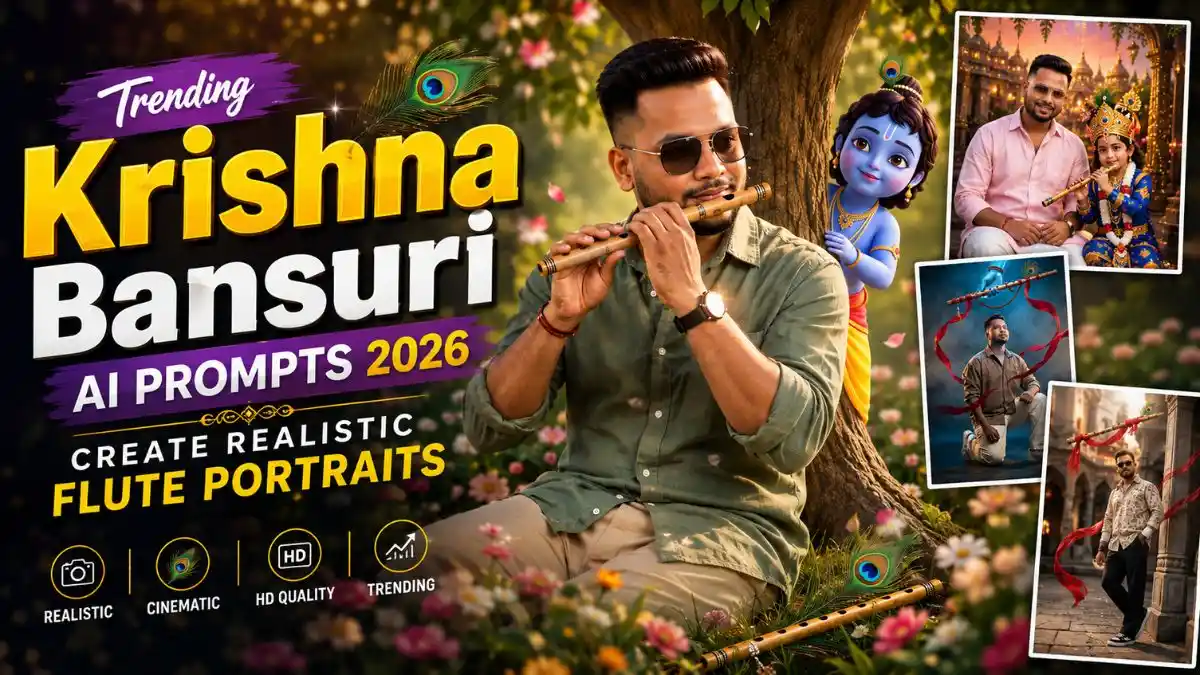
नमस्कार दोस्तों! Instagram पर इन दिनों एक Krishna-inspired Photo Style काफी अलग नजर आ रही है—Photo में Krishna खुद सामने नहीं होते, लेकिन ऊपर से आती नीली Divine Hand, हाथ में Bansuri, Peacock Feather और हवा में उड़ता Red Fabric देखकर पहली नजर में ही पूरा Krishna Connection समझ आ जाता है। इसी वजह से यह Look सामान्य Janmashtami Photo से थोड़ा अलग और ज्यादा Cinematic लगता है। इस concept में flute और divine hand को मुख्य visual element रखने का trend भी देखने को मिल रहा है।
मैंने इसी Look को ध्यान में रखकर अलग Pose और Composition वाले Krishna Bansuri AI Prompt तैयार किए हैं। कहीं Low-Angle Standing Shot है, कहीं Stone Pillar, Walking Pose और Kneeling Look, जबकि आखिरी Prompt में Little Krishna के साथ बिल्कुल अलग Scene रखा है।
इन Krishna Bansuri AI Photo Prompt की खास बात मेरे लिए सिर्फ Divine Effect नहीं है। सही Result में अपना Face real रहना, Blue Hand और Bansuri की anatomy सही होना और Red Fabric सच में हवा में बहता हुआ लगना जरूरी है। नीचे 6 अलग Looks के साथ मैंने वही Practical चीजें बताई हैं जिन्हें Result Generate होने के बाद Check करना काम आएगा।
Bansuri छोटी-सी Detail है, लेकिन पूरे Photo का Mood बदल देती है
यही इस Krishna Bansuri AI Prompt की सबसे दिलचस्प बात है, दोस्तों। Frame में Krishna की पूरी तस्वीर नहीं होती—सिर्फ Divine Blue Hand, Bansuri और Peacock Feather दिखाई देते हैं, फिर भी पहली नजर में Krishna Connection समझ आ जाता है। इससे आपका Portrait Main Focus में रहता है और Photo में एक हल्की-सी Mystery भी बनी रहती है।
मैंने ऐसे Looks में एक चीज खास Notice की—कम Effects वाला Result कई बार ज्यादा असरदार लगता है। Red Ribbons और Glow इतने ही हों कि Bansuri की तरफ नजर जाए; अगर वही Face को Cover करने लगें तो पूरा Look Artificial हो जाता है। अच्छा Krishna Bansuri AI Photo Prompt Result वही है जिसमें पहले नजर आपके Face पर रुके और फिर ऊपर Bansuri तक जाए—यही Visual Balance इस Trend को खास बनाता है।
Krishna Bansuri AI Photo बनाने का सही तरीका—Prompt Paste करने से पहले ये जान लें
दोस्तों, Krishna Bansuri AI Prompt से अच्छा Result निकालने के लिए सबसे पहले ऐसी Reference Photo चुनें जिसमें Face साफ हो और Heavy Filter न लगा हो। खासकर इन Prompts में Low-Angle Pose, Divine Blue Hand, Bansuri और Flying Red Fabric एक साथ Generate होते हैं, इसलिए पहली Image खूबसूरत दिखे तो भी उसे तुरंत Final न करें।
ChatGPT या Gemini दोनों में Krishna Bansuri AI Photo Prompt Try किया जा सकता है। मेरा तरीका यह रहेगा:
- ऊपर दिए Looks में से पसंद का Krishna Bansuri AI Photo Prompt पूरा Copy करें।
- ChatGPT या Gemini में Image Generation वाला Chat/Open workflow शुरू करें।
- अपनी Clear Reference Photo Upload करें।
- अब Copy किया हुआ Prompt बिना जरूरी Face Instructions हटाए Paste करें।
- Image Generate होने के बाद सबसे पहले Face Identity और Skin Texture Compare करें।
- इसके बाद Divine Hand की Fingers, Bansuri, Peacock Feather और Red Fabric को Zoom करके Check करें।
- Face सही है लेकिन Hand या Flute में छोटी गड़बड़ी है, तो Prompt बदलने के बजाय उसी Prompt से एक और Generation Try करें।
- दो-तीन Results में से वही Image चुनें जिसमें Face Natural और Divine Bansuri Scene एक ही असली Photograph का हिस्सा लगे।
एक छोटी-सी बात काम की है—सिर्फ सबसे ज्यादा Glow वाली Image को Best मत मानिए। इस Trend में Natural Face + सही Bansuri + believable Blue Hand मिल जाएं, तो कम Effects वाला Result भी ज्यादा Realistic और Premium लग सकता है।
यह भी देखे:- Krishna Janmashtami AI Photo Prompt for kids
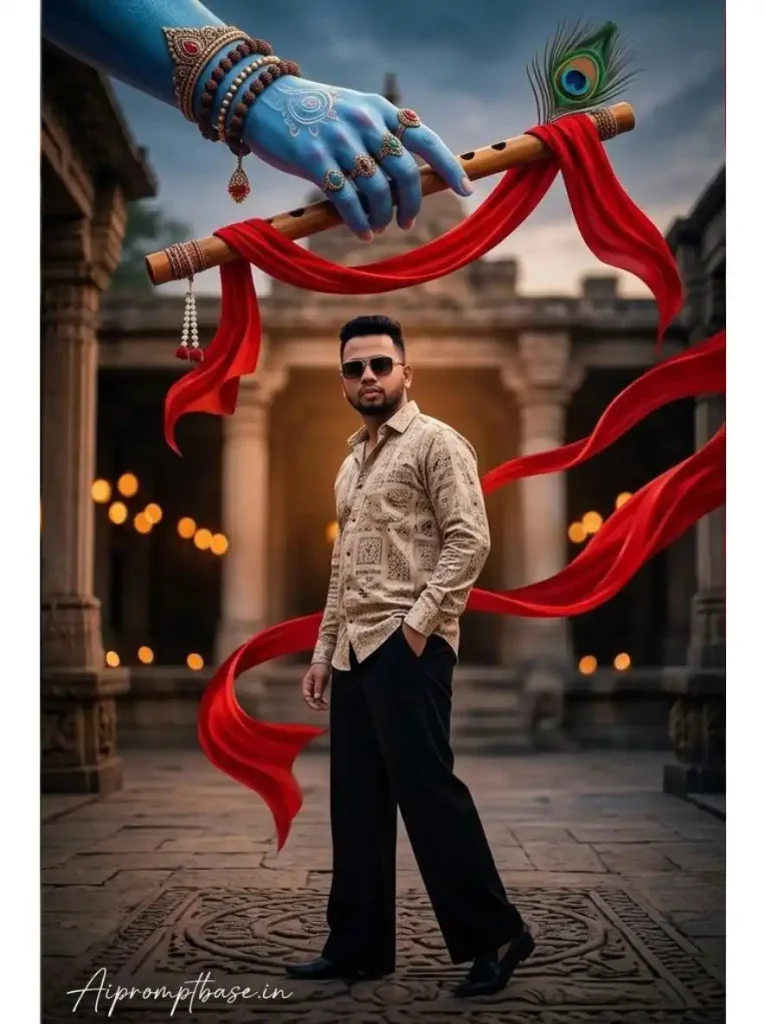
1. Krishna Divine Hand & Bansuri Low-Angle Boys Prompt
पहला Krishna Bansuri AI Photo Prompt काफी Bold Instagram Look देता है—Beige Shirt, Black Wide-Leg Pants और ऊपर Bansuri पकड़े Krishna-inspired Blue Hand। Low-Angle Shot की वजह से Portrait में Attitude आता है, जबकि Red Fabric उसे साधारण Fashion Photo से अलग करता है।
इस Look में Result मिलने के बाद मैं सबसे पहले Blue Hand की Fingers और Wooden Flute देखूंगा। दोनों Natural बने हों तो बाकी Peacock Feather और Flying Fabric Scene को काफी Strong बना देते हैं।
2. Stone Pillar Krishna Bansuri Cinematic Portrait Prompt
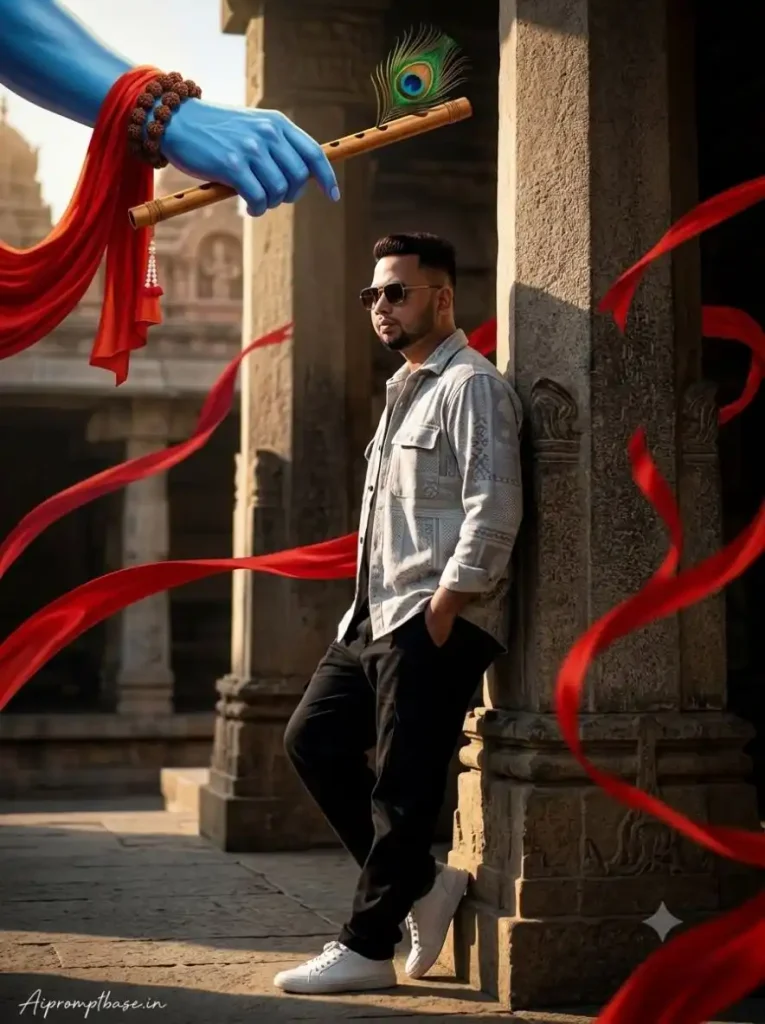
Stone Pillar के सहारे Lean करता Boy, Sunglasses और ऊपर Divine Bansuri—यह वाला Look मुझे थोड़ा ज्यादा Fashion Editorial जैसा लगता है। Side Lighting और Deep Shadows की वजह से यह Instagram Viral Photo Editing Prompt for Boys के तौर पर भी अच्छा Concept बन सकता है।
यहां Face के साथ Shoulder और Pillar का Contact जरूर देखें। कई बार AI Leaning Pose में Body को Pillar के अंदर मिला देता है; अगर Pose Natural निकला तो पूरा Portrait काफी Premium लगता है।
3. Divine Krishna Flute Standing Portrait – Golden Blue Look
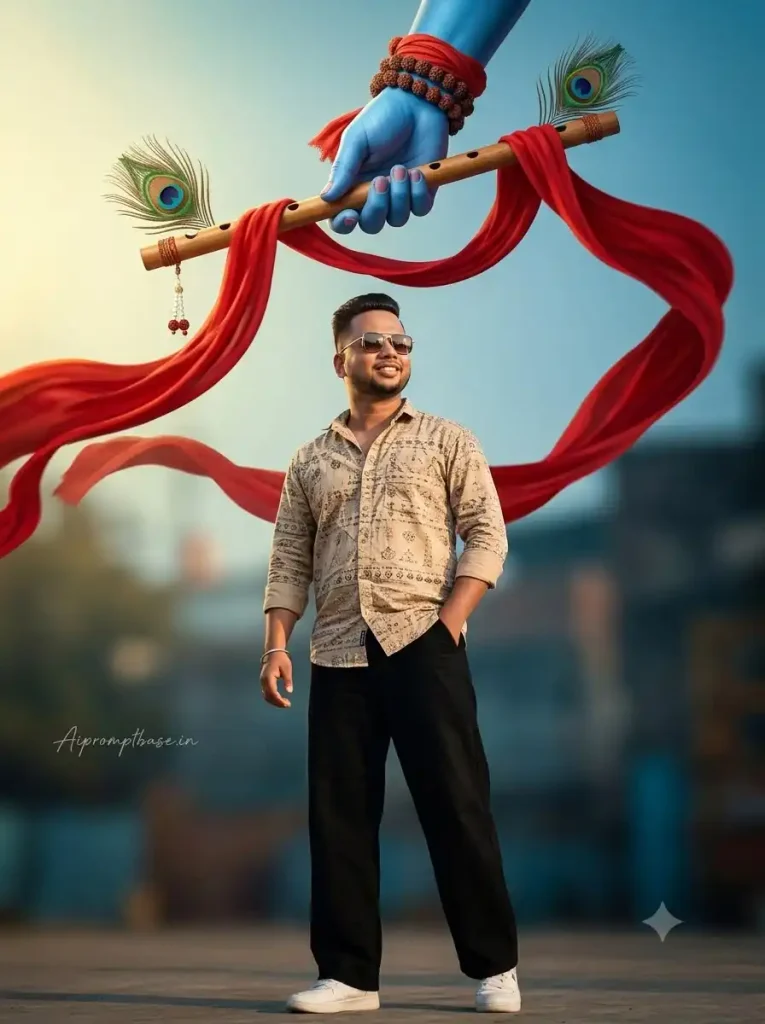
तीसरे Prompt में Pose ज्यादा Clean है, लेकिन Lighting इसे अलग बनाती है। Boy ऊपर की ओर देख रहा है और उसके ऊपर Krishna-inspired Hand में Bansuri है—इससे ऐसा लगता है जैसे Subject का ध्यान उसी Divine Presence की तरफ गया हो।
इस Viral Krishna Flute AI Photo Prompt में मेरे लिए Eye Direction काफी Important है। Face ऊपर हो लेकिन नजर किसी दूसरी Direction में चली जाए तो Moment टूट जाता है; Face, Eyes और Bansuri एक Visual Line में आएं तो Result ज्यादा convincing लगता है।
4. Walking Krishna Bansuri AI Prompt – Sunglasses Attitude Look
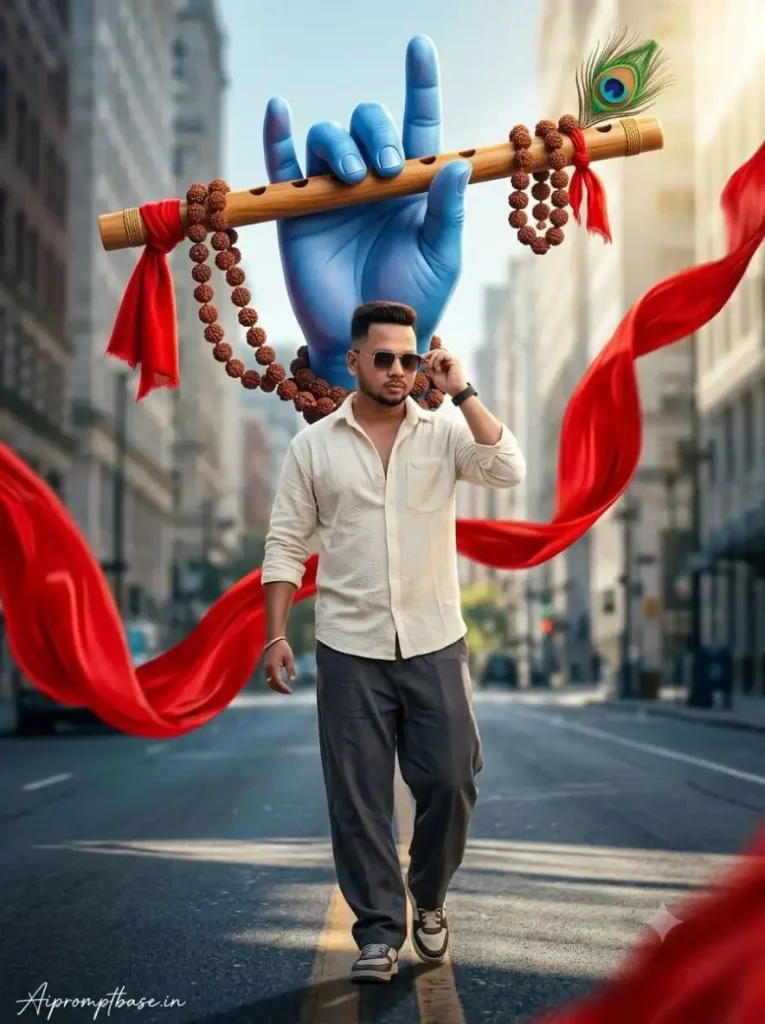
अब Static Pose से थोड़ा अलग—यहां Boy Camera की तरफ Walk कर रहा है और Sunglasses Adjust करते हुए दिखता है। ऊपर विशाल Divine Hand और चारों तरफ उड़ता Red Fabric इसे Viral AI Photo Prompts for Boys वाले Attitude Look के करीब ले जाता है, लेकिन Krishna Theme भी साफ बनी रहती है।
Walking Scenes में मैं Shoes या Background से पहले Leg Position और Sunglasses वाला Hand Check करूंगा। Movement Natural नहीं निकला तो शानदार Lighting के बावजूद Photo staged लग सकती है।
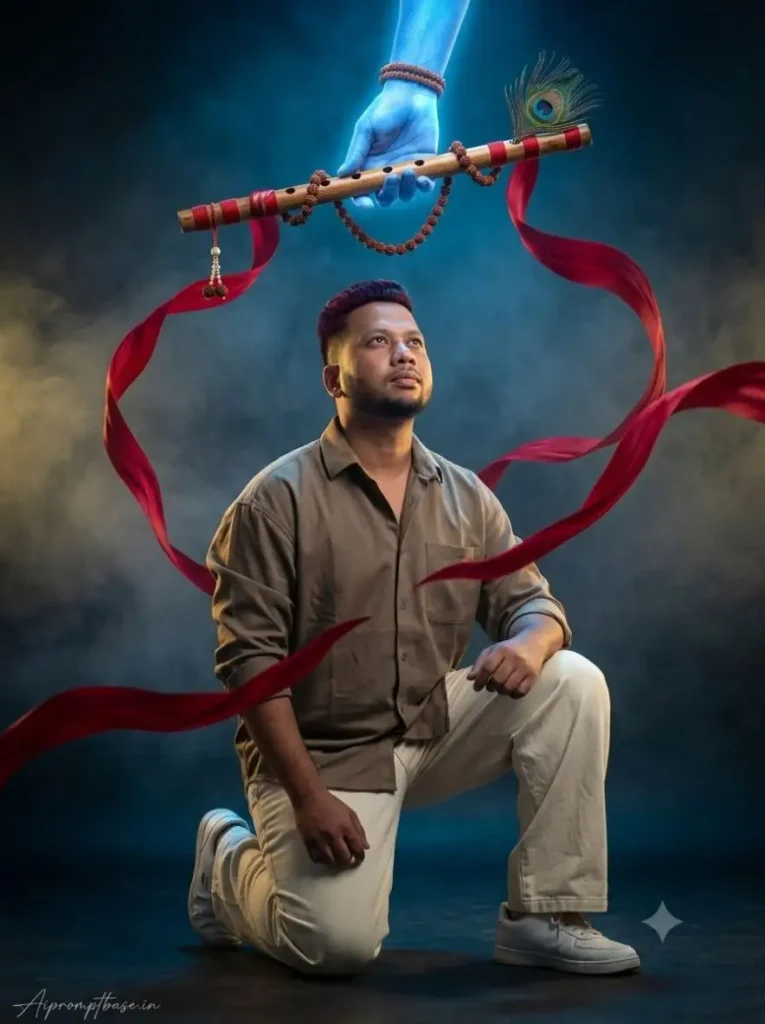
5. Kneeling Krishna Bansuri AI Photo Prompt – Divine Energy Look
यह भी देखे:- Krishna Janmashtami AI Photo Prompt
यह Pose पूरे Set का Mood बदल देता है। Boy एक घुटने पर बैठकर ऊपर Bansuri की तरफ देख रहा है और Crimson Ribbons उसके आसपास Flow कर रही हैं—इसलिए Photo में Attitude से ज्यादा Powerful Devotional Moment महसूस होता है।
इस Krishna Bansuri AI Prompt में Knee और Foot की Anatomy को Ignore न करें। Kneeling Pose थोड़ा Complex है; मेरा Result अच्छा Face होने के बावजूद Leg गलत बनाए तो मैं उसे Final करने के बजाय दूसरी Generation Try करूंगा।
6. Little Krishna Under Tree AI Photo Prompt – बिल्कुल अलग Bansuri Look
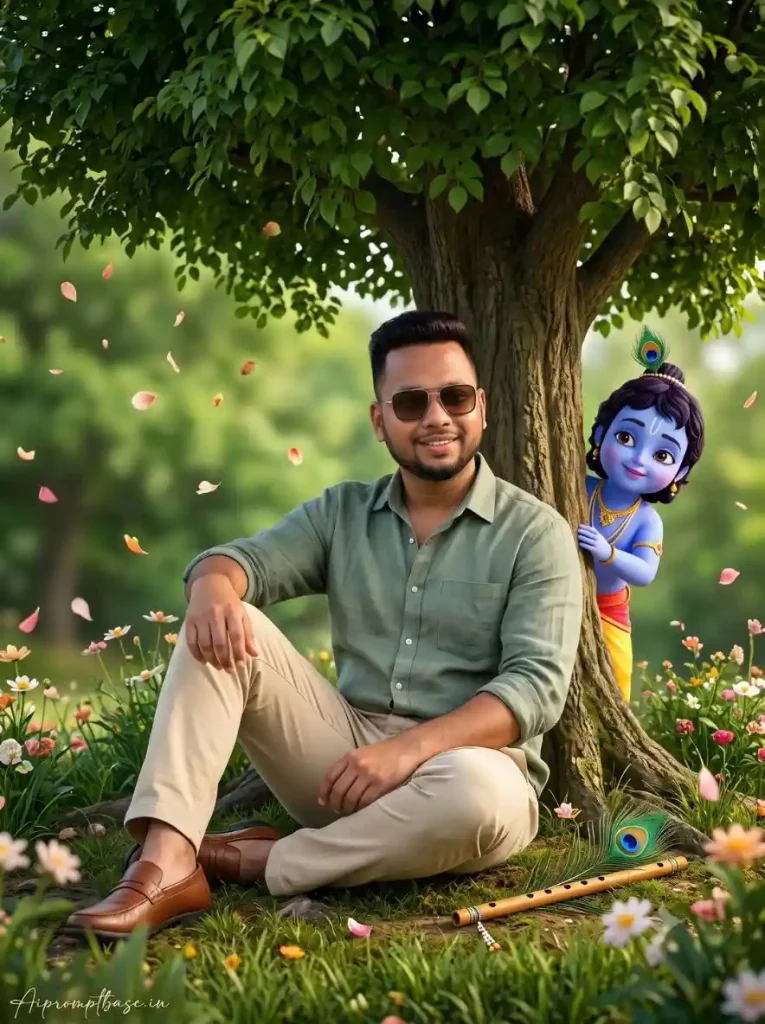
आखिरी Prompt जानबूझकर बाकी पांच से बिल्कुल अलग रखा गया है। यहां Giant Divine Hand नहीं, बल्कि Green Tree के नीचे बैठा Boy, पास रखी Krishna की Bansuri और Peacock Feather, और पीछे से झांकते Little Krishna पूरे Scene की कहानी बनाते हैं।
मुझे यह Concept इसलिए Interesting लगा क्योंकि यहां Bansuri Hero Element होते हुए भी Photo पर हावी नहीं होती। बस Little Krishna, Tree और Main Subject का Scale Natural रहना चाहिए; तभी Result किसी pasted 3D Character वाला नहीं लगेगा।
इस Krishna Bansuri Trend में सबसे ज्यादा गलती यहीं होती है
दोस्तों, इन Photos को देखकर Red Fabric और Divine Glow बढ़ाने का मन करता है, लेकिन मैंने Krishna Bansuri AI Photo Prompt में इन्हें थोड़ा Control में रखना बेहतर पाया। ज्यादा Ribbons कई बार Face, Hands या Outfit को Cover करने लगती हैं और Photo का Main Subject ही खो जाता है।
एक आसान Check रखिए—Image को Thumbnail Size में देखिए। अगर छोटी Screen पर भी आपका Face → Bansuri → Peacock Feather तीनों अलग-अलग साफ समझ आ रहे हैं, तो Composition सही Direction में है। Mobile और Instagram जैसे छोटे displays के लिए यह खास तौर पर काम की Check है।
यह भी देखे:- Latest Trending Ai Image Prompts
Krishna Bansuri Photo को Realistic बनाना है? इन 5 Details पर जरूर नजर डालें
दोस्तों, Krishna Bansuri AI Photo Prompt में 8K, HDR और Cinematic Lighting लिखने से Photo चमकदार जरूर बन सकती है, लेकिन Realistic है या नहीं, यह छोटी Details बताती हैं। मैंने Result Check करते समय खासकर Face, Divine Hand और Bansuri पर ध्यान देना ज्यादा काम का पाया है।
- Face सबसे पहले देखें: Skin natural रहे, Facial Features Reference Photo जैसे हों और Blue/Golden Light से Skin Tone जरूरत से ज्यादा न बदले।
- Divine Hand Check करें: Fingers, Thumb और Wrist सही हों। Extra या आपस में जुड़ी Fingers पूरे Scene का Realism खराब कर सकती हैं।
- Bansuri की Grip देखें: Flute Hand में naturally पकड़ी हुई लगे—Fingers के आर-पार या गलत Angle पर Floating नहीं।
- Peacock Feather पर नजर डालें: Feather Bansuri के साथ properly connected और सही Scale में दिखाई दे।
- Red Fabric की Depth देखें: Ribbons Subject के आगे-पीछे Natural तरीके से Flow करें, Face या Body में Merge होती हुई न लगें।
अगर आपके Viral Krishna Flute AI Photo Prompt में Face और पूरा Scene अच्छा निकला है लेकिन सिर्फ Bansuri या Hand में छोटी गलती है, तो तुरंत Prompt बदलना जरूरी नहीं। पहले उसी Prompt से एक और Generation Try करें—कई बार अगला Result उसी Composition को ज्यादा साफ और Natural तरीके से बना देता है।
ChatGPT या Gemini में बेहतर Result चाहिए तो Reference Photo ऐसी चुनें
दोस्तों, ये Krishna Bansuri AI Prompt ChatGPT और Gemini दोनों में अच्छे Results दे सकते हैं, लेकिन यहां Tool से ज्यादा फर्क आपकी Reference Photo डाल सकती है। Face साफ हो, Lighting normal हो और Body का कुछ हिस्सा दिखाई दे, तो AI के लिए आपकी Identity और Natural Proportions को नए Scene में रखना आसान रहता है।
खासकर Walking, Pillar Lean और Kneeling Pose वाले Prompts में बहुत ज्यादा Cropped Selfie से बचें। मेरी कोशिश रहती है कि Prompt के Final Pose से मिलती-जुलती Framing वाली Photo चुनूं—इससे Face और Body का Result ज्यादा Natural मिलने की संभावना रहती है।
Simple Workflow:
Clear Photo Upload करें → Krishna Bansuri AI Photo Prompt Paste करें → Generate करें → Face + Hands + Bansuri Check करें → जरूरत हो तो उसी Prompt से दूसरा Result Try करें।
Janmashtami के बाद भी काम आएगा ये Krishna Bansuri Look
दोस्तों, Krishna Bansuri AI Photo Prompt की अच्छी बात यह है कि इसका Look सिर्फ Janmashtami तक सीमित नहीं लगता। Bansuri, Peacock Feather और Krishna-inspired Divine Hand के साथ Modern Outfit वाला Portrait Instagram Post, DP, WhatsApp Status या Reel Cover में भी आसानी से इस्तेमाल किया जा सकता है।
खासकर Prompt 1 से 5 में Traditional Festival Dress की जगह Modern Fashion + Krishna Symbolism रखा गया है। इसलिए अगर आपको Kurta-Dhoti और Temple Background से हटकर थोड़ा Stylish, Devotional और Cinematic Portrait चाहिए, तो ये Looks ज्यादा अलग महसूस होते हैं।
Krishna Bansuri AI Prompt – छोटे सवाल, सीधे जवाब
Krishna Bansuri AI Photo कैसे बनाएं?
अपनी साफ Reference Photo Upload करें, पसंद का Krishna Bansuri AI Photo Prompt Paste करें और Generate होने के बाद Face, Divine Hand और Flute जरूर Check करें।
क्या इन Prompts को Gemini में इस्तेमाल कर सकते हैं?
हां, compatible reference-image generation workflow में इन्हें Try किया जा सकता है। अलग generation में Result बदल सकता है।
Boys के लिए कौन-सा Look ज्यादा अलग है?
Walking Look के लिए Prompt 4 और Devotional Kneeling Composition के लिए Prompt 5 काफी अलग Visual देते हैं।
Face Natural रखने के लिए कैसी Photo Upload करें?
ऐसी Reference बेहतर रहेगी जिसमें Face Sharp हो, Lighting साफ हो और Heavy Beauty Filter न लगा हो।
Bansuri या Blue Hand गलत बन जाए तो क्या करें?
अगर बाकी Photo सही है तो तुरंत Prompt बदलने के बजाय उसी Viral Krishna Flute AI Photo Prompt की दूसरी Generation Try करें।
निष्कर्ष
दोस्तों, Krishna Bansuri AI Prompt का यही Concept मुझे सबसे अलग लगा—यहां Krishna को पूरा दिखाने के बजाय सिर्फ Bansuri, Peacock Feather और Divine Hand से उनकी मौजूदगी महसूस कराई गई है। इसी वजह से Photo Devotional होने के साथ Modern और Cinematic भी लगती है।
इन Krishna Bansuri AI Photo Prompt या Janmashtami AI Photo Editing Prompt को Try करते समय बस सबसे ज्यादा Effects वाले Result के पीछे मत जाइए। जिस Photo में आपका Face Natural रहे, Bansuri सही बने और पूरा Divine Scene एक साथ जुड़ा हुआ लगे, वही Result Final रखें। बाकी अपना पसंदीदा Look चुनिए, Reference Photo लगाइए और इस Krishna Bansuri Trend को अपनी Style में जरूर Try कीजिए।
नीचे लिखे अन्य लेख भी देखे:-