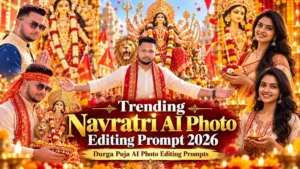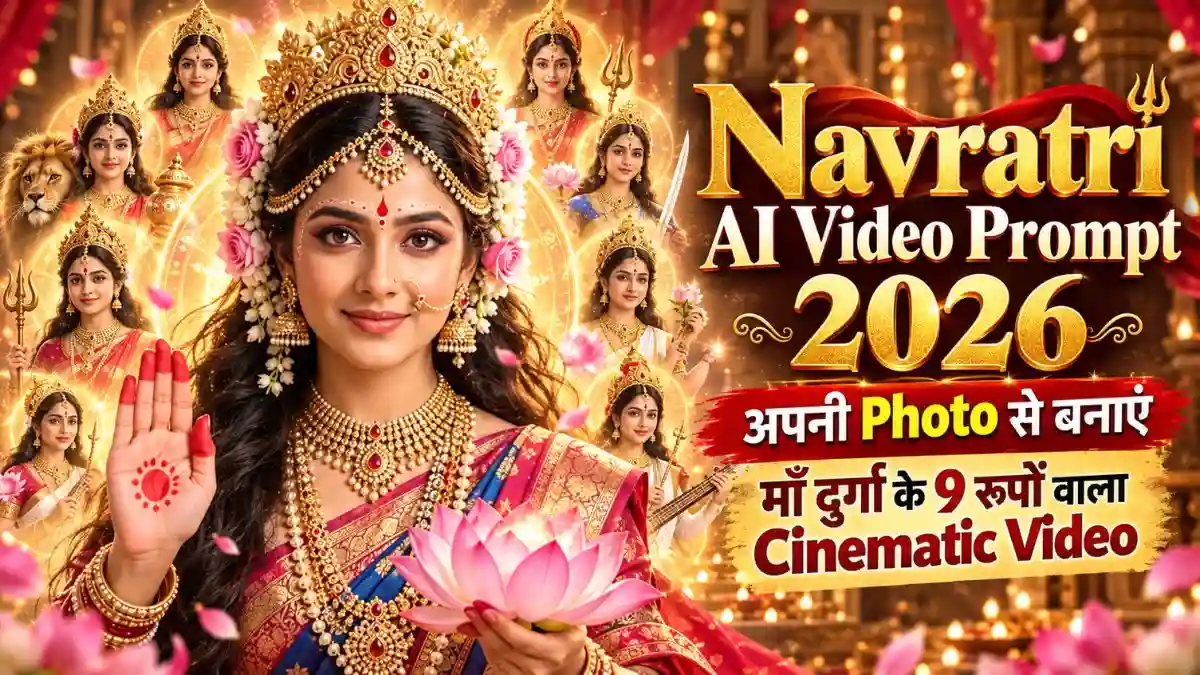
आपकी एक Normal Photo और अगले ही पल माथे पर सुनहरा मुकुट, लाल चुनरी, फूलों की माला और पीछे चमकता Divine Halo! फिर कुछ ही Seconds में आपका Look बदलकर एक और देवी रूप में नजर आए। ❤️ सबसे दिलचस्प बात? हर Transformation में चेहरा आपका ही रहे, सिर्फ Outfit, Jewellery और Background बदलें।
नमस्कार दोस्तों, मैं Lavit! इस बार मैं आपके लिए Navratri AI Video Editing Prompt लेकर आया हूं, जिनसे अपनी Photo को माँ दुर्गा से प्रेरित Cinematic Transformation Video में बदल सकती हैं। इसमें Pink Floral Devi Look से लेकर Royal Blue, Golden और Red Durga Look तक अलग-अलग Scenes रखे गए हैं।
साथ में एक दूसरा Video Idea भी है, जिसमें पहले भक्त का Namaste वाला Scene और फिर माँ शैलपुत्री व माँ ब्रह्मचारिणी से प्रेरित रूप दिखाई देंगे। आगे दोनों Prompts और उन्हें इस्तेमाल करने का सही तरीका बताया है।
एक ही चेहरे से बदलते देवी रूप—Video में क्या खास होगा?
इस Video की खूबसूरती सिर्फ मुकुट और Jewellery में नहीं, बल्कि एक Look से दूसरे Look में बदलने वाले Moments में है।
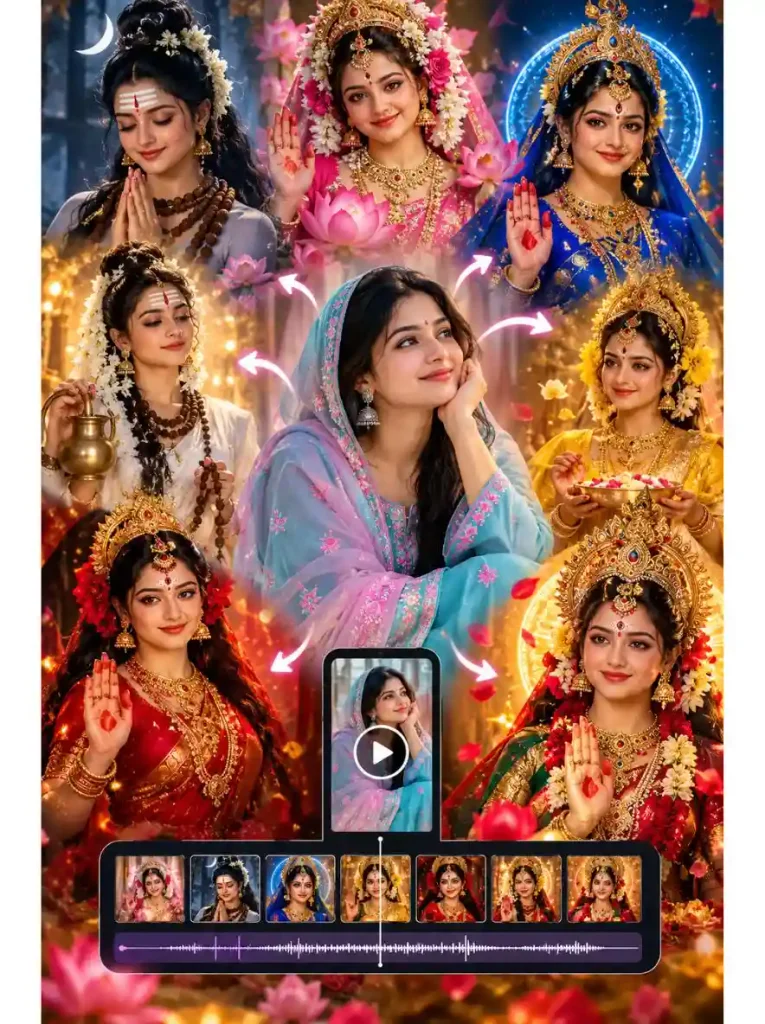
पहले Prompt में Video आपकी Original Photo से शुरू होता है। फिर Pink Flowers, Shiva-Shakti Inspired Styling, Royal Blue Outfit, Golden Jewellery और Red Durga Look जैसे Scenes आते हैं। हर बदलाव के साथ Lighting और Background भी बदलता है, जिससे Video में एक अलग Cinematic Feel आती है।
दूसरा Prompt थोड़ा अलग है। इसमें लड़की पहले भक्त के रूप में दिखाई देती है, फिर माँ शैलपुत्री और माँ ब्रह्मचारिणी से प्रेरित Looks आते हैं।
Navratri AI Video Editing Prompts 2026 – अपनी Photo से बनाएं Divine Transformation
यहां दोनों Video Ideas का अंदाज अलग है। पहला Fast Cinematic Transformation Reel के लिए है, जबकि दूसरा Devotional Storytelling वाला Video है।
1. Maa Durga Cinematic Transformation – एक चेहरे के कई Divine Looks
इस Navratri AI Video Editing Prompt में शुरुआत आपकी Normal Photo से होती है और फिर Pink Floral, Shiva-Shakti, Royal Blue, Golden और Red Durga-Inspired Looks तेजी से बदलते हैं। आखिर में Golden Crown, फूलों की माला और Blessing Pose वाला Grand Look आता है। खास बात है कि पूरे Video में Original Face बनाए रखने की Instructions दी गई हैं।
इस Prompt में 10 Seconds के अंदर कई Transformations रखे गए हैं। अगर Video Tool सभी Scenes सही नहीं बना पा रहा, तो इन्हें छोटे Clips में Generate करके जोड़ना ज्यादा Practical रहेगा। खासकर Face बदलने, Crown की Shape बिगड़ने और Transitions में Flickering होने पर ध्यान दें।
2. Maa Shailputri और Brahmacharini – Devotional Navdurga Video
इस Navratri Ke Nav Roop AI Video Prompt में शुरुआत एक भक्त से होती है, जो White Dupatta पहनकर हाथ जोड़ती है। इसके बाद माँ शैलपुत्री से प्रेरित Pink Saree, Lotus और Blessing Pose दिखाई देता है। अंतिम Scene में माँ ब्रह्मचारिणी से प्रेरित White Outfit, Rudraksha Mala और Kamandalu वाला शांत रूप रखा गया है।
इस Video की खासियत इसका Devotional Flow है। हालांकि इसमें सिर्फ दो देवी रूप शामिल हैं। अगर आप इसे आगे बढ़ाकर सभी नौ रूप दिखाना चाहती हैं, तो बाकी रूपों के लिए अलग Scenes तैयार करने होंगे। आपके दिए गए दूसरे Prompt में Face Lock की विस्तृत Instructions भी नहीं हैं, इसलिए अपनी पहचान बनाए रखने के लिए उन्हें अलग से जोड़ना उपयोगी रहेगा।
Google Flow से अपनी Photo का Navratri AI Video कैसे बनाएं?
दोस्तों, अगर आप अपनी Normal Photo से माँ दुर्गा के अलग-अलग Divine Looks वाला Video बनाना चाहती हैं, तो Google Flow इस्तेमाल कर सकती हैं। इसमें अपनी Photo को Reference बनाकर Video तैयार करने और अलग-अलग Scenes जोड़ने की सुविधा मिलती है।
इस Navratri Photo to Video AI Prompt को इस्तेमाल करने का तरीका देखिए:
- Google Flow खोलें: सबसे पहले labs.google/fx/tools/flow पर जाएं, Google Account से Sign In करें और New Project शुरू करें।
- Video Mode चुनें: Prompt Box में Model या Generation Settings खोलें और Video Select करें।
- अपनी Photo Upload करें: Ingredients में जाकर Add Image से अपनी साफ Portrait Photo Upload करें। अगर Original Photo से ही Video शुरू करना चाहती हैं, तो Frames → Add Start Frame इस्तेमाल करें।
- Navratri Prompt Paste करें: ऊपर दिया गया Navratri AI Video Editing Prompt Copy करके Prompt Box में डालें। Photo को Reference बनाते समय Original Face बनाए रखने की Instructions जरूर रखें।
- Video Settings रखें: Aspect Ratio 9:16 Vertical चुनें। Video Duration और Model अपनी उपलब्ध Settings के अनुसार Select करें, फिर Generate पर Click करें।
- Result Check करें: Video में Face, Crown, Jewellery और Blessing Pose देखें। अगर Look बदलते समय चेहरा अलग हो रहा है, तो उस Scene को दोबारा Generate करें।
मेरी खास सलाह: पहले Prompt में 10 Seconds के अंदर कई Divine Transformations हैं। Google Flow में उपलब्ध Clip Duration की सीमा के कारण पूरा Sequence एक बार में सही बनना जरूरी नहीं है। बेहतर होगा कि 2–3 छोटे Clips बनाएं और Flow के Scenebuilder में जोड़ें। इससे हर Look को सही रखने और Smooth Transitions बनाने में आसानी होगी।
अगर Google Flow में पूरा Navratri Video एक बार में न बने तो?
दोस्तों, पहले Prompt में 10 Seconds के अंदर कई देवी रूप बदलते हैं। इतने कम समय में AI कभी Face बदल देता है, तो कभी Jewellery और Transitions सही नहीं बनते। इसलिए Google Flow में Video को छोटे Clips में बनाना बेहतर विकल्प हो सकता है।
- Clip 1: Original Photo से Pink Floral और Shiva-Shakti Look तक।
- Clip 2: Royal Blue, Golden और Red Durga Look।
- Clip 3: Cosmic Transformation से Final Grand Navratri Look तक।
हर Clip बनाते समय वही Original Face Reference इस्तेमाल करें, ताकि सभी Looks में पहचान बनी रहे। इसके बाद Google Flow के Scenebuilder में Clips को सही क्रम में जोड़ सकती हैं।
एक जरूरी Tip: अगले Clip की शुरुआत पिछले Clip के आखिरी Look से करवाएं। इससे दोनों Clips के बीच अचानक Outfit या Face बदलने की समस्या कम हो सकती है और Final Video ज्यादा Smooth लगेगा।कि Clips जोड़ते समय Lighting, Face और Camera Framing में Continuity बनाए रखना जरूरी है।
Navratri AI Video में अपना Original Face कैसे Same रखें?
दोस्तों, माँ दुर्गा के अलग-अलग Looks में Crown, Makeup और Outfit बदलना तो ठीक है, लेकिन हर Transformation में आपका चेहरा भी बदल जाए, तो Video का मजा ही खत्म हो जाता है।
इसीलिए पहले Navdurga Face Lock AI Video Prompt में Eyes, Nose, Lips, Skin Tone और Facial Structure को Original Photo जैसा रखने की Instructions दी गई हैं।
मेरी सलाह: Google Flow में साफ Front-Facing Photo Upload करें और हर नए Clip में उसी Face Reference का इस्तेमाल करें। Camera Movement हल्का रखें, खासकर जब Crown या Jewellery बदल रही हो। अगर किसी Scene में Face अलग बन जाए, तो पूरे Video की जगह उसी Clip को दोबारा Generate करें।
एक जरूरी बात: Strict Face Lock लिखने के बाद भी AI हर Frame में बिल्कुल Same Face बनाए रखे, इसकी Guarantee नहीं है। इसलिए Final Video को एक बार Slow Speed में देखकर Face और Transitions जरूर Check करें।
Navratri AI Video को बेहतर बनाने के 5 Practical Tips
दोस्तों, Realistic Navdurga AI Video Prompt Copy करके Google Flow में Paste करना आसान है, लेकिन अच्छा Video बनाने के लिए सही Photo, Clip और Editing का चुनाव भी जरूरी है।
1. ऐसी Photo चुनें जिसमें चेहरा साफ दिखे
Face Lock के लिए सामने से ली गई Natural Light वाली Photo इस्तेमाल करें। चेहरे पर Sunglasses, Heavy Filters या बालों की परछाई न हो। इससे AI को आपकी Original Facial Details समझने में मदद मिल सकती है।
2. पहले एक छोटा Transformation बनाएं
सीधे सभी Divine Looks का Video बनाने के बजाय पहले Original Photo से Pink Floral Devi Look वाला Clip Generate करें। अगर इसमें Face और Outfit सही बन रहे हैं, तो बाकी Transformations पर आगे बढ़ें। इससे गलत Result पर बार-बार Generation खर्च करने से बच सकती हैं।
3. हर नए Clip में एक ही Face Photo इस्तेमाल करें
अलग-अलग Scenes के लिए अलग Selfies न चुनें। एक ही Original Photo को Reference रखने से Facial Identity में बदलाव कम हो सकता है। जहां जरूरी हो, पिछले Clip के आखिरी Frame को अगले Clip की शुरुआत के लिए इस्तेमाल करें, ताकि Looks के बीच Continuity बनी रहे।
4. खराब Scene को अलग से दोबारा बनाएं
अगर Golden Crown वाला Scene अच्छा है, लेकिन Blessing Pose में हाथ गलत बन गए हैं, तो पूरा Video दोबारा बनाने की जरूरत नहीं। सिर्फ उस Scene का नया Clip Generate करें और पुराने Clip की जगह लगा दें।
5. Final Video में Music और Transitions सही रखें
Google Flow में Clips तैयार होने के बाद उन्हें सही क्रम में जोड़ें। फिर किसी Video Editor में हल्का Devotional Music लगा सकती हैं। कोशिश करें कि Music की Beat पर Look बदले, लेकिन हर देवी रूप इतनी देर जरूर दिखाई दे कि दर्शक उसे पहचान सकें।
एक छोटी-सी सलाह: Final Video को Export करने से पहले मोबाइल पर पूरा देखकर तय करें कि कौन-सा Scene रखना है। कई बार कम लेकिन साफ और खूबसूरत Transformations वाला Video, बहुत सारे जल्दबाजी में बदलते Looks से बेहतर लगता है।
Navratri AI Video को Instagram Reels के लिए कैसे तैयार करें?
इस तरह के Video में Music का चुनाव भी काफी मायने रखता है। अगर पहला Fast Transformation Video बना रही हैं, तो ऐसे Devotional Music का हिस्सा चुनें जिसमें Beat के साथ Looks बदल सकें।
दूसरे Video में भक्त के Namaste वाले Scene से शुरुआत होती है, इसलिए यहां शांत भक्ति संगीत ज्यादा स्वाभाविक लग सकता है। शुरुआत में Voice या Dialogue रख रही हैं, तो Background Music इतना तेज न हो कि शब्द सुनाई ही न दें।
एक अलग Reel Idea: पहले अपनी Normal Photo दिखाएं और Screen पर छोटा-सा Text रखें—“इस नवरात्रि मेरा एक नया रूप…” इसके बाद Transformation शुरू करें। हालांकि आपके पहले Prompt में Text और Subtitles मना हैं, इसलिए ऐसा Text Video Generate होने के बाद Editor में जोड़ना बेहतर रहेगा।
अगर Video में माँ दुर्गा से प्रेरित रूप दिखा रही हैं, तो Caption में यह स्पष्ट रखना अच्छा है कि यह AI-Generated Devotional Transformation है।
Navratri AI Video से जुड़े FAQs
क्या एक Photo से माँ दुर्गा के अलग-अलग रूपों वाला Video बन सकता है?
हां, Reference Photo Support करने वाले AI Video Tool में अलग-अलग Goddess-Inspired Looks Generate किए जा सकते हैं। लेकिन सभी Scenes में Original Face और Details सही रखने के लिए कभी-कभी अलग Clips बनाने पड़ते हैं।
क्या इन Prompts में माँ दुर्गा के सभी 9 पारंपरिक रूप हैं?
नहीं। पहले Prompt में कई Cinematic Goddess-Inspired Transformations हैं, जबकि दूसरे में माँ शैलपुत्री और माँ ब्रह्मचारिणी से प्रेरित Scenes हैं। सभी नौ पारंपरिक रूप दिखाने के लिए अतिरिक्त Scenes चाहिए होंगे।
क्या Video में मेरा Face बिल्कुल Same रहेगा?
Face Lock Instructions पहचान बनाए रखने में मदद कर सकती हैं, लेकिन हर Frame में बिल्कुल Same Face की Guarantee नहीं है। खासकर Transformation के दौरान चेहरे और आंखों की Details Check करें।
निष्कर्ष
दोस्तों, नवरात्रि पर अपनी Photo से Video बनाना सिर्फ अलग-अलग देवी Outfits पहनने का Effect नहीं है। असली खूबसूरती तब आती है जब हर Transformation Smooth हो, चेहरा Natural रहे और पूरे Video में भक्ति का भाव दिखाई दे।
इस Navratri AI Video Editing Prompt Collection में मैंने दो अलग Ideas शेयर किए हैं। पहला Cinematic Goddess-Inspired Transformation Reel के लिए है और दूसरा माँ शैलपुत्री व माँ ब्रह्मचारिणी से प्रेरित Devotional Video के लिए।
आप अपनी पसंद का Prompt लेकर AI Video Tool में Try कर सकती हैं। अगर सभी Looks एक साथ सही नहीं बनें, तो छोटे Clips बनाकर उन्हें जोड़ना बेहतर रहेगा।
आपको कौन-सा Video ज्यादा पसंद आया—तेजी से बदलते Cinematic Devi Looks या शैलपुत्री और ब्रह्मचारिणी वाला शांत Devotional Video? Comment में जरूर बताइए। ❤️
नीचे लिखे अन्य लेख भी देखे आपको जरूर पसंद आएंगे:-