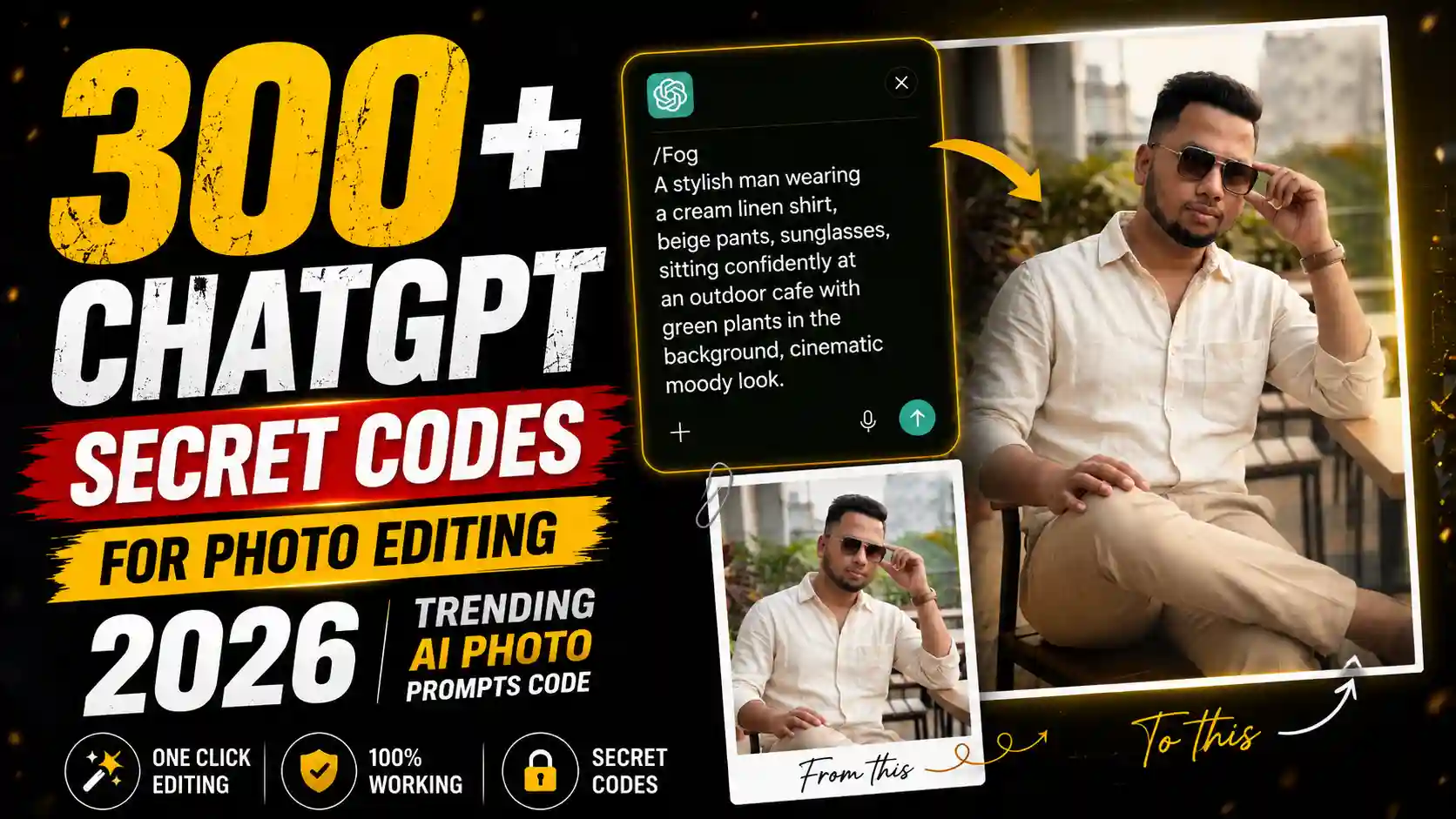
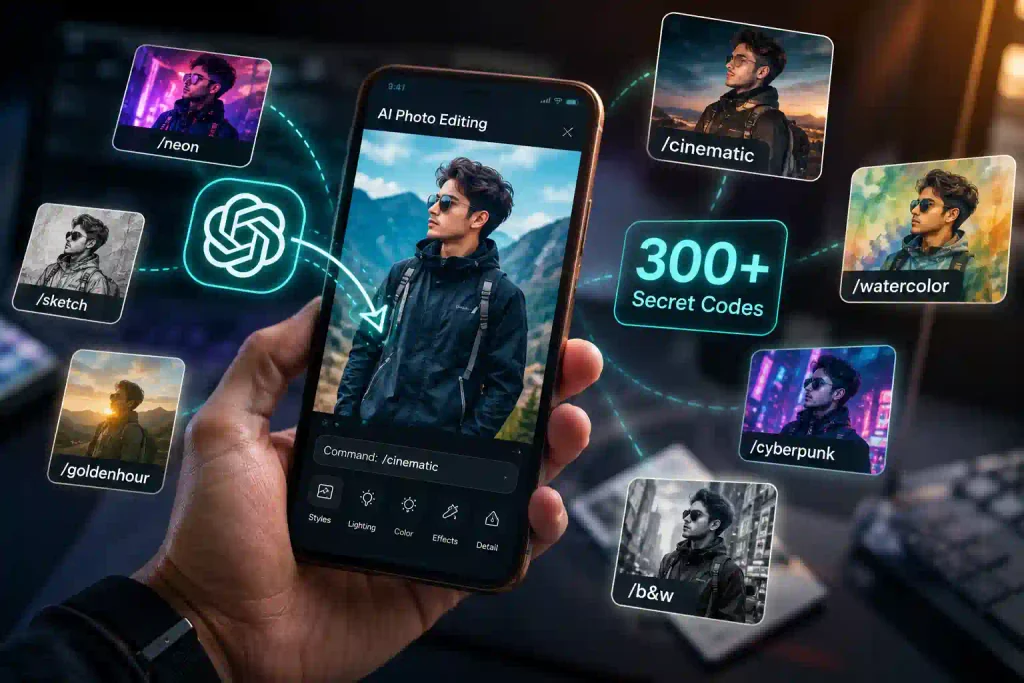
नमस्कार दोस्तों! Photo Editing के लिए हम अक्सर इतने लंबे Prompts लिखते हैं कि आधा समय तो उन्हें Copy, बदलने और सही करने में निकल जाता है। लेकिन सोचिए, अपनी Photo Upload करने के बाद सिर्फ /cinematic, /goldenhour या /poster जैसा छोटा Code लिखें और उसी हिसाब से Photo का पूरा Look बदल जाए—यही चीज इन दिनों मुझे सबसे ज्यादा मजेदार लगी।
मैंने ऐसे ChatGPT Secret Codes for Photo Editing को अलग-अलग Photos पर Try करके देखा तो एक बात साफ हुई—हर Code कोई जादुई “hidden feature” नहीं है। असल में ये छोटे style instructions/prompts हैं, जिन्हें याद रखने में आसानी हो इसलिए Code की तरह लिखा गया है। सही Reference Photo के साथ कुछ Codes काफी अच्छे Results देते हैं, जबकि कुछ में एक छोटी Extra Instruction जोड़नी पड़ती है।
इसीलिए दोस्तों, मैंने यहां 300 ChatGPT Secret Codes for Photo Editing को सिर्फ लंबी List बनाकर नहीं छोड़ा है। आगे आपको अलग-अलग Category के Hidden ChatGPT Photo Editing Prompts, उन्हें इस्तेमाल करने का सही तरीका और मेरे काम आई छोटी Tricks मिलेंगी। यानी Code पसंद आया तो सीधे अपनी Photo पर Try कर सकते हैं।
ये “Secret Codes” आखिर करते क्या हैं?
इसे बहुत आसान तरीके से समझिए। मान लीजिए आपने अपनी Normal Photo Upload की और लिखा /goldenhour। इसका मतलब ChatGPT को उस Photo के लिए Golden Hour वाला Look बनाने की Direction देना है। इसी तरह /cinematic, /bokeh, /polaroid या /poster अलग-अलग Visual Style की छोटी Instructions की तरह इस्तेमाल किए जा सकते हैं।
मेरे लिए Hidden ChatGPT Photo Editing Prompts का सबसे बड़ा फायदा Speed रहा। हर छोटी Editing के लिए 100–150 शब्द का Prompt लिखने के बजाय पहले Code Try किया; जहां Result अधूरा लगा, वहीं सिर्फ जरूरी Detail जोड़ी। इससे पता भी चल जाता है कि उस Photo पर कौन-सा Style सच में अच्छा बैठ रहा है।
ध्यान रखें: इन्हें ChatGPT के official hidden commands समझना सही नहीं होगा। यहां “Secret Codes” से मतलब आसान, short-form photo-editing prompt commands से है।
300 Codes हैं, लेकिन काम के Codes पहचानेंगे कैसे?
दोस्तों, ChatGPT Secret Codes for Photo Editing की लंबी List देखकर हर Code को Try करना जरूरी नहीं है। असली काम यह समझना है कि आपकी Photo को चाहिए क्या—Realistic DSLR Look, Cinematic Portrait, Instagram Poster, Sketch या सिर्फ नया Background। मैंने अलग-अलग Codes इस्तेमाल करते समय यही पाया कि सही Category चुन लेने से कई बेकार Generations बच जाती हैं।
इसीलिए मैंने इन Hidden ChatGPT Photo Editing Prompts को सिर्फ Number बढ़ाने के लिए इकट्ठा नहीं किया, बल्कि अलग-अलग Editing Styles के हिसाब से रखा है। आप पहले अपनी जरूरत वाली Category चुनें, वहां से 2–3 Codes Same Photo पर Try करें और Results Compare करें। इस छोटे से तरीके से 300 Codes की List भी उलझाने वाली नहीं, बल्कि सच में काम की Photo Editing Library बन जाती है।
300 ChatGPT Secret Codes for Photo Editing
मैंने Codes को Category-wise रखना बेहतर समझा है, क्योंकि 300 Commands की एक सीधी List Mobile पर ढूंढना मुश्किल हो जाएगा।
1. Art & Drawing Styles Secret Codes
अगर Normal Photo को Camera/Photography वाला नया Look देना है तो इस हिस्से में Cinematic, Bokeh, HDR, Golden Hour, Macro, Drone View जैसे Codes रखें।
🎨 Art & Drawing Styles
- /mangacover – Manga-style book cover.
- /comicbook – Comic book panels.
- /blueprint – Technical engineering drawing.
- /watercolor – Soft watercolor painting.
- /vaporwave – Retro pink-blue neon aesthetic.
- /pixelart – 8-bit retro game graphics.
- /lego – Made from LEGO bricks.
- /ascii – Image made from keyboard text.
- /lowpoly – Simple polygon 3D model.
- /origami – Folded paper art.
- /claymation – Clay animation style.
- /papercut – Layered paper cutout.
- /stainedglass – Colorful glass window art.
- /oilpainting – Traditional oil painting.
- /charcoal – Charcoal pencil sketch.
- /pencilsketch – Hand-drawn pencil drawing.
- /inkdrawing – Black ink illustration.
मेरी छोटी Tip: पहले /cinematic और /goldenhour जैसे Simple Codes Try करें। मेरे Experience में बहुत सारे Effects एक साथ मांगने से कई बार Face से ज्यादा Background Highlight होने लगता है।
2. Viral Art & Drawing Futuristic & Modern Photo Codes
Sketch, Watercolor, Comic, Manga, Oil Painting या Pencil Look जैसी Editing के लिए यह Category रखें।
🌆 Futuristic & Modern
- /cyberpunk – Neon futuristic city.
- /steampunk – Victorian machines and gears.
- /ghibli – Studio Ghibli-inspired look.
- /anime – Japanese anime style.
- /chibi – Cute small anime character.
- /disney – Disney animation style.
- /pixar – Pixar-style 3D animation.
- /dreamworks – DreamWorks animated look.
- /noir – Black-and-white detective vibe.
- /filmgrain – Vintage movie texture.
- /polaroid – Instant camera photo.
- /retro90s – 1990s nostalgic style.
- /y2k – Early-2000s futuristic design.
- /synthwave – Neon sunset colors.
- /outrun – Retro highway with neon.
- /glitch – Digital distortion effect.
- /hologram – Holographic projection.
- /glassmorphism – Frosted glass UI.
- /neon – Bright glowing neon lights.
- /goldluxury – Premium gold finish.
- /minimal – Clean and simple design.
- /isometric – 3D angled illustration.
- /flatdesign – Modern flat graphics.
- /lineart – Simple outline drawing.
- /doodle – Fun hand doodles.
- /graffiti – Street wall art.
- /spraypaint – Spray-painted artwork.
- /popart – Bright Andy Warhol style.
- /cubism – Geometric Picasso style.
- /surreal – Dream-like artwork.
- /abstract – Non-realistic art.
- /expressionism – Emotional painting.
- /renaissance – Classical European art.
- /baroque – Rich dramatic paintings.
- /gothic – Dark medieval atmosphere.
ये Trending AI Photo Editing Prompts Profile Pictures और Creative Posts के लिए ज्यादा काम के हैं। यहां Original Photo की छोटी Details बदलना Style का हिस्सा हो सकता है, इसलिए इन्हें Photorealistic Editing से Compare न करें।
3. Fantasy & History, Modern, Neon & Futuristic AI Codes
Cyberpunk, Neon, Hologram, Glitch, Y2K और Retro जैसे Looks यहां रखें।
🏰 Fantasy & History
- /fantasy – Magical fantasy world.
- /mythology – Gods and legends.
- /dragon – Dragon-themed scene.
- /elf – Elegant elf character.
- /wizard – Magic and spells.
- /samurai – Japanese warrior.
- /ninja – Stealth assassin.
- /viking – Nordic warrior.
- /medieval – Medieval kingdom.
- /ancientrome – Roman Empire.
- /ancientegypt – Egyptian Pharaoh theme.
मेरे Test में Dark Background वाली Photo पर Neon Style ज्यादा साफ दिखाई दिया। Bright Daylight Photo पर वही Effect कई बार उतना Strong नहीं लगा—इसलिए Code चुनते समय Original Photo भी देखें।
4. Realistic & Professional Nature & Space Photo Editing Codes
यह शायद सबसे काम की Category है। Photorealistic, Portrait, Bokeh, HDR, Passport Photo और Professional Look जैसे ChatGPT Photo Editing Commands Worth Trying यहां रख सकते हैं।
🌍 Nature & Space
- /space – Deep outer space.
- /galaxy – Colorful galaxy.
- /astronaut – Space explorer.
- /mars – Red planet.
- /moonlight – Moonlit night.
- /underwater – Ocean beneath the sea.
- /ocean – Ocean scenery.
- /jungle – Tropical forest.
- /desert – Sand dunes.
- /volcano – Lava and fire.
- /snow – Snowy landscape.
- /rain – Rainy atmosphere.
- /storm – Thunderstorm.
- /sunset – Evening golden sky.
- /sunrise – Morning sunrise.
- /goldenhour – Warm sunlight.
- /nightcity – City at night.
अगर Face आपका Main Focus है तो इसी Category से शुरुआत करें। Creative Effects की तुलना में Natural Lighting और Realistic Texture वाली Instructions Personal Photos पर ज्यादा usable Result देती हैं।
5. Buildings & Interiors Codes
Poster, Magazine Cover, Album Cover, Polaroid, Profile Picture और Billboard जैसे Codes यहां रखें।
🏢 Buildings & Interiors
- /architecture – Building design.
- /interior – Room interior.
- /scifiroom – Futuristic room.
- /workspace – Office desk setup.
इन Viral AI Photo Editing Prompts में Photo के साथ Layout भी बदल सकता है। इसलिए Result आने के बाद Text जरूर पढ़ें—Design अच्छा होने के बावजूद AI-generated Typography में गलती रह सकती है।
6. Nature, Weather & Background Photography Codes
Rain, Snow, Sunset, Moonlight, Jungle, Ocean, Night City और Flower Field जैसे Codes इस हिस्से में रखें।
📸 Photography
- /productshot – Professional product photo.
- /macro – Extreme close-up.
- /bokeh – Blurry background.
- /fisheye – Wide fisheye lens.
- /droneview – Aerial drone shot.
- /cinematic – Movie-like frame.
- /imax – Large cinematic composition.
- /hdr – High dynamic range.
- /hyperreal – Ultra-realistic.
- /photorealistic – Looks like a real photo.
इस Category की अच्छी बात यह है कि एक ही Portrait को अलग Mood में देखा जा सकता है। लेकिन Background बदलने के बाद Subject पर पड़ने वाली Light भी उसी Scene से Match होनी चाहिए।
7. 3D, Material & Creative Effect Toys & Miniatures Codes
Glass, Crystal, Marble, Gold, Chrome, Wood Carving, Double Exposure जैसे Experimental Looks यहां रखें।
🧸 Toys & Miniatures
- /miniature – Tiny world.
- /toybox – Toy figure look.
- /actionfigure – Collectible action figure.
- /funko – Funko Pop style.
ये रोजमर्रा की Profile Photo से ज्यादा Creative Experiments के लिए हैं। खासकर Product-style और Poster Images में इनमें से कुछ Codes काफी अलग Result दे सकते हैं।
8. बाकी Latest AI Photo Editing Prompts 2026
बाकी Fantasy, Space, Vintage, Gaming, Architecture और दूसरे Experimental Codes इस Last Collection में रख सकते हैं।
✨ Materials & Textures
- /silhouette – Dark outline.
- /doubleexposure – Two images blended.
- /woodcarving – Wooden sculpture.
- /icecarving – Ice sculpture.
- /marble – Marble statue.
- /bronze – Bronze sculpture.
- /ceramic – Ceramic finish.
- /porcelain – Fine porcelain.
- /crystal – Transparent crystal.
- /diamond – Diamond texture.
- /goldleaf – Gold foil.
- /silverchrome – Chrome metal.
- /rusted – Rusty metal.
- /oxidized – Green copper effect.
- /carbonfiber – Carbon fiber texture.
- /liquidmetal – Flowing metal.
- /moltengold – Melted gold.
- /glassart – Artistic glass.
- /mirror – Mirror reflection.
- /holographic – Rainbow hologram.
- /iridescent – Color-shifting surface.
- /pearlescent – Pearl shine.
⚡ Effects
- /bioluminescent – Natural glow.
- /fire – Flames.
- /electric – Electric energy.
- /lightning – Lightning bolts.
- /smoke – Smoke effect.
- /fog – Thick fog.
- /mist – Soft mist.
- /cloudscape – Artistic clouds.
- /aurora – Northern lights.
- /eclipse – Solar eclipse.
- /planet – Detailed planet.
- /blackhole – Black hole.
- /nebula – Colorful space cloud.
- /meteor – Meteor shower.
- /comet – Comet streak.
🤖 Sci-Fi & AI
- /spaceship – Spacecraft.
- /alienworld – Alien planet.
- /robot – Humanoid robot.
- /mecha – Giant robot.
- /android – Human-like robot.
- /cyborg – Human + machine.
- /aiavatar – AI profile image.
- /virtualreality – VR world.
- /metaverse – Digital universe.
- /matrix – Matrix code effect.
- /datastream – Flowing digital data.
- /wireframe – 3D wireframe.
- /voxel – Blocky cubes.
- /blockworld – Cubic world.
- /minecraft – Minecraft style.
- /roblox – Roblox avatar.
- /fortnite – Fortnite cartoon.
- /arcade – Retro arcade.
- /gameboy – Game Boy screen.
- /ps1 – PlayStation 1 graphics.
- /ps2 – PlayStation 2 graphics.
- /n64 – Nintendo 64 graphics.
- /retroarcade – Arcade machine look.
- /pixelportrait – Pixel face.
- /sprite – Game sprite sheet.
- /bossfight – Video game boss.
🏠 Places & Adventure
- /dungeon – Dark dungeon.
- /castle – Fantasy castle.
- /throneroom – Royal throne hall.
- /pirate – Pirate theme.
- /treasure – Treasure chest.
- /shipwreck – Sunken ship.
- /lighthouse – Lighthouse.
- /harbor – Port scene.
- /village – Countryside village.
- /cottagecore – Cozy rural aesthetic.
- /fairytale – Fairy tale world.
- /storybook – Children’s book art.
- /storybook3d – 3D storybook.
- /puppet – Wooden puppet.
- /felt – Felt fabric.
- /crochet – Yarn crochet.
- /knitted – Knitted cloth.
- /embroidery – Stitched artwork.
- /quilling – Rolled paper art.
- /sandart – Sand sculpture.
- /chalk – Chalk drawing.
- /marker – Marker illustration.
- /crayon – Wax crayon.
- /pastel – Soft pastel.
- /gouache – Gouache paint.
- /acrylic – Acrylic painting.
- /impasto – Thick paint texture.
- /fresco – Wall painting.
- /mosaic – Tile art.
- /mandala – Circular pattern.
- /zentangle – Detailed line art.
- /tattoo – Tattoo design.
- /tribal – Tribal pattern.
- /boho – Bohemian style.
- /artdeco – Elegant geometric design.
- /bauhaus – Simple geometric art.
- /brutalist – Raw concrete style.
- /memphis – Colorful 80s design.
- /gradientmesh – Smooth color gradients.
📄 Design & Branding
- /magazinecover – Magazine cover.
- /newspaper – Newspaper print.
- /passportphoto – Passport photo.
- /idcard – ID card.
- /tradingcard – Trading card.
- /poster – Movie poster.
- /billboard – Outdoor billboard.
- /albumcover – Music cover.
- /vinyl – Vinyl record cover.
- /bookcover – Hardcover book.
- /storybookcover – Children’s book cover.
- /magicalbook – Magic ancient book.
- /scroll – Old scroll.
- /map – Map illustration.
- /treasuremap – Pirate map.
- /playingcard – Playing card.
- /tarotcard – Tarot card.
- /stamp – Postage stamp.
- /coin – Coin design.
- /currency – Banknote design.
- /waxseal – Wax seal.
- /emblem – Premium emblem.
- /crest – Family crest.
- /coatofarms – Royal coat of arms.
- /logo – Logo design.
- /monogram – Letter-based logo.
- /badge – Award badge.
- /sticker – Sticker design.
- /emoji – 3D emoji.
- /icon – App icon.
💻 UI & Technology
- /appui – Mobile app screen.
- /dashboard – Analytics dashboard.
- /website – Website layout.
- /wireframeui – UI blueprint.
- /glassui – Glass-style UI.
- /darkmode – Dark UI.
- /neonui – Neon interface.
- /terminal – Hacker terminal.
- /hud – Sci-fi display.
- /controlpanel – Futuristic controls.
- /hacker – Hacker workspace.
- /serverroom – Data server room.
- /datacenter – Enterprise data center.
- /quantum – Quantum computing.
- /nanotech – Nanotechnology.
- /dna – DNA strand.
- /cell – Microscopic cell.
- /molecule – Molecule.
- /atom – Atom.
🧠 Science & Abstract
- /brain – Brain illustration.
- /neuralnetwork – AI network.
- /fractal – Infinite patterns.
- /kaleidoscope – Colorful symmetry.
- /geometry – Geometric shapes.
- /sacredgeometry – Sacred patterns.
- /infinity – Infinity symbol art.
- /spiral – Spiral pattern.
- /waveform – Audio waveform.
- /soundwave – Sound waves.
- /musicvisualizer – Music animation.
- /equalizer – Audio bars.
- /vinylplayer – Record player.
- /cassette – Cassette tape.
- /boombox – 80s music player.
- /headphones – Headphone showcase.
- /camera – Camera setup.
- /cinemalens – Camera lens close-up.
- /typewriter – Vintage typewriter.
- /library – Grand library.
- /laboratory – Science lab.
- /factory – Smart factory.
- /warehouse – Industrial warehouse.
- /airport – Airport terminal.
- /trainstation – Railway station.
- /subway – Metro station.
- /bridge – Bridge.
- /skyscraper – Tall modern building.
- /cityscape – City skyline.
- /skyisland – Floating island.
- /treehouse – Tree house.
- /garden – Garden.
- /bonsai – Bonsai tree.
- /flowerfield – Flower field.
🐾 Animals & Fantasy Creatures
- /butterfly – Butterfly.
- /wolf – Wolf.
- /lion – Lion.
- /eagle – Eagle.
- /owl – Owl.
- /fox – Fox.
- /cat – Cat.
- /dog – Dog.
- /horse – Horse.
- /phoenix – Phoenix.
- /unicorn – Unicorn.
- /griffin – Griffin.
- /kraken – Giant sea monster.
🌌 Time & Imagination
- /timemachine – Time machine.
- /dreamscape – Dream world.
- /paralleluniverse – Alternate reality.
- /multiverse – Multiple universes.
Code Copy करने से पहले यह छोटा Formula समझ लें
यहीं ChatGPT Secret Codes for Photo Editing ज्यादा useful हो जाते हैं। सिर्फ Code से मनपसंद Result न मिले तो पूरा नया Prompt लिखने की जरूरत नहीं है। Code के बाद अपनी जरूरत की एक साफ Instruction जोड़ दें।
उदाहरण के लिए:
/cinematic + keep my face unchanged + natural skin/goldenhour + same outfit + realistic DSLR photo
मैंने एक साथ पांच-सात बदलाव लिखने के बजाय इसी तरह छोटी Instructions जोड़कर बेहतर Control पाया। इससे यह भी समझ आता है कि Result किस Instruction की वजह से बदल रहा है।
ChatGPT में इन Secret Codes को कैसे इस्तेमाल करें?
- ChatGPT खोलकर Image Upload करें।
- ऐसी Photo चुनें जिसमें Face साफ दिखाई दे।
- List से पसंदीदा ChatGPT Secret Code Copy करें।
- Photo के साथ Code Paste करके Image Generate करें।
- Result में Face, Hands और Background Check करें।
- Look पसंद है लेकिन कोई Detail गलत है तो Code बदलने की बजाय उसी Detail की छोटी Correction लिखें।
मैंने कौन-सी गलती सबसे पहले की?
शुरुआत में मैं एक Photo पर कई Codes जोड़कर देख रहा था—Cinematic भी, HDR भी, Neon भी और Bokeh भी। Result देखने में शानदार था, लेकिन Original Photo की Natural Feel लगभग खत्म हो गई।
उसके बाद Hidden ChatGPT Photo Editing Prompts को एक-एक करके Try करना ज्यादा सही लगा। पहले Base Style चुनें और उसके बाद जरूरत हो तभी दूसरी Instruction जोड़ें। खासकर अपना Real Face रखना हो तो कम लेकिन साफ Instructions ज्यादा काम आती हैं।
बेहतर Result के लिए 4 छोटी बातें
- Clear Reference Photo रखें: Blur या बहुत ज्यादा Filtered Photo से शुरुआत न करें।
- एक Code से शुरुआत करें: पहले उसका Actual Effect देखें, फिर दूसरा बदलाव करें।
- Face को Zoom करके देखें: Attractive Result और Accurate Face हमेशा एक ही चीज नहीं होते।
- हर Code हर Photo के लिए नहीं है:
/neonखराब नहीं है अगर वह Daylight Portrait पर अच्छा नहीं बैठा; उस Photo के लिए दूसरा Style बेहतर हो सकता है।
FAQ
क्या ChatGPT Secret Codes सच में काम करते हैं?
ये छोटे prompt commands की तरह काम करते हैं। Result Code, uploaded photo और साथ दी गई Instructions पर निर्भर करता है।
क्या ये ChatGPT के official secret commands हैं?
नहीं। ChatGPT Secret Codes for Photo Editing यहां आसान short-form prompts के लिए इस्तेमाल किया गया नाम है, कोई official hidden command system नहीं।
क्या सिर्फ एक Code लिखकर Photo Edit हो सकती है?
कई Styles के लिए Try किया जा सकता है। अगर Result अधूरा हो तो Code के साथ छोटी और साफ Instruction जोड़ें।
अपना Face Same रखने के लिए क्या लिखें?
Code के साथ keep my exact facial identity and natural skin texture जैसी स्पष्ट Face-preservation Instruction जोड़ सकते हैं।
इन 300 Codes में से शुरुआत किससे करें?
Natural Photos के लिए /photorealistic, /cinematic, /bokeh और /goldenhour जैसे Simple Looks पहले Try करना ज्यादा आसान रहेगा।
निष्कर्ष
दोस्तों, इन 300 ChatGPT Secret Codes for Photo Editing की असली Value यह नहीं है कि आपके पास 300 Commands की बड़ी List हो गई। फायदा तब है जब आपको पता हो कि किस Photo पर कौन-सा Code इस्तेमाल करना है और Result खराब होने पर क्या बदलना है।
इसीलिए पहले 4–5 ChatGPT Photo Editing Commands Worth Trying चुनकर अपनी एक ही Photo पर Compare करें। जो Style आपके Face और Photo पर सबसे Natural बैठे, फिर उसी को छोटी Instructions के साथ आगे Customize करें।
उम्मीद है ये Hidden ChatGPT Photo Editing Prompts आपके काम आएंगे। इनमें से कोई Code आपको ऐसा Result दे जो उम्मीद से बेहतर निकले, तो Comment में उसका नाम जरूर बताना—दूसरे दोस्तों को भी पता चलेगा कि 300 में से शुरुआत आखिर कहां से करें।
नीचे लिखे अन्य लेख भी देखे आपको जरूर पसंद आएंगे:-