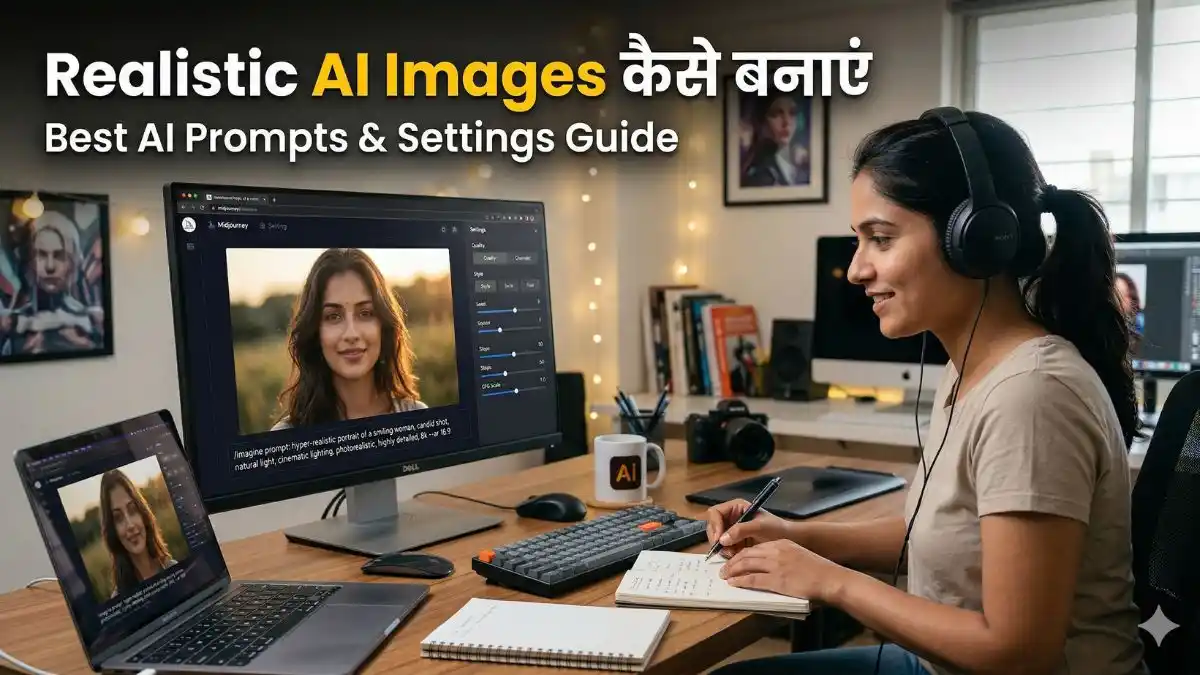
Realistic AI Images: आज के दौर में AI image generation सिर्फ experiment करने की चीज़ नहीं रही, बल्कि एक ऐसी practical skill बन चुकी है जिससे आप professional-level visuals तैयार कर सकते हैं। लेकिन अक्सर ऐसा होता है कि AI से बनी images देखने में artificial लगती हैं—ना उनमें depth होती है, ना real-life जैसी feel। इसका सबसे बड़ा कारण है कि लोग Realistic AI Images बनाने की सही approach और detailing को समझे बिना ही prompt लिखना शुरू कर देते हैं।
अगर आप सच में चाहते हैं कि आपकी images बिल्कुल कैमरे से खींची गई फोटो जैसी दिखें—जहां lighting natural हो, skin texture realistic लगे और पूरा scene believable हो—तो आपको सिर्फ basic prompt से आगे बढ़ना होगा। इस लेख में हम आसान और practical तरीके से समझेंगे कि कैसे सही prompt structure, camera details, lighting techniques और smart settings का इस्तेमाल करके आप step-by-step high-quality realistic AI images बना सकते हैं, वो भी consistently।
Realistic AI Images क्या होती हैं?
Realistic AI Images वे visuals होती हैं जो देखने में बिल्कुल real-world photography जैसी लगती हैं। इनमें skin texture natural होता है, lighting सही direction में fall करती है, shadows believable होती हैं और scene में depth महसूस होती है—जिससे यह पहचानना मुश्किल हो जाता है कि image AI से बनी है या कैमरे से खींची गई है।
आसान भाषा में:
AI को इस तरह guide करना कि output बिल्कुल real लगे, यही realistic image generation है।
यह भी देखे:- ai image prompts kaise likhe
Realistic AI Images बनाने के लिए जरूरी Elements
अगर आप high-quality Realistic AI Images बनाना चाहते हैं, तो इन elements का सही उपयोग करना जरूरी है:
1. Lighting (रोशनी)
Lighting image की quality को सबसे ज्यादा affect करती है
- soft lighting → natural look
- cinematic lighting → dramatic feel
- golden hour → warm tone
2. Camera Details
Camera-related keywords image को professional बनाते हैं
- DSLR photography
- 50mm lens
- shallow depth of field
3. Skin Texture और Details
Realism के लिए detail बहुत जरूरी है
- detailed skin texture
- sharp focus
- natural colors
4. Background और Depth
Background realistic होना चाहिए
- blurred background
- depth of field
- natural environment
Step-by-Step Realistic AI Images कैसे बनाएं
अब हम practical तरीके से समझते हैं कि Realistic AI Images कैसे बनाई जाती हैं:
Step 1: Clear Idea तय करें
सबसे पहले decide करें कि आपको क्या बनाना है
portrait, landscape या product image
Step 2: सही Tool चुनें
आप इन tools का उपयोग कर सकते हैं:
Step 3: Detailed Prompt लिखें
Realistic output के लिए detailed prompt जरूरी है, उदाहरण नीचे देखें।
FACE LOCK – MUST FOLLOW Use both uploaded reference photos. Face must be 100% exact same — no reshaping, no beautification, no AI modification. Preserve real skin texture, facial structure, hairstyle, age, expression exactly as original. Ultra-HD face clarity, fully human look. A hyper-realistic 8k fashion portrait of a handsome young Indian man(refrence image given)walking stylishly pose, near charminar mornument at early morning vibe. He is wearing a white silk fitted shirt, blue fitted jeans, and white sneakers. His hair is modern and textured. The atmosphere is clear and serene, with orange barriers and charminar visible in the background. The overall mood is cinematic, with soft glowing lights and a modern urban vibe. ASPECT RATIO: 3:4 vertical TEXT / SIGNATURE: Add “Aipromptbase.in” bottom-left, handwritten signature-style, thin cursive strokes, small size, subtle premium elegance, white / soft off-white.
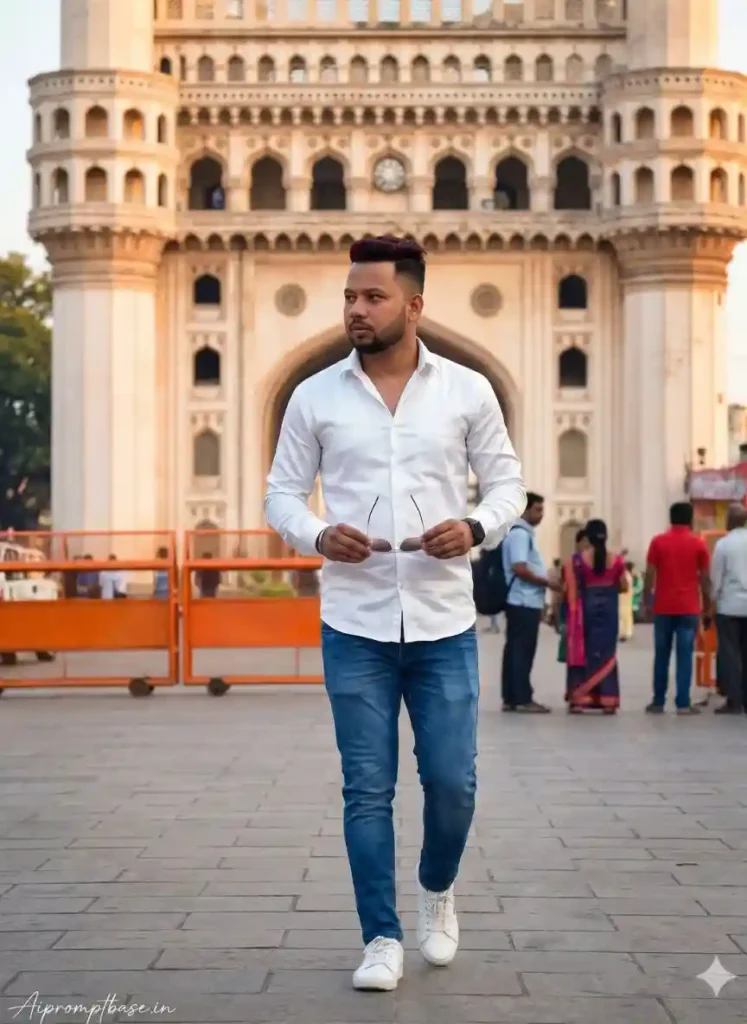
Image Source: AI Gemini Generated
Step 4: Multiple Variations Generate करें
एक बार में perfect image नहीं मिलती
2–3 बार generate करें
Step 5: Best Image Select और Upscale करें
best output चुनें
upscale करके quality improve करें
Best AI Prompts for Realistic AI Images
अब कुछ ready-to-use Realistic AI Images prompts देखते हैं:
1. Realistic Portrait Prompt
Create image. Young woman (100%maching face ) with long wavy hair sitting on a stone in a lush green garden, wearing a purple floral kurti and fringe blue jeans. She is in a relaxed pose with one hand touching her hair, white shoes on her feet. Background features bright green foliage and blooming jacaranda tree with purple flowers, clear daylight, DSLR-level sharpness, natural colors, depth of field, realistic shadows, full-body portrait. ASPECT RATIO: 3:4 vertical TEXT / SIGNATURE: Add “Aipromptbase.in” bottom-left, handwritten signature-style, thin cursive strokes, small size, subtle premium elegance, white / soft off-white.
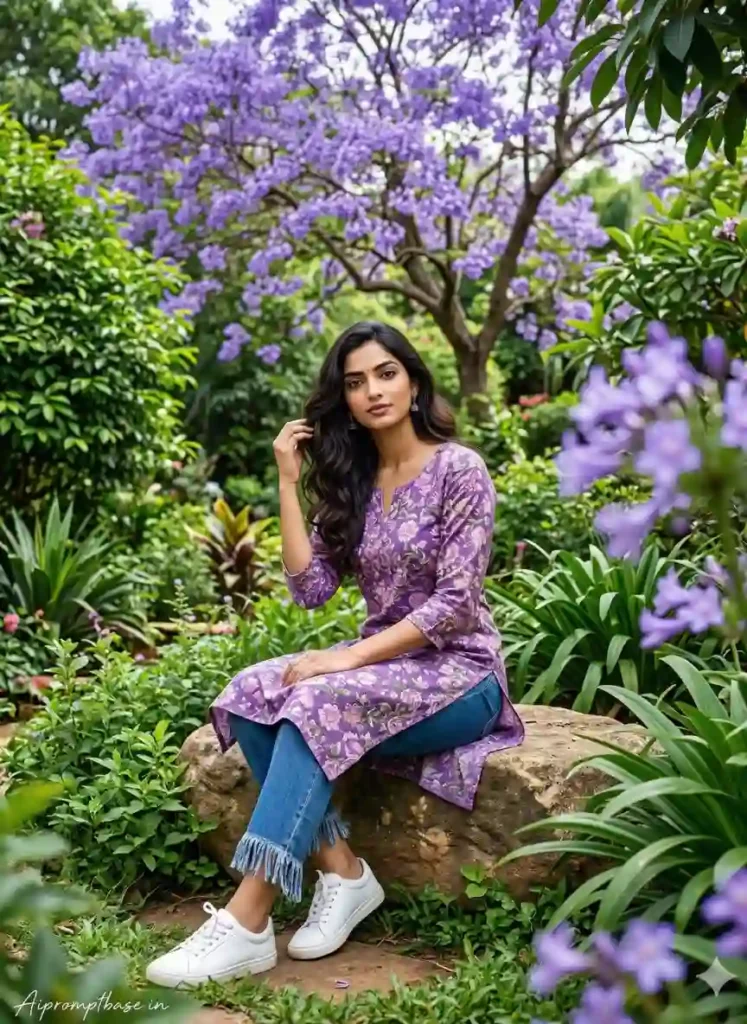
Image source: AI Gemini Generated
2. Outdoor Realistic Scene
FACE LOCK – MUST FOLLOW Use both uploaded reference photos (boy & girl). Face must be 100% exact same — no reshaping, no beautification, no AI modification. Preserve real skin texture, facial structure, hairstyle, age, and expression exactly as original. Ultra-HD face clarity, fully human look. Create a hyper-realistic cinematic lifestyle portrait entirely based on the uploaded reference photo, keeping the exact same face, hairstyle, and overall appearance with no alterations. A stylish young Indian man lounges confidently on a modern hanging wicker chair, dressed in a trendy all-white coord set with a casual T-shirt and open-shoe designer sneakers, and a luxury wristwatch. His expression is cool and composed as he slightly leans back with a relaxed posture. ASPECT RATIO: 3:4 vertical TEXT / SIGNATURE: Add “Aipromptbase.in” bottom-left, handwritten signature-style, thin cursive strokes, small size, subtle premium elegance, white / soft off-white.
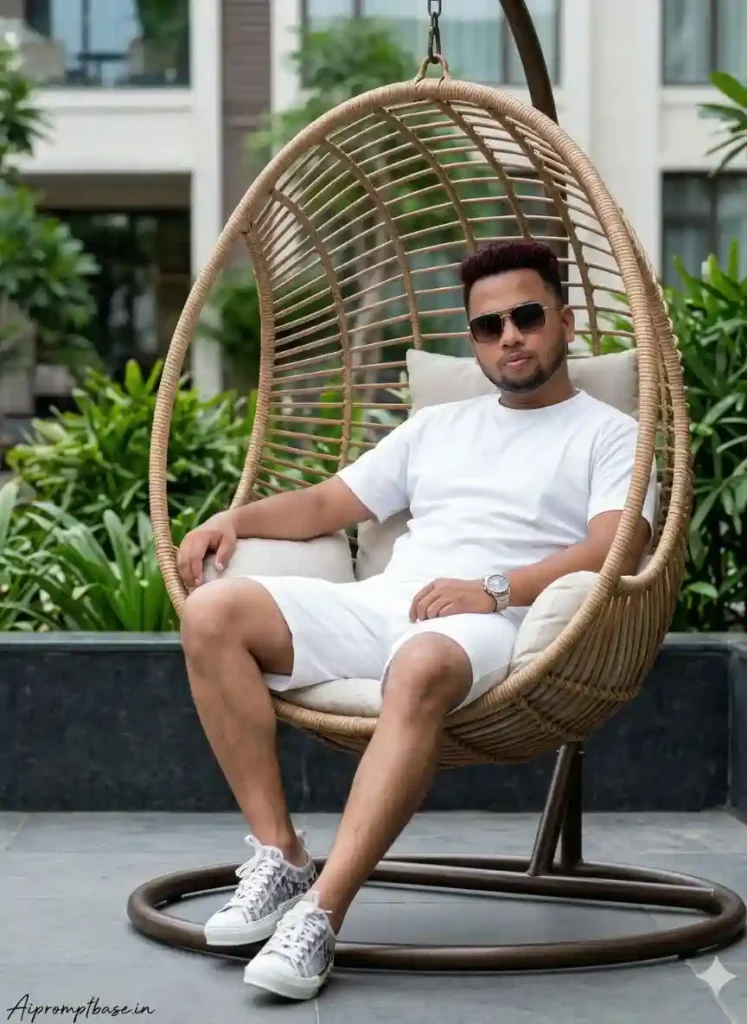
Image source: AI Gemini Generated
3. Cinematic Shot
FACE LOCK – MUST FOLLOW Use both uploaded reference photos. Face must be 100% exact same — no reshaping, no beautification, no AI modification. Preserve real skin texture, facial structure, hairstyle, age, expression exactly as original. Ultra-HD face clarity, fully human look. Ultra-realistic cinematic scene, low-angle shot (from bottom to top), the reference person sitting on the open door frame of a classic car fully engulfed in flames, fire rising around the vehicle, thick black smoke in the background. The reference person wearing an all-white outfit (white t-shirt, white pants, white sneakers) and dark sunglasses, calm and confident expression. Dramatic firelight illuminating the face and clothes, strong contrast, gritty atmosphere, realistic fire physics, cinematic composition, shallow depth of field, movie still quality, hyper-realistic, 35mm lens look. ASPECT RATIO: 3:4 vertical TEXT / SIGNATURE: Add “Aipromptbase.in” bottom-left, handwritten signature-style, thin cursive strokes, small size, subtle premium elegance, white / soft off-white.
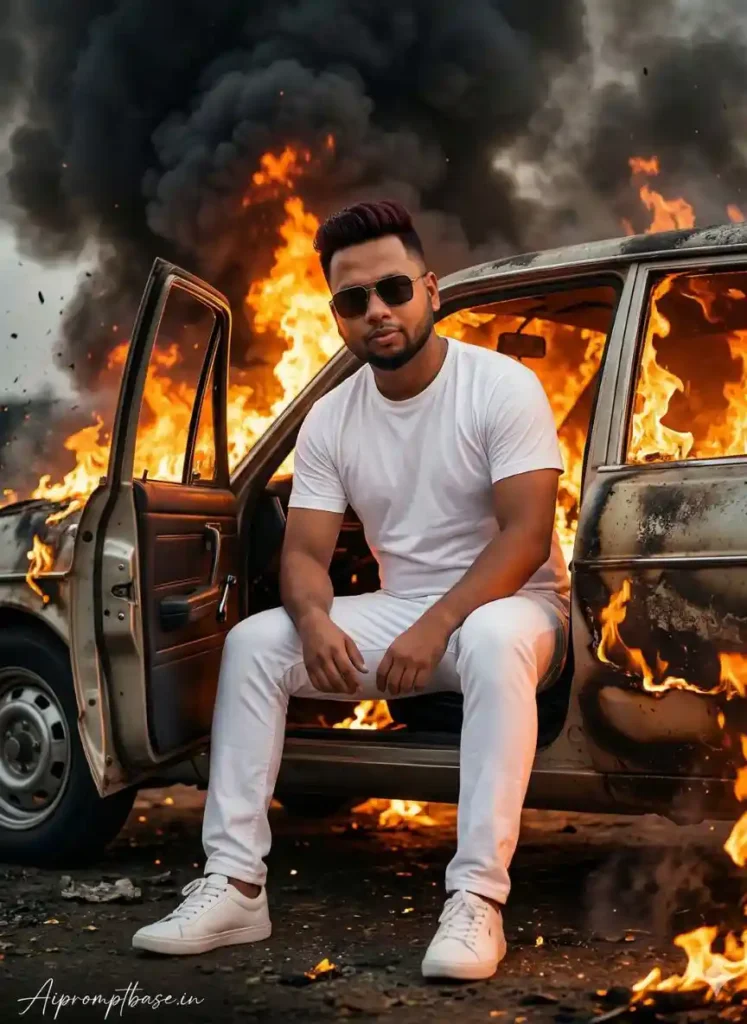
Image source: AI Gemini Generated
Settings जो Realistic AI Images को Improve करती है
Aspect Ratio (Size)
- 1:1 → Instagram
- 2:3 → portrait
- 16:9 → landscape
Quality Settings
- high quality
- ultra realistic
- 4k / 8k
Negative Prompts
Unwanted चीजों को हटाने के लिए:
Negative Prompts--no blur, low quality, distorted face, extra fingers
यह भी देखे:- ai images kaise banaye step by step guide 2026
Face Lock (Same Face बार-बार कैसे बनाएं)
अगर आप चाहते हैं कि हर image में same character का वही चेहरा बार-बार आए, तो आपको AI को clear और consistent instructions देने होंगे। इसे ही Face Lock technique कहा जाता है।
Use करने वाले keywords:
- हमेशा HD क्लियर चेहरे वाली फोटो अपलोड करें।
- same face
- consistent features
- identical face
इन keywords को prompt में add करने से AI हर बार similar facial structure, expressions और details maintain करने की कोशिश करता है।
Pro Tip:
अगर आप और ज्यादा consistency चाहते हैं, तो हर बार same prompt structure, same description (age, hairstyle, face shape) और same style maintain करें—तभी best results मिलते हैं।
Realistic AI Images के लिए Best Workflow
अगर आप consistent quality चाहते हैं, तो यह workflow follow करें:
- idea define करें
- हमेशा अपनी HD क्लियर चेहरे वाली फोटो अपलोड करें।
- detailed prompt लिखें, प्रॉम्प्ट में face lock instruction हमेशा लिखे।
- multiple images generate करें
- best result select करें
- upscale करें
- final image save करें
Common Mistakes (जिनसे बचना जरूरी है)
- छोटा prompt लिखना या आधा अधूरा prompt लिखना
- lighting ignore करना
- random keywords use करना
- first result को ही final मान लेना
Advanced Tips (Expert Level)
- हमेशा 50mm lens keyword use करें (portrait के लिए)
- skin detail जरूर add करें
- lighting के साथ experiment करें
- multiple tools use करें
FAQs अक्सर पूछे जाने वाले सवाल
क्या realistic images बनाना मुश्किल है?
नहीं, सही technique से यह आसान है
क्या free tools से realistic images बन सकती हैं?
हाँ, लेकिन paid tools में ज्यादा control मिलता है
क्या mobile से realistic images बना सकते हैं?
हाँ, आप mobile से भी आसानी से बना सकते हैं
निष्कर्ष
अगर आप थोड़ा ध्यान देकर prompt structure, lighting और camera details को सही तरीके से use करते हैं, तो realistic AI images बनाना मुश्किल नहीं है। फर्क बस approach का होता है—जितनी clarity और detailing आप देंगे, उतना ही natural और professional output मिलेगा।
यह एक ऐसी skill है जो time के साथ grow करती है। शुरू में results perfect नहीं होंगे, लेकिन जैसे-जैसे आप experiment करेंगे और अपनी mistakes समझेंगे, आपकी images खुद-ब-खुद next level पर पहुंचने लगेंगी। Consistency और practice ही यहां सबसे बड़ा game changer हैं।